patakhdeletsolutionsltd.tech

Loading

All posts by patakhdeletsolutionsltd.tech

How to Ensure Compliance with A2P 10DLC Regulations

Photo by Kristian Bjornard on Unsplash

Introduction to A2P 10DLC

A2P (Application-to-Person) messaging is an essential aspect of modern communication, specifically designed for businesses to send messages to individuals. It refers to messages that are sent from applications to personal phone numbers, ensuring critical communications—ranging from alerts and notifications to marketing messages—reach the intended recipients. The introduction of 10DLC (10-Digit Long Code) represents a significant advancement in the realm of A2P messaging, offering businesses a more reliable and effective method for conveyance.

The proliferation of mobile communication has compelled businesses to seek more compliant and efficient ways to connect with their customers. A2P 10DLC is a messaging framework developed to provide a legitimate pathway for enterprises to send messages while adhering to regulatory standards. With increasing concerns over spam and unsolicited messages, compliance has become a priority. The 10DLC protocol ensures that businesses register their messaging campaigns and verify their identities, thereby enhancing deliverability rates. This registration process not only boosts trust with carriers but also vastly improves the likelihood that messages will be delivered successfully and timely.

Another factor contributing to the growing importance of A2P 10DLC is its flexibility in message volume. Unlike traditional person-to-person messaging, which may be limited in capacity, A2P 10DLC allows enterprises to send a higher volume of messages without facing the restrictions often associated with conventional SMS carriers. The transition to this framework empowers businesses to engage with their customers more actively and effectively, hence revolutionizing their communication strategies.

As we explore whether A2P 10DLC is necessary for individual users sending SMS notifications, it is crucial to understand the significance of this system in maintaining best practices and ensuring the reliability of text communications in an increasingly digital landscape.

What Are Gravity Forms and Their SMS Notification Feature?

Gravity Forms is a widely recognized form builder plugin for WordPress that enables users to create customized forms for various applications. With its intuitive drag-and-drop interface, users can easily design forms for contact inquiries, registrations, surveys, and payment processing, catering to an array of personal and business needs. It is known for its flexibility, boasting numerous add-ons that enhance its functionality, allowing seamless integration with third-party services for email marketing, CRM solutions, and even SMS notifications.

The SMS notification feature within Gravity Forms adds a layer of immediacy to the process of form submission. Users can configure their forms to send real-time text message alerts to themselves or designated recipients whenever a form submission occurs. This feature is particularly beneficial for individuals and small-scale enterprises who require instant updates for lead generation, customer inquiries, and event registrations. Whether you are managing a small business or simply gathering feedback on a recent event, the ability to receive SMS notifications helps enhance the user experience by ensuring timely communication.

Common uses for the SMS notification feature include sending alerts for new business inquiries, reminders for appointments, or confirmations for event registrations. This capability not only keeps users informed but also encourages prompt follow-ups, thereby improving responsiveness. Additionally, it can help streamline operations by notifying users of important submissions without the need for constant monitoring of their email inbox. By integrating Gravity Forms with SMS notifications, users can ensure that they stay connected and informed, ultimately enhancing their engagement with clients and customers.

The Importance of Compliance in SMS Messaging

In the ever-evolving landscape of SMS messaging, compliance with established regulations is paramount, particularly in the United States. SMS marketing and notification protocols are governed by a stringent legal framework designed to protect consumers and ensure ethical practices among businesses. One vital aspect of this framework is the implementation of A2P 10DLC (Application-to-Person 10-Digit Long Code), which plays a critical role in regulating SMS communications, including personal notifications such as those sent via Gravity Forms.

A2P 10DLC provides a structure that allows businesses to send SMS messages legally and ethically. This system enables carriers to differentiate between P2P (Person-to-Person) and A2P messages, ensuring that commercial SMS communications adhere to specific guidelines. It is essential for businesses to understand that sending text notifications without compliance can lead to severe consequences, including hefty fines, penalties, or even blocks by mobile carriers, which can significantly impact a company’s ability to engage with its audience.

The legal landscape surrounding SMS messaging includes various regulations enacted by agencies such as the Federal Communications Commission (FCC) and the Telephone Consumer Protection Act (TCPA). These laws mandate obtaining explicit consent from recipients before sending automated messages, among other provisions. Therefore, businesses sending messages for purposes such as notifications or marketing must take steps to ensure they are following these rules. By utilizing A2P 10DLC, organizations can improve their compliance posture and reinforce their commitment to ethical messaging practices.

In conclusion, adherence to compliance regulations is not merely a legal requirement but a best practice that can enhance customer trust and loyalty. Engaging in ethical SMS messaging fosters a positive brand image and mitigates the risk of penalties or carrier infractions. As such, it is crucial for businesses, particularly those utilizing tools like Gravity Forms for SMS notifications, to embrace A2P 10DLC as a safeguard for lawful communication.

Understanding A2P 10DLC for SMS Notifications

A2P 10DLC, which stands for Application-to-Person 10-Digit Long Code, represents a significant advancement in SMS messaging specifically designed for businesses. Unlike standard SMS messaging, which often utilizes shared short codes or person-to-person (P2P) long codes, A2P 10DLC is tailored to facilitate reliable communication between applications and individuals. This messaging system is purpose-built to meet the unique needs of businesses while ensuring regulatory compliance and enhancing message deliverability.

The operation of A2P 10DLC centers on a registration mechanism. Businesses must register their use case and detailed information with mobile carriers to use A2P capabilities. This registration process is integral as it helps the carriers distinguish between legitimate business messages and potential spam or fraudulent messages. By adhering to the registration requirements, businesses not only improve their message deliverability but also establish a trusted relationship with carriers. This ensures that their messages reach the intended recipients without being flagged or blocked.

Beyond the registration process, A2P 10DLC is designed to increase the effectiveness of SMS notifications. This system allows businesses to send a higher volume of messages while maintaining compliance with carrier guidelines, which is crucial for preventing message filtering. Moreover, A2P messaging comes with benefits such as higher throughput and two-way communication capabilities, further enhancing customer engagement. The combination of registration and enhanced messaging features allows businesses to utilize A2P 10DLC effectively while maximizing the impact of their SMS notifications. Consequently, for those using tools like Gravity Forms to send SMS notifications, embracing A2P 10DLC is essential for ensuring that messages not only reach their destination but do so in a compliant and efficient manner.

Do You Need A2P 10DLC for Personal SMS Notifications?

As the landscape of messaging evolves, understanding the necessity of A2P 10DLC (Application-to-Person 10-Digit Long Code) for personal SMS notifications is vital. Users of Gravity Forms who intend to send SMS alerts solely to themselves may question the need for this registration. While A2P 10DLC primarily targets businesses sending high volumes of messages, individual users must consider a few key factors before deciding to adopt this framework.

Firstly, the volume of messages sent plays a crucial role. If an individual’s SMS notifications are relatively minimal and primarily for personal use, the regulatory burdens associated with A2P 10DLC may seem excessive. However, as texting becomes a more integral part of business communication, even small-scale users must consider potential growth. Should one’s needs evolve – for example, when transitioning from personal notifications to broader communication for a budding business or community engagement – they would need to comply with A2P 10DLC guidelines. Thus, preemptively adopting this approach might serve as a safeguard against future regulatory challenges.

Moreover, the implications of not complying with regulations cannot be overlooked. Non-compliance could lead to message blocking or filtering by carriers, which would hinder the effectiveness of notifications. Since A2P 10DLC provides a legitimate framework for sending SMS, adhering to these guidelines not only ensures message deliverability but also builds a foundation for trust with recipients, should the volume of messages expand. Compliance thus becomes essential for those contemplating future growth or service expansion.

In conclusion, while individual users may initially perceive A2P 10DLC as unnecessary for personal SMS notifications, considering future developments and regulatory compliance is essential. This proactive approach will empower users to navigate the evolving landscape of SMS communication effectively.

Cost Considerations for A2P 10DLC Registration

When deliberating the use of A2P 10DLC (Application-to-Person 10-Digit Long Code) for services such as Gravity Forms SMS notifications, it’s imperative to evaluate the associated costs thoroughly. Understanding these financial implications can significantly influence your decision-making process regarding A2P 10DLC registration.

Initially, one must consider the registration fees imposed by carriers. Different mobile network operators may have varying cost structures, with some charging a one-time registration fee that can range anywhere from $5 to $50, while others might implement a more complex tiered fee system based on message volume or the specific use case. This upfront expense is usually a requirement for acquiring A2P 10DLC, aimed at ensuring compliance with industry regulations and preventing spam. As you assess the cost, it’s essential to account for the ongoing monthly fees that some carriers may charge, which can further affect budgets over time.

In addition to carrier fees, the choice of a service provider can introduce further costs. Many SMS gateways or platforms facilitating A2P messaging often have their fee schedules, which may include monthly subscriptions, message-passing fees, and additional costs for premium features. These variables can impact the overall price, especially if a user expects high-volume messaging. It is wise for potential users to compare these factors across multiple providers to identify the most cost-effective solution for their needs.

Ultimately, while A2P 10DLC registration carries undeniable benefits, including improved deliverability and compliance, understanding the total cost—both upfront and recurring—will play a crucial role in assessing its practicality for personal usage. By carefully analyzing these expense factors, one can make a more informed decision aligned with their financial considerations.

Alternatives to A2P 10DLC for SMS Notifications

When it comes to sending SMS notifications through Gravity Forms, many users may seek alternatives to the A2P 10DLC compliance system. While A2P 10DLC provides a reliable and compliant framework for business messaging, there are several other methods available for individual users or smaller operations looking to minimize costs or complexity. One commonly used approach is the integration of third-party SMS gateways. These services can facilitate SMS notifications without requiring formal A2P 10DLC registration, making it an appealing option for quick setups.

One popular alternative is leveraging free or low-cost messaging services, such as Twilio or Nexmo. These platforms offer user-friendly APIs that can be easily integrated with Gravity Forms, allowing for seamless SMS notifications. Users can set up automated messages through these platforms, often at lower rates than traditional telecommunications providers. While these services also require setup and management, they often provide more flexibility, especially for small-scale operations that may not send high volumes of messages.

However, it is important to acknowledge the potential limitations associated with using these alternatives. For instance, many free or inexpensive services may not guarantee the same level of deliverability or message speed as A2P 10DLC compliant methods. Additionally, there may be restrictions on the type of content that can be sent or how many messages can be sent within a certain timeframe, leading to potential disruptions in communication.

Moreover, users should remain aware of legal and regulatory requirements surrounding SMS messaging. Notification messages sent through non-compliant channels could face challenges such as being marked as spam, leading to issues with message delivery. As such, while there are viable alternatives to A2P 10DLC for sending SMS notifications through Gravity Forms, it is crucial to weigh the benefits against the potential drawbacks pertaining to reliability and compliance.

Pros and Cons of Using A2P 10DLC for SMS Notifications

A2P 10DLC (Application-to-Person 10-Digit Long Code) has emerged as a significant method for deploying SMS notifications, especially for services like Gravity Forms. Understanding its pros and cons enables users to make informed decisions about integrating this technology into their notification systems.

One of the primary advantages of A2P 10DLC is enhanced message reliability. Messages sent through this system generally achieve higher delivery rates compared to Traditional SMS methods. This is largely attributable to the regulations and standards that A2P 10DLC adheres to, which ensure that messages are not flagged as spam. Furthermore, A2P messaging allows for faster delivery, ensuring that important notifications reach users promptly. Individual users benefit from the assurance that their communication will be more consistent, especially critical in time-sensitive situations.

Additionally, A2P 10DLC is compliant with regulations designed to protect both senders and recipients. This compliance alleviates the risk of legal issues associated with messaging campaigns. For businesses or individual users relying on SMS for customer communication, ensuring compliance with telecom regulations is vital for sustaining operational integrity. The scalability of A2P 10DLC is another noteworthy advantage, as it accommodates growing communication needs without switching to different systems or codes.

However, there are also downsides to consider. Costs could be a significant factor; while A2P 10DLC provides multiple benefits, the pricing structure may be higher than traditional options, particularly for users sending messages infrequently. Furthermore, the registration process can be cumbersome, demanding considerable effort to comply with the requirements—potentially deterring some users from utilizing this service. Lastly, while the reliability is high, delivery can still experience delays during peak traffic, which might be problematic for urgent notifications.

In conclusion, the decision to use A2P 10DLC for SMS notifications requires careful consideration of its benefits and drawbacks. It provides a robust solution for message reliability and compliance but comes with increased costs and potential complexities in setup.

Conclusion: Making an Informed Decision

In the current landscape of sending SMS notifications, particularly through platforms like Gravity Forms, the topic of A2P 10DLC (Application-to-Person 10-Digit Long Code) is crucial. As we discussed, A2P 10DLC is designed to facilitate better compliance with regulations while ensuring the reliability of message delivery. For individuals considering whether to utilize A2P 10DLC for personal notifications, it is essential to weigh your specific needs and the implications of your messaging practices.

One significant factor to consider is the volume of messages you intend to send. A2P 10DLC is specifically recommended for businesses or users who plan to send a larger volume of texts, or engage with customers regularly. If your SMS notifications are sporadic or intended only for personal use, alternative methods may suffice without the need for formal registration or adherence to the associated regulations of A2P 10DLC.

Furthermore, looking at future plans is important. If you envision scaling your notifications or possibly transitioning to a more substantial SMS engagement strategy, adopting A2P 10DLC may be beneficial now, as it paves the way for compliance as your needs evolve. Additionally, understanding regulatory obligations surrounding SMS communications is crucial. Failure to comply with these standards can lead to penalties or poor deliverability rates, affecting your overall communication strategy.

Ultimately, evaluating your specific use case and assessing whether compliance, message reliability, and potential growth align with the features of A2P 10DLC will guide your decision-making process. By carefully considering these elements, you can make an informed choice on whether to implement A2P 10DLC for sending Gravity Forms SMS notifications to yourself.
Top Smartwatch Recommendations for 2025: The Best of the Best

Top Smartwatch Recommendations for 2025: The Best of the Best

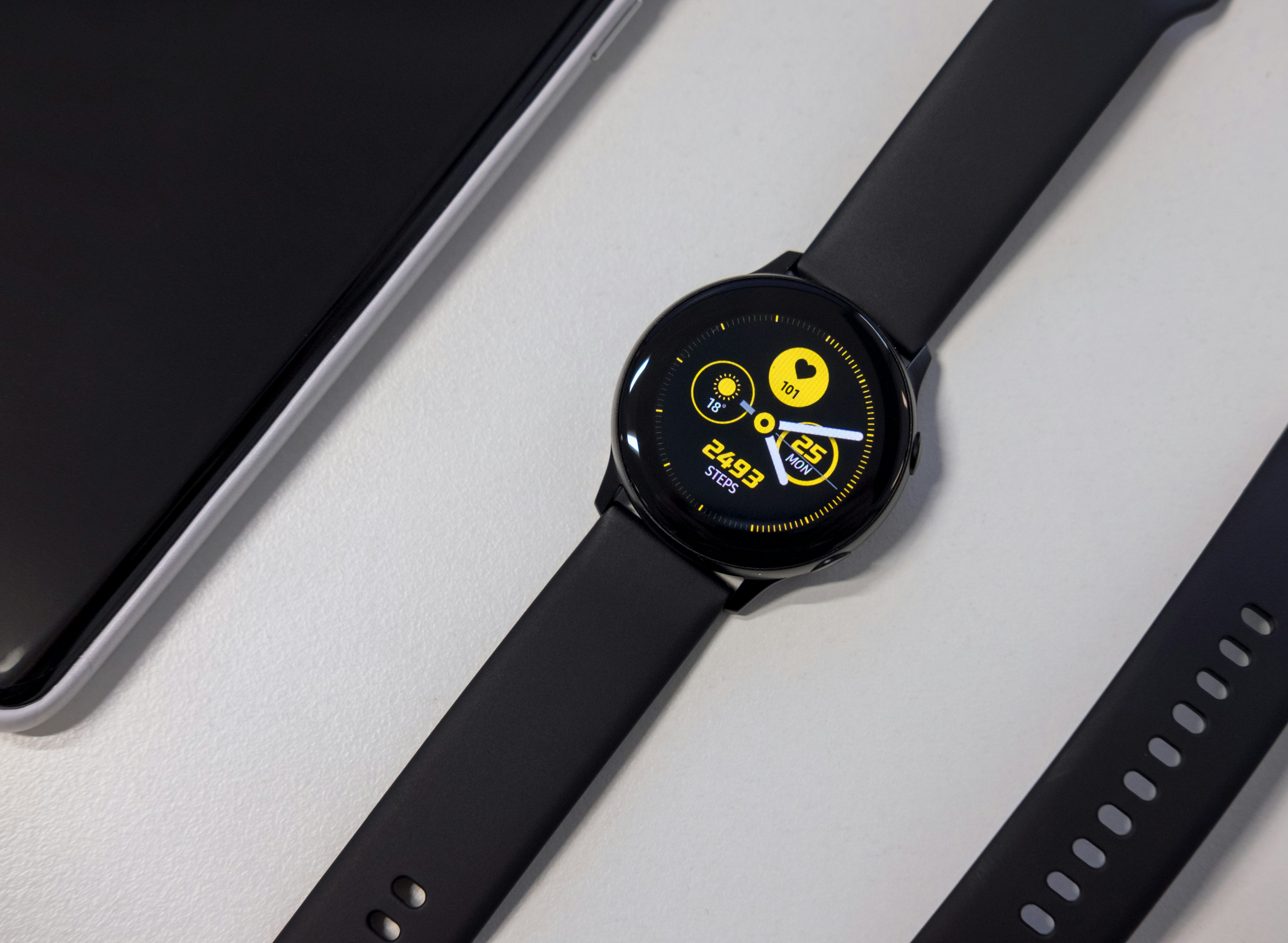
Photo by Klim Musalimov on Unsplash

Introduction to the World of Smartwatches

Smartwatches have emerged as one of the most innovative technological advancements in recent years. These multifunctional devices, worn on the wrist, have transitioned from basic digital watches to sophisticated gadgets that integrate seamlessly into our everyday lives. The evolution of smartwatches can be traced back to simple digital timepieces that incorporated basic features, such as alarms and stopwatches. However, as technology progressed, so did the capabilities of these devices. Today, smartwatches boast a multitude of functions, ranging from fitness tracking and health monitoring to real-time notifications and connectivity with other smart devices.

At their core, smartwatches are designed to enhance the user experience by providing convenience and accessibility. A primary characteristic of smartwatches is their ability to connect with smartphones, allowing users to receive calls, messages, and app notifications directly on their wrist. This feature has contributed significantly to their growing popularity, as it allows individuals to stay connected without sacrificing mobility. Furthermore, many smartwatches now include advanced health monitoring features, such as heart rate tracking, sleep analysis, and even ECG capabilities, catering to an increasingly health-conscious population.

The significance of selecting the right smartwatch cannot be overstated, as these devices are not one-size-fits-all. Each individual has unique needs and preferences, whether they prioritize fitness features, connectivity options, or aesthetic appeal. Understanding the diverse range of available smartwatches and their specific capabilities is essential for making an informed decision. As we delve deeper into this blog, we will explore various top smartwatch recommendations for 2025, each tailored to different lifestyles and preferences, ensuring that every reader can find a suitable option for their needs.

Factors to Consider When Choosing a Smartwatch

When selecting a smartwatch, several critical factors come into play that can significantly influence your overall satisfaction and experience. First and foremost is compatibility with smartphones. Different smartwatches operate seamlessly with specific operating systems, such as iOS or Android. Therefore, consumers must ensure that their chosen smartwatch can synchronize effectively with their existing smartphone to utilize features such as notifications, calls, and messages fully.

Another essential factor is battery life, as users often look for devices that can last through their busy days without requiring frequent charging. Smartwatches typically have varying battery capacities, and understanding one’s usage patterns can help in selecting a model that meets those demands. A smartwatch equipped with power-saving modes may also extend the time between charging sessions, making it more convenient for active users.

Design and aesthetics play a significant role in consumer preference. A smartwatch should not only be functional but also visually appealing. With various styles and materials available, from sporty to elegant, users can choose a design that complements their lifestyle and personal taste. It’s crucial to consider the size and weight of the watch as well, especially for prolonged wear.

Health tracking capabilities have become a prominent selling point for many smartwatches. Features such as heart rate monitoring, sleep tracking, and fitness assessments are now standard offerings. Consumers should evaluate what health metrics are important to them and whether a particular smartwatch adequately addresses those needs. Along with health features, the app ecosystem also merits attention, as a rich library of applications can enhance the smartwatch’s usability and functionality with various services and tools.

Lastly, pricing is an important consideration. Smartwatches are available in a wide range of prices, and potential buyers should assess their budget against the features offered. Comparing different models and understanding the value each brings can help in making an informed decision. Balancing these factors will guide consumers in selecting a smartwatch that best fits their individual requirements.

Best Smartwatches for Fitness Enthusiasts

As 2025 approaches, fitness enthusiasts can look forward to an impressive array of smartwatches tailored specifically for their active lifestyles. These devices not only provide essential timekeeping functions but also boast advanced features that cater to the needs of athletes and health-conscious individuals alike. Among the standout devices this year is the Fitbit Charge 6. This smartwatch emphasizes heart rate monitoring and includes innovative sensors capable of accurately tracking numerous fitness parameters such as steps taken, calories burned, and distance traveled. With a robust battery life lasting up to seven days and a price point of approximately $179.99, it remains accessible for those seeking real-time health data.

Another exceptional recommendation is the Garmin Venu 3, which enhances the fitness experience with built-in GPS tracking and an impressive array of workout modes, accommodating runners, cyclists, and swimmers. Its advanced recovery metrics help users optimize their training regimes, ensuring they maximize fitness gains and minimize the risk of injury. Priced around $449.99, its premium features are ideal for serious athletes who prioritize endurance training. The Garmin Connect app further enriches the experience, allowing detailed analysis of performance.

For individuals seeking a more versatile option, the Apple Watch Series 9 integrates seamlessly into a broader ecosystem. Featuring an advanced heart monitoring system, it incorporates an ECG app that can detect irregular heart rhythms, making it beneficial for fitness lovers eager to monitor their cardiovascular health. Additionally, its ability to track a range of activities, combined with a stylish design, positions it as a practical choice. Available for roughly $399.99, its rich functionality justifies the investment for many fitness enthusiasts.

Ultimately, the market in 2025 promises an exciting selection of smartwatches, allowing fitness enthusiasts to find a device perfectly aligned with their training goals and lifestyle preferences.

Top Smartwatches for Tech Lovers

As technology continues to evolve at a rapid pace, the demand for innovative smartwatches has become increasingly pronounced. For tech enthusiasts seeking the best wearable devices in 2025, several smartwatches stand out due to their advanced features and cutting-edge technology.

One of the frontrunners in the smartwatch arena is the Apple Watch Series 9. This model comes equipped with a powerful S9 chip, which not only enhances performance but also allows for seamless integration with various applications. The Series 9 features advanced fitness sensors capable of monitoring heart rate, blood oxygen levels, and even tracking sleep patterns. Its incorporation of AI capabilities enables personalized health insights and suggestions, making it an ideal choice for health-conscious users.

Another remarkable option is the Samsung Galaxy Watch 6. This smartwatch boasts a vibrant display and a user-friendly interface, complemented by an array of customizable features. The 6 utilizes advanced sensors to monitor physical activities and incorporates a robust voice assistant functionality through Bixby, allowing users to navigate and control smart home devices with ease. With its 5G connectivity, the Galaxy Watch 6 ensures real-time updates and supports streaming music and calls directly from your wrist.

For those seeking a more rugged option, the Garmin Fenix 7 is an exceptional choice. This outdoor smartwatch features advanced GPS capabilities, altimeter, and barometer functionalities, catering perfectly to adventure-seekers. The durable design, combined with multiple sport-specific modes and health tracking features, makes it suitable for a variety of outdoor activities. The integration of smart notifications and music storage adds to its versatility for tech lovers who enjoy functionality while embracing the outdoors.

In the realm of premium tech, the Fossil Gen 6 offers an intriguing blend of style and function. With its Snapdragon Wear 4100+ chipset, users experience improved battery life and performance. This model features advanced health tracking, including heart rate variability and SpO2 monitoring, while supporting Google Assistant and Alexa for enhanced voice command capabilities. Its sleek design makes it a fashionable addition to any tech lover’s collection.

Best Smartwatches for Everyday Use

When selecting a smartwatch for daily wear, users seek a fine balance between functionality, style, and overall performance. The need for seamless integration into daily life—with features such as customization options, usability, notifications management, and battery life—renders certain models particularly appealing. Among the standout options for 2025, several smartwatches emerged as recommendations for everyday consumers.

First on the list is the Apple Watch Series 9, which continues to impress with its sleek design and extensive functionality. Users appreciate the wide range of customizable watch faces that can reflect personal style while maintaining practicality. With exceptional health tracking features, including heart rate monitoring and an ECG app, it stands out as a comprehensive fitness companion. Notifications are managed effortlessly, allowing users to stay connected without feeling overwhelmed. Its battery life lasts approximately 18 hours, which is suitable for a full day of usage.

Another strong contender is the Samsung Galaxy Watch 6. This smartwatch not only offers a robust array of health and fitness tracking capabilities, but also boasts impressive customization options, including interchangeable bands and watch faces. Its user-friendly interface makes it easy to navigate through notifications and apps. The Galaxy Watch 6 is equipped with an extended battery life of up to 40 hours, making it ideal for users who prefer reduced anxiety regardingcharging throughout the day.

Furthermore, the Fitbit Versa 4 presents a solution for those who prioritize fitness tracking alongside typical smartwatch functions. Its minimalist design appeals to users seeking subtlety during everyday wear. The Fitbit app provides a wealth of insights into health metrics, while its notification management is efficient and user-friendly. With a battery life of up to six days, it is remarkably suited for long-term daily use without frequent charging interruptions.

In essence, the best smartwatches for everyday use seamlessly integrate style and functionality while meeting the diverse needs of consumers. Each of these recommended models serves distinct preferences but collectively exemplify the evolving landscape of wearable technology.

Luxurious Smartwatch Choices for a Classy Touch

As the smartwatch market continues to evolve, luxury brands have stepped up to offer devices that not only incorporate advanced technology but also reflect sophistication and elegance. High-end smartwatches are increasingly seen as a blend of fashion and functionality, appealing to both tech-savvy users and fashion enthusiasts. Premium smartwatch manufacturers emphasize sleek designs, top-notch materials, and exclusive features that set them apart from standard models.

Top brands in the luxury smartwatch sector include Tag Heuer, Hublot, and Garmin, each bringing its unique flair and craftsmanship. Tag Heuer has made a name for itself with the Connected series, which combines innovative tech features with a sporty aesthetic and customizable watch faces. Hublot’s Big Bang e is another excellent choice, merging traditional luxury watchmaking with smart capabilities, allowing users to enjoy a premium experience on their wrists.

In terms of craftsmanship, these luxurious smartwatches often utilize high-quality materials, including stainless steel, ceramics, and even gold. This attention to detail not only results in striking visual appeal but also enhances durability. For instance, the use of sapphire crystal provides excellent scratch resistance, ensuring that the watch remains looking pristine over time. The integration of advanced technology does not sacrifice the essence of traditional watchmaking; rather, it complements it by infusing smart features into a beautifully crafted piece.

Furthermore, luxury smartwatches often boast exclusive features such as customizable dials, advanced health monitoring systems, and seamless connectivity with other devices. These functionalities enrich the user experience without compromising on the elegance and luxury expected from high-end timepieces. Overall, the fusion of refined design and intelligent technology positions luxury smartwatches as a coveted accessory for discerning consumers seeking both style and sophistication.

Budget-Friendly Smartwatch Options

As the popularity of smartwatches continues to rise, so does the array of affordable options available on the market. For consumers in 2025 looking for budget-friendly smartwatches, there are several excellent choices that deliver essential features without a significant financial burden. These options have been carefully selected to balance both functionality and cost-effectiveness, thus providing substantial value to users.

One standout option in the budget category is the XYZ Smartwatch, which offers a comprehensive suite of health monitoring tools, including heart rate tracking and sleep analysis. Its long battery life ensures that users can depend on it throughout their daily activities without the constant need for recharging. Priced significantly lower than many competitors, the XYZ Smartwatch does not sacrifice quality and remains a reliable companion for fitness enthusiasts and casual users alike.

Another noteworthy contender is the ABC Wearable, which shines in terms of versatility. This smartwatch features customizable watch faces and various fitness modes, catering to diverse user preferences. Its intuitive interface simplifies navigation, making it accessible even for those new to smartwatch technology. Moreover, the ABC Wearable’s durable design stands out, ensuring that it can withstand the rigors of daily life while remaining a stylish accessory.

For those prioritizing connectivity, the DEF Watch offers seamless integration with various apps and services, such as messaging and navigation. This is particularly advantageous for individuals who frequently engage with their smart devices on the go. By maintaining competitive pricing, the DEF Watch positions itself as an attractive option for anyone looking to enhance their productivity without overspending.

In exploring these budget-friendly smartwatch choices, it becomes evident that affordability does not equate to lower quality. Consumers can confidently select among these options, knowing they are investing in reliable devices that cater to their everyday needs.

The world of smartwatch technology is continuously evolving, with innovations promising to redefine usage and enhance user experience in the coming years. One of the most significant trends is the advancement in health monitoring capabilities. Future smartwatches are expected to incorporate cutting-edge biometric sensors that can provide real-time health data, including blood glucose levels, hydration status, and advanced sleep analysis. This shift towards comprehensive health monitoring is expected to empower users to manage their wellness proactively, making smartwatches essential tools for individuals focusing on health and fitness.

In addition to health advancements, battery life improvements are likely to be a key focus for manufacturers. With demands for more functionalities, developers are actively exploring energy-efficient technologies, including solar charging and low-power display options. As smartwatches become increasingly multifunctional, longer battery life will become a vital deciding factor for consumers seeking wearable devices that do not require daily charging. The ability to extend usage periods without diminishing performance represents a significant leap in wearable technology.

Moreover, user interface design is set for a revolution, pivoting towards more intuitive experiences. Expect to see smarter voice assistance and gesture controls that enhance interaction with devices. These innovations will make it easier for users to navigate various features seamlessly, allowing for a more integrated lifestyle that incorporates technology more fluidly. With these developments, smartwatches will transition from mere fitness trackers to essential components of daily life.

Lastly, the integration of augmented reality (AR) within smartwatches presents an exciting frontier. This trend could manifest in features like navigation overlays for outdoor activities or interactive fitness coaching experiences. As AR capabilities enhance, consumers may find themselves attracted to smartwatches that offer immersive, interactive experiences, ultimately shaping future buying decisions.

Conclusion: Finding Your Perfect Smartwatch

Choosing the right smartwatch can significantly enhance your daily routine and overall lifestyle. As we have discussed throughout this blog post, various factors come into play when selecting the best smartwatch for your needs. From fitness tracking capabilities and battery life to compatibility with other devices, understanding your personal requirements is essential to making an informed decision. The array of devices available in 2025 offers something for everyone, whether you are a fitness enthusiast, a tech-savvy individual, or someone simply looking for convenience in their daily tasks.

It is important to take your time and evaluate what features matter most to you. For instance, if fitness monitoring is a priority, focusing on smartwatches known for their robust health-tracking capabilities will be beneficial. Conversely, if you seek a device that seamlessly integrates with your smartphone, key features like notifications and app compatibility should take center stage. Budget considerations also play a crucial role; there are affordable yet high-quality options for those who are cautious about spending.

Ultimately, the best smartwatch is one that aligns with your unique preferences and lifestyle. By reflecting on the key points highlighted—such as design, performance, and additional functionalities—you can better navigate the extensive options available. Remember, investing the effort in selecting a smartwatch tailored to your specific needs will pay off, resulting in a device that not only keeps you connected but also improves your quality of life. Take your time exploring the innovative smartwatch landscape of 2025, and ensure you find the perfect companion for your everyday activities.

How to Choose the Right Smartwatch for Your Needs

How to Choose the Right Smartwatch for Your Needs

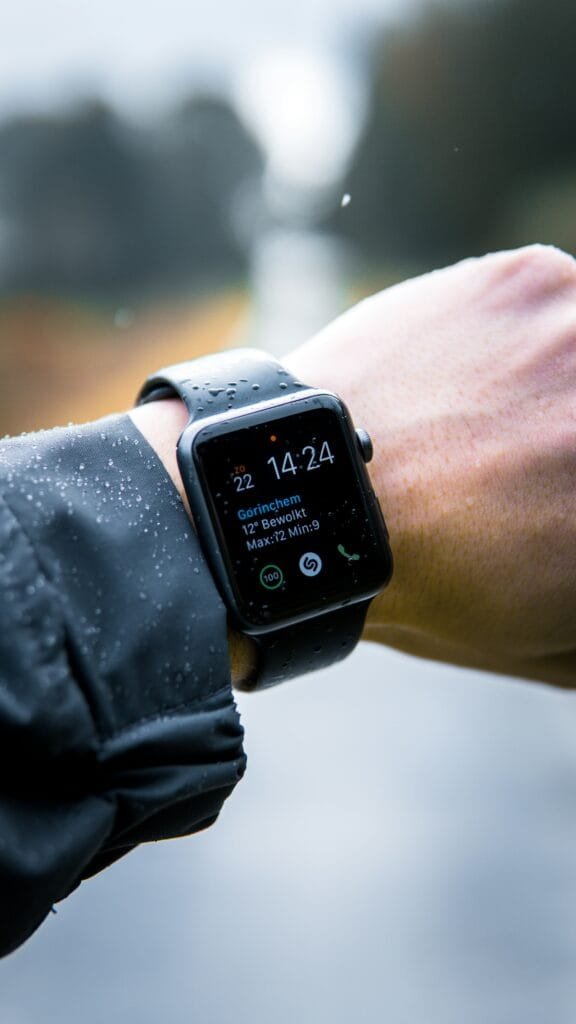
Photo by Lloyd Dirks on Unsplash

Introduction to Smartwatches

Smartwatches represent a fascinating blend of technology and practicality, functioning as versatile devices that not only tell time but also connect seamlessly with smartphones. These wearable gadgets have evolved significantly, maintaining a distinct identity from traditional watches while offering an extensive array of features that enhance everyday life. Their integration capabilities allow users to receive notifications, track fitness metrics, and even control smart home devices directly from their wrists.

The increasing popularity of smartwatches can be attributed to several key factors. One of the main drivers is the growing interest in health and fitness tracking. As awareness of personal health rises, individuals are seeking convenient ways to monitor their fitness levels. Smartwatches frequently come equipped with sensors that provide real-time data such as heart rate, step count, and sleep patterns. This data empowers users to make informed health decisions, while also encouraging a more active lifestyle.

Moreover, the convenience offered by smartwatches arrives as a major attraction. In today’s fast-paced world, being able to check messages, emails, and social media notifications without the need to reach for a smartphone has become invaluable. The ability to handle calls, respond to messages, or even access navigation tools directly from one’s wrist ensures that users stay connected while minimizing distractions. Furthermore, this level of accessibility is coupled with the aesthetics of modern design, making smartwatches appealing not only as a gadget but also as a fashion accessory.

Lastly, the growing connectivity facilitated by advancements in wireless technology, such as Bluetooth and Wi-Fi, has played a poignant role in their adoption. Smartwatches can sync with smartphones to provide an integrated user experience. This seamless interaction bridges the gap between user and device, thus enhancing the overall appeal of smartwatches as essential components of a modern lifestyle.

How Smartwatches Connect to Smartphones

The connection between smartwatches and smartphones is facilitated through several technologies, primarily Bluetooth, Wi-Fi, and cellular connectivity. Each of these methods plays a crucial role in ensuring that users can effectively manage their notifications, apps, and other features from their wrist without hassle.

Bluetooth is the most commonly used method for connecting smartwatches to smartphones. This short-range wireless technology allows devices to communicate with one another when they are within a certain distance. The process begins with Bluetooth pairing, during which the smartwatch and smartphone establish a secure link. Once paired, the smartwatch can receive notifications, calls, and messages directly from the smartphone, making it an essential component of the user experience. The efficiency of Bluetooth technology ensures minimal battery consumption while maintaining robust connectivity.

In addition to Bluetooth, many smartwatches are equipped to connect via Wi-Fi. This feature becomes particularly useful when the smartphone is out of range. By establishing a Wi-Fi connection, the smartwatch can still receive data and notifications as long as it is connected to the internet. This capability enhances the functionality of smartwatches, especially for those who engage in activities like workouts where carrying a smartphone may not be practical.

Cellular connectivity has also transformed the landscape of smartwatch communication. Some advanced smartwatches come with built-in cellular capabilities, allowing them to operate independently of a smartphone. This feature enables users to make calls, send messages, and stream music directly from their wrist, significantly enhancing the convenience factor. As cellular networks evolve, smartwatches with LTE capabilities are becoming increasingly popular among users who prioritize connectivity without the need for a companion smartphone.

Operating Systems for Smartwatches

The landscape of smartwatches is significantly influenced by the operating systems that power these devices. Among the leading platforms are Wear OS by Google, watchOS by Apple, and Tizen by Samsung, each offering distinct features and functionalities tailored to varying user needs. Understanding these operating systems is essential for consumers looking to make informed choices about smartwatches.

Wear OS, developed by Google, provides a highly customizable experience, allowing users to access a multitude of applications and services directly from their wrist. With seamless integration to Android smartphones, Wear OS facilitates notifications, music controls, and fitness tracking. One of its standout features is Google Assistant, which enables voice-activated commands and enhances user interaction. Moreover, the ability to receive third-party app support makes Wear OS an attractive choice for users looking for versatility and personalization.

In contrast, watchOS by Apple is exclusively designed for the Apple Watch and provides an optimized experience for users within the Apple ecosystem. The operating system is known for its intuitive interface, offering a rich selection of health monitoring features, including ECG and heart rate tracking. Its tight integration with iOS allows for effortless synchronization of data and notifications, making it easy for users to stay connected while on the go. Additionally, the App Store for watchOS hosts a variety of applications that cater specifically to the needs of Apple Watch users.

Tizen, Samsung’s proprietary operating system, has established a robust platform for its Galaxy Watch series. Tizen stands out due to its ability to function independently from a smartphone, offering features like Samsung Pay and comprehensive fitness tracking. While initially designed for Samsung devices, Tizen is compatible with a range of Android smartphones, providing flexibility for users. Its adaptive user interface and extensive customization options make it a viable option for those seeking a balance between functionality and aesthetics.

Ultimately, the choice of operating system can significantly impact the smartwatch experience. Whether one values the expansive functionalities of Wear OS, the cohesive integration of watchOS, or the versatility of Tizen, each operating system presents unique advantages that cater to a broad spectrum of user preferences. The thriving ecosystem of smartwatches continues to evolve, reflecting ongoing advancements in technology and consumer expectations.

Key Features of Smartphone-connected Smartwatches

Smartphone-connected smartwatches have rapidly evolved, offering a plethora of features designed to enhance user experience and complement the functionalities of smartphones. One of the standout features is the ability to receive notifications directly on the wrist. This includes alerts for incoming calls, text messages, emails, and various applications. By allowing users to view and respond to notifications without needing to constantly check their phones, smartwatches facilitate seamless communication and accessibility.

Another significant feature is call handling. Many smartwatches enable users to answer or decline calls directly from their wrist, using either built-in microphones and speakers, or Bluetooth connectivity to link to wireless headsets. This hands-free convenience is particularly beneficial for multitasking individuals or when engaging in physical activities where accessing a smartphone may be impractical.

Fitness tracking is one of the foremost reasons users opt for smartwatch devices. Equipped with sensors, smartwatches can monitor a range of health metrics, including heart rate, steps taken, calories burned, and even sleep quality. By integrating these functionalities with smartphone applications, users can gain insights into their fitness journey, set health-related goals, and track their progress, all in real time.

Furthermore, mobile payments have gained immense popularity, with smartwatches allowing users to conduct transactions quickly and securely. Using technologies such as NFC (Near Field Communication), individuals can easily make purchases by tapping their smartwatch at compatible payment terminals. This feature not only provides convenience but also enhances security by reducing the need to carry physical cards.

Incorporating all these features, smartphone-connected smartwatches serve as a potent extension of mobile phones, streamlining communication, health monitoring, and financial transactions. As technology continues to advance, smartwatches are likely to evolve further, enhancing their role in bridging the gap between our wrists and smartphones.

Health and Fitness Tracking Technology

Smartwatches have emerged as integral tools for health and fitness enthusiasts, leveraging advanced sensor technology to monitor various physiological metrics. At the core of this technology is the integration of multiple sensors, including heart rate monitors, accelerometers, and gyroscopes. These components work collaboratively to provide accurate readings of heart rate, body movement, and even sleep patterns.

Heart rate monitoring typically utilizes photoplethysmography (PPG), a method that detects blood flow through the skin using light sensors. This capability allows users to monitor their heart rate continuously or during specific activities, facilitating a better understanding of cardiovascular health. Many smartwatches also incorporate algorithms that analyze this data to provide insights regarding exercise intensity, recovery rates, and overall fitness levels.

GPS tracking further complements health monitoring by enabling accurate location data for outdoor activities such as running or cycling. By tracking distance and pace in real-time, users can assess their performance and adjust their workouts accordingly. This data is vital for athletes looking to improve their skills, as it provides measurable feedback over time. Moreover, this feature often syncs with smartphone applications, allowing users to view maps of their activities and analyze performance trends.

Sleep tracking technology has also gained prominence, as many individuals are becoming increasingly aware of the importance of quality sleep in relation to overall well-being. By utilizing a combination of motion sensors and heart rate variability data, smartwatches can deliver insights into sleep duration and quality. This information can be invaluable for users striving to enhance their sleep hygiene and achieve optimal health outcomes.

In this evolving landscape, the integration of sensor technology and sophisticated algorithms in smartwatches equips users with comprehensive health management tools, seamlessly linking their wrist devices to smartphones for a holistic understanding of their well-being.

Customization and User Interface

Smartwatches have rapidly evolved into sophisticated devices that seamlessly connect users with their smartphones, and a significant aspect of their appeal is the customization and user interface. The user experience is heavily influenced by the available apps, diverse watch faces, and interactive widgets, all of which enhance personalization and interaction.

Smartwatch manufacturers prioritize app availability, enabling users to access a wide range of applications tailored for various needs. Whether users are looking for fitness tracking, social media updates, or productivity tools, the abundance of compatible apps offers countless opportunities for personalized usage. For instance, fitness enthusiasts can select from multiple tracking applications that align with their specific health goals, while social media users can receive notifications directly on their wrist, ensuring they never miss important updates.

In addition to app selection, watch faces play a crucial role in the overall aesthetic and user experience of smartwatches. Users can choose from an extensive collection of watch faces—ranging from minimalistic designs to elaborate artistic representations—that reflect their style and preferences. This feature allows for a level of visual customization that enhances the connection between the user and their device. Some models even provide options for users to create their own watch faces, further amplifying the sense of ownership and individuality.

Widgets also contribute significantly to the user interface, offering real-time information at a glance. These interactive elements can display essential data such as weather updates, heart rate monitoring, and calendar events without requiring users to navigate through numerous menus. The intuitive design of widgets ensures that information is easily accessible, streamlining the user’s interaction with the smartwatch and enhancing its functionality.

In summary, the customization options and user interface of smartwatches are pivotal in shaping the user experience. By providing a diverse selection of apps, watch faces, and widgets, manufacturers not only allow users to personalize their devices but also enhance usability, bridging the gap between the wrist and smartphone with efficiency and style.

The Role of App Ecosystems

Smartwatches have evolved significantly, largely due to the development of robust app ecosystems that enhance their functionality and usability. These ecosystems not only extend the capabilities of smartwatches but also improve integration with smartphone applications, creating a seamless user experience. As users look for ways to optimize their daily tasks, the availability and variety of applications play a crucial role in meeting these needs.

Popular apps available for smartwatches range across various categories, including fitness tracking, communication, navigation, and productivity. Fitness enthusiasts often benefit from applications like Strava and MyFitnessPal, which allow users to monitor their workouts and nutrition right from their wrist. Likewise, messaging applications such as WhatsApp and Telegram provide notifications and allow for quick replies without requiring users to access their smartphones. This level of integration significantly enhances the functionality of smartwatches, making them indispensable tools for many users.

The interaction between smartphone apps and smartwatch applications is pivotal to overall user experience. Developers design these applications to work in tandem, ensuring an optimal level of accessibility. For instance, health and wellness trackers analyze data collected from smartwatches and synchronize it with dedicated smartphone applications, enabling users to monitor their health status more effectively. This interconnectedness fosters a holistic approach to personal health management.

Furthermore, the continued growth of app ecosystems encourages innovation within the smartwatch market. As developers create new applications, they push manufacturers to enhance their devices, continuously adding features that cater to consumer demands. This synergy between app developers and manufacturers not only elevates the capabilities of smartwatches but also shapes the future of wearable technology.

Challenges and Limitations

Smartwatches have revolutionized the way we interact with technology, yet they face several challenges and limitations that hinder their full potential. One primary concern is battery life. Despite advancements in battery technology, many smartwatches struggle to last more than a day on a single charge, especially when active features such as GPS or heart rate monitoring are utilized. This inconvenience can detract from the user experience, as frequent charging becomes necessary, limiting the practicality of these devices for continuous use.

Another significant issue is the limited processing power relative to smartphones. While modern smartwatches are equipped with efficient processors, they cannot match the capabilities of smartphones that serve as their primary companions. This disparity often results in performance limitations, such as slower app load times and reduced multitasking abilities. Consequently, many users find themselves reliant on their smartphones for more resource-intensive operations, which can undermine the appeal of having a standalone smartwatch.

Compatibility issues across different platforms also pose a considerable challenge to smartwatch technology. As various manufacturers and operating systems compete in the market, seamless integration becomes increasingly difficult. Users frequently encounter difficulties when attempting to connect their smartwatches with different smartphones or applications, leading to frustration and necessitating workarounds. Moreover, app availability can vary significantly between devices, further limiting the functionalities that users can access on specific watches.

In conclusion, while smartwatches offer numerous advantages, challenges such as battery life constraints, processing power limitations, and compatibility issues hinder their capabilities. Addressing these obstacles is essential for the evolution of smartwatch technology, as manufacturers strive to enhance user experience and broaden the appeal of these devices.

The Future of Smartwatch Technology

As technology continues to evolve, the future of smartwatch technology appears both promising and transformative. One of the most significant advancements anticipated in this space is improved health monitoring capabilities. Companies are continually researching and developing better sensors and algorithms that can track various health metrics with increased accuracy. This encompasses not only heart rate and steps but also advanced metrics such as blood oxygen levels and even glucose monitoring. With the growing emphasis on personal health and wellness, such features are becoming essential for users seeking comprehensive insights into their fitness and overall health conditions.

In addition to health monitoring, the integration of artificial intelligence (AI) into smartwatches is set to bring a new level of personalization and functionality. AI can enhance the user experience by learning from individual habits and preferences, thereby providing tailored recommendations and notifications. For instance, a smartwatch equipped with AI could analyze activity patterns and suggest workouts, alert users to potential health issues, or remind them to take breaks based on their workload. Such technology would not only make smartwatches smarter but also contribute significantly to user engagement.

Furthermore, enhanced connectivity options between smartwatches and smartphones will play a crucial role in the future landscape of wearable technology. With 5G technology becoming increasingly prevalent, smartwatches will be able to deliver real-time updates and functionalities without the need to rely on a paired smartphone constantly. This improvement could pave the way for more autonomous smartwatch applications, allowing users to access information, stream music, or communicate with others without depending on their phones. As manufacturers continue to innovate and meet user demand, the future of smartwatch technology promises to redefine the relationship between wearable devices and our daily lives.

How to Safely Give Away Your Old Android Phone

How to Safely Give Away Your Old Android Phone

Image by Gerd Altmann from Pixabay

Understanding Factory Reset

A factory reset, also known as a hard reset, is a process that restores an Android device to its original factory settings. This action erases all personal data, applications, and customized settings, essentially giving the device a clean slate as if it were new out of the box. It is often used to improve performance, resolve technical issues, or prepare the device for resale or donation. However, a common misconception is that a factory reset completely erases all data beyond recovery.

During a factory reset, the operating system performs a comprehensive wipe of user data, including installed applications, messages, and contact information. This action typically addresses the following data storage areas: the internal storage, system cache, and user settings. Yet, what is important to note is that while user data is deleted from the interface and made inaccessible through normal usage, remnants of that data may still exist on the device. Advanced data recovery tools can sometimes retrieve these fragments, depending on how thoroughly the data was wiped.

In particular, certain types of data, such as information stored on external memory cards, may not be affected by the factory reset process. If these cards are not wiped separately, sensitive information could still be accessible after a reset. Therefore, for individuals concerned about privacy and data security, it is advisable to take additional steps before parting with an old Android phone. This includes removing external storage cards and utilizing specialized software to ensure that all data is effectively erased.

In summary, while a factory reset is an effective way to refresh an Android device, it does not guarantee that all data is irretrievable. Understanding the limitations of this process is essential for making informed decisions when disposing of or giving away a used device.

Why You Should Reset Your Phone Before Selling or Giving It Away

As technology continues to evolve, many individuals find themselves in possession of old Android phones that they no longer use. Whether you decide to sell or give away your device, it is crucial to perform a factory reset prior to parting with it. A factory reset is a process that erases all personal data on the device, restoring it to its original settings. This is an essential step that can help you avoid significant risks associated with data breaches and privacy concerns.

One of the primary reasons for resetting your phone is to safeguard your personal information. Smartphones store an array of sensitive data, including contacts, messages, photos, and even financial information. If you neglect to reset your phone before transferring ownership, you run the risk of exposing this information to the next user. A factory reset ensures that all your data is irrevocably deleted, reducing the chances of identity theft or unauthorized access to your records.

Moreover, not resetting your device can lead to potential legal implications. If your old phone contains sensitive data, and it falls into the wrong hands, you could find yourself liable for any misuse of that information. By performing a factory reset, you mitigate these risks and protect yourself from unwanted consequences.

Additionally, users may not be aware that even after deleting apps or files, remnants of personal data can linger on the device’s storage. Such residual data can be retrieved by anyone with the right tools and knowledge. Thus, a simple deletion does not adequately protect your privacy. A thorough factory reset eliminates all traces of your data, ensuring a clean slate for the new user.

In light of these considerations, it is evident that performing a factory reset on your Android phone before selling or giving it away is not merely a good practice; it is an essential step to protect your privacy and data integrity.

Data Recovery: What Remains After a Factory Reset?

When considering whether it is safe to give away an old Android phone after performing a factory reset, it is essential to understand the implications of data remnants that may still reside on the device. A factory reset, often perceived as a means to wipe all personal data, may not be as comprehensive as users assume. During this process, the operating system is designed to erase personal information such as contacts, messages, and application data, but certain data can remain recoverable.

One significant aspect to consider is how data is stored on digital devices. The factory reset typically marks the memory locations as available for new data, rather than physically erasing the data itself. This means that, with the right tools and expertise, someone could potentially recover sensitive information like photos, texts, or account details that were thought to be deleted. Various data recovery tools are widely available, allowing individuals with technical knowledge to access remnants even after a factory reset has been performed.

Furthermore, the level of recoverability can depend on several factors, including the specific device model, the version of the Android operating system, and whether the internal storage has been overwritten since the reset. While advanced users might be aware of these risks, many device owners may not take additional steps to secure their data before passing on their device. Therefore, the act of giving away an old Android phone carries inherent risks if precautions are not taken.

To mitigate these risks, it is advisable to utilize specialized software designed for secure data deletion, which can overwrite the existing data multiple times. This ensures that any remnants are rendered unrecoverable, providing a higher level of security for personal information prior to giving away the device. A thorough understanding of data recovery and the risks associated with a factory reset is crucial for anyone considering parting with their old Android phone.

Additional Steps for Ensuring Data Security

When considering the transfer of your old Android phone, ensuring data security is paramount. While a factory reset is a significant first step, it may not be sufficient on its own to protect sensitive information. To enhance the effectiveness of the factory reset, one should consider encrypting the device before performing the reset. Encryption converts your data into a coded format, making it virtually inaccessible without the proper key. Android offers a built-in encryption feature, which can be enabled in the settings prior to initiating a factory reset.

In conjunction with data encryption, employing hardware encryption can provide an added layer of security. Most modern Android devices come equipped with hardware-based encryption capabilities, which means your data is encrypted at the hardware level. When this feature is activated, even if someone attempts to recover data post-reset, they would encounter significant challenges, as the data remains encrypted.

Moreover, for those who seek an even higher assurance of data removal, utilizing third-party data wiping tools can be beneficial. These applications are specifically designed to overwrite data on your device multiple times, significantly reducing the likelihood of recovery. It is critical to select reputable wiping tools that are well-reviewed, as not all applications may provide complete data deletion or may pose their own security risks.

Additionally, after completing these steps, a final check is advisable. This can include verifying that no personal data, accounts, or linked services remain active on the device. By taking these comprehensive measures before giving away your old Android phone, you can mitigate the risk of data exposure and ensure that your information remains secure during the transition to a new owner.

Removing Accounts and External Storage

When preparing to give away an old Android phone, it is imperative to take comprehensive steps to ensure that all personal information is completely erased from the device. A factory reset may remove most data, but it does not guarantee the complete removal of linked accounts and sensitive information. Thus, the initial step involves unlinking all accounts that have been associated with the device. This is especially true for Google accounts, as they can store a plethora of personal data, settings, and app information.

To successfully remove your Google account from the device, navigate to the settings menu and select “Accounts.” From there, find your Google account, tap it, and choose the option to remove it. This process is crucial as it detaches any synchronization processes that may still be active. Similarly, if you have other accounts connected to your device, such as social media or banking apps, ensure these are also unlinked to avoid any potential risk of unauthorized access to your personal information.

Additionally, if your phone has a microSD card, it is advisable to remove this external storage before transferring the phone to a new owner. External storage can hold sensitive information and personal files, such as photos, videos, or documents. To delete all data from the microSD card, access the storage settings on your Android device, select the card, and proceed to format it. This step will erase all information contained on the card, ensuring it is safe to give away.

Lastly, remember to unpair any connected devices, such as smartwatches or Bluetooth accessories, to prevent unwanted access. By meticulously following these steps, you will significantly minimize the risk of exposing personal information when giving away your old Android phone.

Best Practices After Factory Reset

Performing a factory reset on an Android phone is an essential step in preparing the device for a new user. However, it is equally important to follow best practices to ensure the device is secure and functioning properly. Below are several actions that should be taken immediately after a factory reset.

Firstly, once the factory reset completes, check to confirm that all personal data and settings have been removed. It is also wise to check if the device prompts for any security settings or personal information before allowing access. This ensures that no residual data remains on the device, thereby safeguarding your privacy.

Next, update the operating system to the latest version available. New updates typically contain not just functional enhancements, but crucial security patches that protect against vulnerabilities. This practice minimizes the chances of exposing the new user to potential risks associated with outdated software.

It is also advisable to check all the hardware components of the Android device. Ensure that the screen, charging port, camera, and physical buttons are functioning correctly. If any issues are discovered, it is best to address them before handing over the phone to its new owner.

Moreover, consider performing a thorough cleaning of the phone physically. A clean device not only looks appealing but also demonstrates a level of care and attention to detail that will be appreciated by the next user. This includes gently wiping the screen and cleaning the exterior casing.

Finally, familiarize yourself with the phone’s settings. Confirm that the device is ready for the new user by restoring default settings where applicable and ensuring it is linked to no personal accounts. By following these best practices after a factory reset, you can enhance the overall experience for the new user while ensuring your data remains secure.

Choosing the Right Place to Give Away Your Old Phone

When deciding where to give away your old Android phone, it is essential to weigh multiple options, each with its own pros and cons regarding safety and convenience. One popular choice is giving the device to friends or family. This method often promotes a personal connection and trust, ensuring that the phone will remain secure and be used appropriately. However, it may not always be a feasible option, especially if you do not know anyone in need of an old device.

Charitable organizations are another option for donating your phone. Many charities accept old phones, refurbishing them for use by those in need. This contributes to a good cause, supporting communities that may not be able to afford new technology. Nonetheless, it is important to research the organization thoroughly to ensure that your phone will be treated properly and that your data is safe throughout the process. Some organizations may not have the proper recycling measures in place, which can lead to data breaches if proper precautions are not followed.

Recycling programs represent yet another option for disposing of your Android device. Environmentally-focused initiatives aim to reuse or recycle phones responsibly. This option typically guarantees that your personal information is handled securely and alleviates any concerns about data exposure. However, this method may not offer any monetary benefit compared to selling your phone through online marketplaces or local classifieds. Selling your device can be a convenient way to recoup some of the costs associated with the initial purchase, but it does require caution to ensure that you meet potential buyers safely and securely.

In summary, whether you’re considering giving your phone to friends, donating to charity, opting for recycling programs, or selling it, each approach has distinct advantages and challenges. Each choice should be made after carefully considering the implications for safety, data security, and convenience.

What to Do If You’re Unsure About Data Security

In today’s digital age, the concern for personal data security has become paramount, especially when disposing of old devices. If you find yourself feeling unsure about the safety of your data after performing a factory reset on your Android phone, it is essential to take additional steps to ensure your information has been completely wiped. Factory resets can restore devices to their original settings, but there are instances where residual data may remain accessible to those with the right tools and expertise.

One of the most effective ways to guarantee your data is secure is to consider using professional data wiping services. These services specialize in erasing all personal information from devices, employing advanced methods that exceed standard factory reset capabilities. Professional data shredding ensures that no recovery tools can retrieve sensitive information from the device, providing peace of mind during the disposal process. Many reputable companies offer their expertise in securely wiping phones and tablets, providing documentation of the destruction process for additional assurance.

If you choose this route, it can be helpful to research local data destruction services or manufacturers that provide secure recycling options. Many electronic retailers and manufacturers have take-back programs where they can ensure that your old Android phone is recycled responsibly, and your data is obliterated in the process. For further guidance, organizations such as the National Association for Information Destruction (NAID) provide directories of certified data destruction companies. You can contact them or visit their website for resources and recommendations tailored to your location. By utilizing these professional options, you can confidently dispose of your device without worrying about your data’s security.

Final Thoughts on Upgrading Your Phone and Protecting Your Data

Upgrading to a new phone can be an exciting experience, offering enhanced features, improved performance, and a fresh start. However, it is crucial to prioritize data protection during this transition. When considering giving away your old Android phone, ensuring that your personal information remains secure is paramount. A factory reset is an essential step but should not be the only method of safeguarding your data.

Before parting ways with your old device, it is advisable to remove any accounts linked to your phone, such as Google or Samsung accounts. This step not only helps you secure your personal information but also ensures that future users cannot access your data. Additionally, encrypting the device before performing a factory reset can provide an added layer of protection. Encryption makes it significantly more difficult for anyone to recover data after the device has been reset.

Consider utilizing reputable data wiping software that can overwrite existing information more thoroughly than a factory reset alone. Many applications on the market can assist in securely erasing data, ensuring that it is permanently removed from the device. By following these procedures, you can enjoy the benefits of giving away your phone, knowing that your personal information is protected.

Ultimately, ensuring the safety of your data is not a mere afterthought; it is an essential responsibility as technology continues to evolve. By taking appropriate precautions and following the necessary steps, transitioning to a new device while giving away your old one can be a safe and beneficial process. Prioritizing data security not only protects you but also allows for a positive handoff of your old Android device, contributing to the recycling and sustainable use of technology.

How to Secure Your Android After a Hack

How to Secure Your Android After a Hack

Photo by Mika Baumeister on Unsplash

Understanding Smartphone Hacking

Smartphone hacking refers to the unauthorized access and manipulation of mobile devices, typically by exploiting vulnerabilities in software or user behaviors. As smartphones have become integral to daily life, hacking threats have evolved, focusing on compromising personal data, financial information, and private communications. Android users, in particular, should be aware of various hacking methods that malicious actors commonly deploy.

One prevalent method is the installation of malware, which is often disguised as legitimate applications or software updates. Once installed, malware can steal sensitive data, track user activity, and even remotely control the device. These harmful programs can be acquired through third-party app stores, compromised websites, or even via emails containing malicious links. To mitigate this risk, users should always download apps from reputable sources like the Google Play Store and be cautious about granting permissions to installed applications.

Phishing attacks represent another significant threat to Android users. These attacks often involve deceptive emails or texts that lure individuals into providing personal information, such as passwords or credit card numbers. Hackers may create fake websites that closely resemble legitimate ones, further tricking users into entering sensitive data. Awareness and vigilance are essential in recognizing and avoiding these scams, as they can lead to severe identity theft and financial loss.

Unauthorized access to personal data is also a major concern. Attackers may employ techniques such as brute-force attacks or social engineering to gain control over user accounts. This could result in the theft or compromise of personal information and further fraudulent activity. Users are encouraged to implement strong, unique passwords across various accounts and enable two-factor authentication where possible to enhance their security.

Overall, understanding the methods and implications of smartphone hacking is crucial for ensuring the safety of personal information and maintaining device integrity. Staying informed and employing preventive measures can significantly reduce the risks associated with smartphone hacking.

Signs That Your Android Smartphone Might Be Hacked

Recognizing the signs that your Android smartphone may have been compromised is crucial in maintaining digital safety and security. Several indicative symptoms can alert users to potential hacking incidents. One prevalent sign is unusual battery drainage. If your device’s battery is depleting more rapidly than usual, it may point towards hidden processes running in the background, possibly due to malicious software. This unexpected power consumption often signals that your smartphone is working harder than expected, as it could be processing unauthorized activities initiated by a hacker.

Another common red flag is the occurrence of unexpected pop-up ads. While some applications may generate ads, excessive pop-ups, especially those appearing outside of normal app usage, can indicate the presence of adware, a common type of malware. These intrusive advertisements can detract from the user experience and may signify that your device has been compromised.

In addition, the presence of unfamiliar apps on your device is a strong indicator of unauthorized access. If you notice applications that you did not install or recognize, it is essential to investigate further. These rogue applications might be a result of a hacker exploiting your device to install harmful software.

Changes to your device settings without your consent can also signal that your Android smartphone has been hacked. Malicious actors often modify settings to gain further access to personal information or to maintain control over the device. Additionally, a noticeable decline in performance, such as sluggish response times or freezes, can indicate possible malicious activity. This decrease in performance often correlates with system resources being exploited for illegitimate purposes.

By being vigilant about these signs, users can take proactive measures to protect their devices and data from potential threats and remain aware of any security issues that may need addressing.

What Is a Factory Reset? How Does It Work?

A factory reset is a process that restores an Android smartphone to its original manufacturer settings, essentially wiping the device clean of any user data, applications, and personalized adjustments. This comprehensive reset can have significant implications, particularly when addressing concerns related to hacking. By utilizing this function, users can erase any potentially harmful software that may have been introduced by unauthorized access, effectively giving the phone a fresh start.

The factory reset process typically involves navigating to the device’s settings menu. Users must select the “System” option, proceed to “Reset”, and then choose “Factory data reset”. This action triggers the deletion of all content and settings, returning the device to its initial state as it was when it first left the factory. The level of thoroughness involved in a factory reset is paramount; unlike simple restart or soft reset options, which reboot the device without erasing data, a factory reset unequivocally removes all traces of user-specific information.

It is also crucial to differentiate between a factory reset and other forms of resets, such as soft resets or rebooting the system. While these may help in resolving performance issues or minor software glitches, they do not eliminate malicious applications or the risks associated with a breach. For users who suspect their Android smartphones have been compromised, a factory reset can be a vital step in reclaiming control of their devices. However, it should be considered within a broader strategy for ensuring digital safety and security, particularly when combined with other security measures like software updates or malware scanning tools.

Limitations of a Factory Reset in the Context of Hacking

While a factory reset is often recommended as a means to restore an Android smartphone to its original settings, it is crucial to understand the limitations associated with this process, particularly when addressing the ramifications of hacking. A factory reset effectively erases user data and applications, reverting the device to its default state. However, this does not entirely eliminate the risk of persistent threats that may reside within the device.

One significant misconception is that a factory reset can remove all malware or hacking tools installed by malicious actors. In reality, sophisticated hackers may have implanted persistent malware or backdoors into the firmware or system partitions of the device. These types of malware are designed to survive a factory reset, rendering the device vulnerable even after user data has been erased. As a result, those who suspect their device has been compromised may find that a factory reset does not equate to complete removal of the threat.

Moreover, using a factory reset without addressing the underlying vulnerabilities that led to the hacking incident can result in a recurring cycle of compromise. If the same security flaws or unsafe practices are present, the user risks reinfection upon re-establishing their network connection or reinstalling applications. Additionally, important configurations or security settings may need to be restored or re-evaluated post-reset, which if overlooked, can create further opportunities for hackers to exploit the device.

In conclusion, while a factory reset is a useful tool in certain scenarios, it should not be viewed as a panacea for all security issues following a hacking incident. Users are encouraged to implement comprehensive security measures and seek professional assistance to ensure that their device is truly secure before using it again.

Steps to Take After Suspecting a Hack

If you suspect that your Android smartphone has been compromised, there are several critical steps to follow immediately to safeguard your personal information and restore security. The initial action should involve notifying your bank and financial institutions. Inform them of any suspicious activity or transactions that could be associated with the potential hack. This precaution will help protect your financial details and prevent unauthorized access to your accounts.

Next, change the passwords of all accounts accessed through your smartphone. It is crucial to create strong, unique passwords for each account, particularly for email, banking, and social media. Utilizing a password manager can help in generating and storing complex passwords securely. After changing your passwords, enable two-factor authentication (2FA) wherever possible. This adds an extra layer of security, making it more difficult for unauthorized users to gain access to your accounts.

Following this, check for any unauthorized accounts or services linked to your identity. Review your email inbox for communication from unfamiliar sources and verify whether your contact information or financial accounts have been altered. If you find any rogue accounts, report them immediately to the respective service providers and take necessary actions to secure your accounts.

Additionally, consider contacting technical support for your device. Professional assistance can help diagnose the issues caused by the breach and may provide guidance on further cleanup measures, including software updates or malware scans. Using reputable antivirus software can also help detect any malicious files that may have been introduced to your system during the security breach.

These proactive steps are essential for anyone who believes their Android smartphone may have been hacked, allowing individuals to take back control of their personal information and reduce future risks.

Additional Security Measures Beyond Factory Reset

While a factory reset can eliminate most malware and restore your Android smartphone to its original state, it is not a comprehensive solution for ensuring long-term security. To bolster the defenses of your device and shield it from future attacks, users should adopt additional security measures that complement the reset process.

One of the most effective strategies is to install reputable security software. Antivirus applications designed specifically for Android can detect, quarantine, and remove malicious software that might have evaded the factory reset. These programs often include features like real-time protection, which scans apps and files before you download or open them, thereby minimizing security risks.

Moreover, enabling two-factor authentication (2FA) serves as a robust barrier against unauthorized access. By requiring a second form of verification—such as a text message or an authentication app—you can significantly reduce the likelihood of your accounts being compromised, even if a password is inferred. Many popular services, including email and banking apps, offer 2FA options, which should be activated as a precautionary measure.

Keeping the operating system updated is another crucial element in maintaining security. Regular updates not only introduce new features but also patch known vulnerabilities that could be exploited by hackers. As Android frequently releases updates, users are encouraged to enable automatic updates or periodically check for updates within the settings to ensure they are utilizing the most secure version available.

In addition to these measures, practicing safe browsing habits is essential. Avoid clicking on suspicious links, downloading unverified applications, or connecting to unsecured Wi-Fi networks. Adopting cautious behavior can significantly reduce the chance of falling victim to future hacking attempts.

Should You Trust a Factory Reset Device? Final Assessment

When considering whether a factory reset can restore your Android smartphone to a state of safety following a hack, it is essential to weigh both the benefits and potential lingering risks. A factory reset removes all data, applications, and settings, effectively reverting the device to its original state. This process is indeed an effective measure for eliminating many forms of malware and unauthorized alterations made by a hacker. However, it is crucial to recognize that a factory reset does not guarantee complete security.

One of the primary concerns that users must keep in mind is the possibility of persistent threats. Some sophisticated malware can hide in the firmware or other areas of the device that are not wiped during a factory reset. Such malware can persist even after the reset, posing a risk to the user’s data and privacy. Therefore, while a factory reset can mitigate basic threats, it is not a foolproof solution against all forms of malicious software.

Furthermore, users must also consider that a factory reset does not address underlying vulnerabilities that may have allowed the initial hack to occur. If security settings are not reinforced or if the device is reconnected to insecure networks, the risk of another attack remains. Hence, after a factory reset, it is vital to adopt additional security measures. This includes regularly updating device software, utilizing reputable antivirus applications, and being cautious about app installations and online practices.

In conclusion, while a factory reset can be a beneficial step towards regaining control and safety over a hacked Android smartphone, it should not be viewed as an ultimate solution. Balancing the benefits against potential risks is necessary for ensuring ongoing security. User vigilance and proactive security habits remain essential post-reset to maintain a secure digital environment.

Recovery and Rebuilding After a Hacking Incident

Experiencing a hacking incident can be both unsettling and disheartening for individuals. The first step towards recovery is acknowledging the emotional impact of the situation. Users may feel violated or insecure regarding their personal information and data. Rebuilding trust in a device that has been compromised requires a structured and systematic approach.

Once a factory reset has been performed, it is essential to take proactive steps towards restoring the device’s integrity. Redownload and reinstall applications from trusted sources only, ensuring that the software is up to date. This practice not only safeguards personal information but also minimizes vulnerabilities that can be exploited in the future. Users should regularly monitor their account activity and settings to ensure no unauthorized changes have been made.

Lost data can often pose a significant concern after a hacking incident. If backup solutions such as cloud services or external hard drives were utilized prior to the breach, users should begin to restore their important data from these sources. It is crucial to regularly perform backups to minimize data loss in case of future incidents. Additionally, utilizing password managers to recover lost credentials can streamline the process of regaining access to various accounts.

Improving future security practices is vital for rebuilding confidence in the device. Users should consider enabling two-factor authentication on their accounts and maintaining strong, unique passwords for different platforms. Educating oneself on identifying phishing attempts and suspicious activities will allow for more proactive measures. Consistently reviewing security settings and software for updates serves as an essential part of sustaining a secure environment.

In conclusion, recovering from a hacking incident involves both emotional and practical efforts. By restoring data, enhancing security practices, and fostering awareness of potential threats, users can regain trust in their devices and provide themselves with a sense of assurance moving forward.

Conclusion: Staying Safe in a Digital Age

In an era where digital threats proliferate, ensuring the security of our Android smartphones has become increasingly critical. While factory resets can indeed restore your device to its original state, they are not a panacea for all security concerns. The act of performing a factory reset removes personal data and applications from the device, addressing many issues arising from a hack, but it does not eliminate all vulnerabilities. Users must understand that additional steps are necessary to maintain security and ensure long-term safety.

First and foremost, regular software updates play a pivotal role in safeguarding your smartphone. Manufacturers frequently release patches that rectify inadvertently discovered security flaws. By promptly installing these updates, you effectively reduce the risk of your device falling prey to known vulnerabilities exploited by cybercriminals. Furthermore, utilizing reputable security applications can enhance your smartphone’s defenses, providing real-time protection against malware and offering features such as privacy audits.

Another essential element in maintaining digital safety involves user behavior. Practicing safe browsing habits, avoiding unknown links, and downloading applications only from recognized sources significantly mitigates security risks. Remember that human error can often be a gateway for hackers, making it vital to remain informed and cautious about the applications and websites you engage with.

Ultimately, staying safe in a digital age is an ongoing endeavor that demands vigilance and foresight. While a factory reset may be effective to some extent in regaining control over a compromised device, it should be viewed as one component of a comprehensive security strategy. By remaining proactive and informed, users can significantly improve their defenses against potential threats, ensuring a safer smartphone experience.

How to Set Up Your New iPhone After Leaving Android

How to Set Up Your New iPhone After Leaving Android

Photo by Adam Adams on Unsplash

Introduction to the Transition

The decision to switch from Android to iPhone can arise from various motivations, reflecting personal preferences and experiences with both operating systems. A growing number of users are finding themselves attracted to the seamless integration of hardware and software that Apple offers, contributing to a more intuitive user experience. Many individuals expect enhanced performance, particularly in areas such as app optimization and device longevity. Moreover, Apple’s emphasis on user privacy and security frequently draws attention, as users become increasingly aware of their digital footprint.

Another compelling reason for the transition is the ecosystem that Apple cultivates. By utilizing a combination of devices, such as the Apple Watch, iPad, and Mac, users discover that switching to an iPhone can greatly enhance the convenience of their daily tasks. The ability to easily share files and maintain continuity across devices typically resonates with users looking for a cohesive technological environment. Users might also feel intrigued by the unique features of iOS, such as advanced photo editing capabilities, innovative apps, and a distinct approach to notifications and multitasking.

However, misconceptions about iOS can deter potential switchers. One prevalent belief is that the iPhone lacks customization options compared to Android. While it is true that Android offers a broader range of customizable features, iOS provides a clean, user-friendly interface that many users appreciate. Furthermore, concerns about app availability are often exaggerated; the majority of popular applications are accessible on both platforms. Understanding these aspects can significantly alleviate apprehension and provide clarity for those contemplating this significant change.

Ultimately, switching to iPhone after years of using Android can be a refreshing experience, marked by both adjustments and opportunities. By examining user experiences and embracing Apple’s ecosystem, new iPhone users can easily transition and enjoy the myriad benefits that this platform has to offer.

The Shift from Customization to Simplicity

When transitioning from an Android device to an iPhone, users will notice a significant shift in the approach to customization. Android is well-known for its extensive customization options, allowing users to tailor their devices according to personal preferences. This includes the ability to change launchers, modify widgets, and apply themes, which fosters a unique user experience. On the other hand, iOS is characterized by its streamlined and uniform interface designed to promote simplicity and ease of use.

The iPhone offers a more consistent user interface across all devices, presenting a cohesive experience that many users find appealing. This uniformity enhances usability, particularly for individuals who prioritize functionality and straightforward operation over extensive personalization. Apple’s focus on simplicity is particularly noticeable in apps, settings, and overall navigation, allowing users to quickly familiarize themselves with the operating system. Consequently, new iPhone users may find that they can accomplish tasks more efficiently without the distractions of excessive customization options.

However, this transition may pose challenges for those who have adapted to Android’s flexibility. Users accustomed to adjusting their home screens with various widgets or utilizing apps that alter the appearance and behaviors of their devices may feel restricted by iOS’s limitations. The absence of such customization can lead to feelings of constraint, especially for tech-savvy individuals who relish the ability to shape their device experience. Nevertheless, users might discover new efficiencies as they adapt to the iPhone’s simplicity, appreciating its reliability and intuitive design, which is often regarded as a hallmark of Apple’s philosophy.

In essence, while the move from Android to iPhone signifies a departure from customization, it also opens up a world of simplicity and reliability that many users may come to appreciate over time.

Transferring Data: A Step-by-Step Guide

Transitioning from an Android device to an iPhone can appear daunting, especially when it comes to transferring data. However, Apple provides effective tools to facilitate this process, primarily through its “Move to iOS” app. This app is specifically designed to assist users in transferring contacts, messages, photos, videos, web bookmarks, mail accounts, and calendars seamlessly from an Android device to an iPhone. Below is a detailed, step-by-step guide to using this app for an efficient data transfer.

First, ensure both devices are connected to a power source and that your iPhone is set up but not yet fully configured. During the setup process, you will reach a screen that prompts you to set up your device. Here, you should select the option “Move Data from Android.” On your Android device, download and install the “Move to iOS” app from the Google Play Store. Once the app is installed, launch it and agree to the terms and conditions to proceed.

Next, on your iPhone, tap “Continue” when prompted. A six-digit code will appear on your iPhone’s screen. Enter this code into the “Move to iOS” app on your Android device, allowing both devices to establish a secure connection. After this, select the types of data you’d like to transfer. It is advisable to only choose the data you actually use frequently to streamline the process and minimize waiting times.

Once you have made your selections, tap “Next” on your Android device. The transfer process will begin, and you can monitor its progress on both devices. After the transfer is complete, finish setting up your iPhone. To ensure everything runs smoothly, verify that all contacts, photos, and applications have been transferred correctly. With these steps, transitioning from Android to iPhone should be a seamless experience, helping you enjoy the capabilities of your new device without losing essential data.

Getting to Know iOS: Key Features and Navigation

Transitioning from Android to iOS introduces a fresh yet intuitive operating system designed to enhance the user experience. One of the first elements to explore is the App Store, which serves as the central hub for downloading applications. Unlike the Google Play Store, the App Store is curated by Apple, ensuring a certain level of quality and security for available apps. Users can discover new applications through categories, charts, and personalized recommendations. The straightforward layout simplifies the process of searching and downloading apps, making it user-friendly for newcomers.

Another pivotal feature is Siri, Apple’s voice-activated virtual assistant. Users can engage Siri to perform a variety of tasks—from setting reminders to controlling smart home devices—by simply asking questions or issuing commands. Siri’s integration into iOS enhances the functionality of the device, making it smarter and more responsive to user needs. Each command, whether it involves sending a text or finding directions, highlights how iOS emphasizes ease of access to information and device functionality.

Notifications also feature prominently in iOS, allowing users to stay informed with alerts from both applications and system updates. The Notification Center organizes notifications chronologically, offering a clear overview of all recent alerts. Users can customize their notification preferences easily in the settings, which provides an opportunity to personalize how they receive and interact with alerts from different applications.

Additionally, navigating the settings can unveil many essential adjustments, including screen brightness, Bluetooth connectivity, and privacy settings. The simple layout of the Settings app makes it easy to find and modify preferences, streamlining the transition for former Android users. By familiarizing themselves with these fundamental elements of iOS, new users will be better prepared to navigate the operating system efficiently.

App Availability and Alternatives

Transitioning from an Android to an iPhone can be a significant adjustment, particularly when it comes to app availability. While the Google Play Store boasts a vast catalog of applications, the Apple App Store features its own selection tailored for iOS devices. This can lead to a scenario where familiar Android applications may be entirely absent from the iOS ecosystem or may offer different functionalities when available.

One of the most notable differences is that certain applications, particularly niche or less popular options, may not have been developed for iOS at all. For instance, some region-specific apps, specialized productivity tools, or custom launchers prevalent on Android may have no direct equivalents on iOS. Thus, users should be prepared for the possibility that their favorite Android apps may not make the transition seamlessly.

In addition, even when an app exists on both platforms, its features, design, or functionality may vary. iOS applications tend to emphasize a uniformity in design and user experience, leading to some loss of specific features found within their Android counterparts. For example, customizability options available in many Android applications could be significantly restricted on iOS due to the operating system’s focused design philosophy.

To mitigate the impact of these differences, users should explore popular alternatives that fulfill similar needs. Many widely used applications such as social media platforms, messaging apps, or cloud storage services are available on both operating systems. Some noteworthy alternatives include using Apple’s own iCloud service instead of Google Drive or opting for apps like Microsoft OneNote instead of Google Keep for note-taking needs.

Identifying and adapting to these differences in app availability can enhance the experience of transitioning to an iPhone, allowing for a smoother integration into the iOS environment while still maintaining essential functionalities.

Understanding iCloud: Storage and Synchronization

iCloud is Apple’s cloud storage service that not only provides a means for users to back up their data but also facilitates seamless synchronization across multiple devices such as the iPhone, iPad, and Mac. When switching to an iPhone after years of using Android, understanding iCloud becomes crucial, as it offers a streamlined way to manage files, photos, and other important digital content. The integration of iCloud into the Apple ecosystem enhances the user experience by ensuring that all data is readily accessible, irrespective of the device in use.

The benefits of utilizing iCloud for iPhone users are manifold. First and foremost, it allows for automatic backups of your device’s data, including settings, app data, and photos, minimizing the risk of data loss. Additionally, any updates or changes made on one device will reflect on all devices that are signed into the same iCloud account. This means whether you’re using your iPhone, iPad, or Mac, your documents and media will always be up-to-date.

To set up iCloud on your new iPhone, begin by navigating to the ‘Settings’ app and tapping your name at the top. From there, select ‘iCloud’ and sign in with your Apple ID. You can choose which apps and services to back up and sync through this platform, including Mail, Contacts, Calendars, and more. It’s also essential to manage your storage effectively. iCloud offers a free tier of 5 GB, which may be insufficient for some users. For those needing more space, additional storage options can be purchased directly through the iCloud settings.

Overall, by leveraging iCloud, users can ensure that their transition from Android to iPhone is accompanied by a reliable and efficient system for storage and synchronization. This not only simplifies the user experience but also enables collaboration and sharing across Apple’s suite of applications.

The Ecosystem Advantage: Integration with Other Apple Devices

Switching from Android to iPhone offers numerous advantages, particularly when considering the comprehensive integration that defines the Apple ecosystem. This ecosystem seamlessly connects an array of devices, including the iPad, Mac, and Apple Watch, creating a fluid user experience that is hard to match. The synergy among these devices is a crucial factor to explore as one transitions from an Android environment.

One of the defining features of the Apple ecosystem is Handoff, which enables users to start a task on one device and effortlessly continue it on another. For instance, if you begin composing an email on your iPhone, you can pick up right where you left off on your Mac or iPad. This feature exemplifies the convenience of integration, allowing for a cohesive workflow across devices that is particularly beneficial for those who frequently switch between them.

Another significant aspect is Continuity, which provides additional functionalities like phone calls and text messages on your Mac and iPad. This means that you do not have to reach for your iPhone every time a message arrives; instead, you can respond directly from your other devices. Furthermore, the AirDrop feature facilitates quick sharing of files, photos, and other data between Apple products without needing an internet connection, making it a powerful tool for collaboration and efficiency.

Staying within the Apple ecosystem not only enhances productivity but also offers heightened security and privacy features that Apple is renowned for. As a new iPhone user migrating from Android, you will find that these interconnected features contribute to a more streamlined and enjoyable digital experience. Overall, embracing the Apple ecosystem enriches the functionality of your devices while providing the convenience of seamless integration.

Security and Privacy: A Comparison

When considering a switch from Android to iPhone, one of the most significant topics to explore is security and privacy. Apple’s iOS platform is recognized for its stringent security measures, designed to protect user data and ensure a secure environment. In contrast, Android, being an open-source platform, incorporates varying levels of security depending on the device manufacturer and model.

Apple’s approach to security emphasizes end-to-end encryption and robust privacy settings. For instance, iMessages and FaceTime employ encryption so that only the sender and the recipient can access the communication, effectively safeguarding users from potential breaches. Additionally, app developers must adhere to Apple’s strict guidelines and undergo a rigorous App Store review process, minimizing the risk of malicious software infiltrating the ecosystem. The integration of Apple’s Secure Enclave, which stores sensitive information such as passwords and biometric data, further enhances the overall protection.

In terms of privacy, Apple has positioned itself as a champion of user rights. The operating system provides straightforward privacy settings, allowing users to control app permissions easily. Users can manage which apps access their location, contacts, and other personal information. This feature is particularly appealing for those long accustomed to Android, where permissions can sometimes be ambiguous. Android has made strides in privacy since its inception but often allows more irregular user experiences, which may lead to concerns over data exposure.

Furthermore, Apple places a strong emphasis on transparency. The company’s privacy labels in the App Store inform users about an app’s data collection practices before downloading. In comparison, Android users may find this information less accessible, contributing to a sense of security and confidence among iPhone users. Overall, the transition to iPhone may provide a heightened sense of security and improved privacy measures, a crucial aspect for those migrating from Android devices.

Common Challenges and Troubleshooting Tips

Transitioning from an Android device to an iPhone can present various challenges due to differences in operating systems and user interfaces. Many new iPhone users often experience initial difficulties that can affect their overall satisfaction with the switch. Below are common issues faced by new iPhone users, along with practical troubleshooting tips to enhance the experience.

One prevalent challenge is the adaptation to battery management. Android devices frequently utilize different settings and applications for battery optimization. iPhone users are often surprised that their device requires less frequent charging, but it’s essential to manage background app activity properly to maximize battery life. To optimize battery performance, users should navigate to Settings > Battery to identify apps that consume excessive power and limit their background activity or updates. Additionally, enabling Low Power Mode can extend battery life during critical times.

App migration poses another common obstacle. Many users find that not all Android applications are available on the App Store, or they may function differently. It is advisable to check the App Store for alternatives to popular Android apps. In some cases, a direct equivalent might not exist, necessitating the discovery of new applications that offer similar functionality. Users should be patient and explore various options to find the tools that best suit their needs on iOS.

Another area where users may encounter unexpected changes is the handling of certain functionalities, such as file transfers and media sharing. iPhones mainly utilize the AirDrop feature for peer-to-peer sharing, which may require familiarization. Users can enable AirDrop through the Control Center, allowing seamless sharing of photos and files among other Apple devices. Finally, remember that adjusting to new gestures and navigation techniques within iOS may take time. Tutorials available in the Settings app can guide users through the useful features of their iPhone.

Conclusion: Embracing the iPhone Experience

Transitioning from an Android device to an iPhone can be an intriguing yet challenging journey, filled with moments of adaptation and discovery. Throughout this blog post, we have explored the various aspects of making this switch, including the differences in user interfaces, app ecosystems, and the overall performance of devices. This process encourages users to broaden their technological horizons and adapt to the distinct features offered by iPhone.

One of the most significant changes is the seamless integration of Apple’s ecosystem. Users can expect enhanced compatibility with other Apple products, such as the Apple Watch, iPad, and MacBook. Features like Handoff, AirDrop, and iCloud streamline daily tasks, allowing a cohesive experience across devices. This interconnectivity promotes an efficient workflow and enhances user convenience, which many Android users may find appealing as they navigate their new device.

Moreover, embracing the iPhone experience also means gaining access to the App Store’s vast library of applications tailored for high performance and security. While moving from Android may initially feel daunting, the iPhone interface is designed for user-friendliness, ultimately simplifying the navigating process. As users familiarize themselves with the iOS environment, they likely will discover valuable features and functionalities that improve their smartphone experience.

In conclusion, switching to an iPhone after years of using Android can be a rewarding experience filled with opportunities for growth and exploration. As you embark on this new journey, embrace the unique features, security, and user-friendly interface that iPhones provide. Each transition comes with its learning curve, but the benefits of embracing the iPhone experience can lead to a more integrated and satisfying use of technology in daily life.

The Truth About Updating iPhone 13 to iOS 18.2

The Truth About Updating iPhone 13 to iOS 18.2

Photo by Onur Binay on Unsplash

Introduction to iOS Updates

The iOS update process is a crucial aspect for every iPhone user, as it directly influences the device’s performance, security, and overall user experience. Regular updates from Apple often contain various improvements, including security enhancements, bug fixes, and new features that aim to enhance the functionality of the device. As cyber threats continue to evolve, staying up-to-date with the latest iOS versions becomes increasingly important to protect against potential vulnerabilities that can compromise personal data.

Each iteration of iOS, including the recent iOS 18.2, aims to deliver a more refined experience. These updates not only address existing issues but also introduce advanced functionalities that promote better multitasking, increased app performance, and optimized battery management. Additionally, new features can enhance the usability of the iPhone, allowing for greater customization and increased efficiency in daily tasks. Thus, understanding the importance of these updates is paramount for iPhone users who wish to maximize their device’s potential.

Moreover, iOS updates usually come equipped with various performance optimizations. Users may often worry about their devices performing slower post-update; however, the improvements embedded within these updates frequently lead to a more efficient and smoother experience. Specifically for iPhone 13 users, updating to iOS 18.2 may result in decreased loading times, increased responsiveness, and a more stable performance across applications. Consequently, a well-informed decision regarding updates ensures that users can enjoy a safer and more enjoyable experience while using their iPhones.

Overview of iOS 18.2 Features

iOS 18.2 introduces a range of notable improvements and new features that enhance the overall functionality and user experience of the iPhone 13. One of the primary enhancements is the optimization of the existing applications, which now run more smoothly and efficiently. The Messages app has received significant updates, including improved search capabilities and easier access to important conversations. Furthermore, users can now customize their message notifications, allowing for a more tailored experience.

Additionally, iOS 18.2 includes significant updates to the FaceTime application, enhancing video and audio quality during calls. Users can expect better connectivity and more responsive interactions, making virtual conversations feel closer to in-person experiences. The introduction of spatial audio capabilities provides an immersive sound experience, further enriching the usability of FaceTime for personal and professional interactions.

Another key feature is the enhanced privacy settings introduced in this update. iOS 18.2 allows users to have more granular control over their data and app permissions. The transparency features added to applications provide users with clear insights into how their data may be used, helping to foster an environment of trust between users and developers. This move towards greater privacy demonstrates Apple’s commitment to safeguarding user information, which is increasingly important in today’s digital landscape.

Moreover, performance upgrades are a significant aspect of iOS 18.2, focusing on ensuring that the iPhone 13 operates seamlessly even with demanding applications. Load times are reduced, and multitasking capabilities are improved, allowing users to switch between apps without noticeable lag. Overall, iOS 18.2 is a well-rounded update that not only introduces new functionalities but also ensures that existing features work tirelessly to enhance the user experience on the iPhone 13.

Is iOS 18.2 Compatible with iPhone 13?

When considering whether to update an iPhone 13 to iOS 18.2, it is crucial to evaluate the compatibility of this operating system with the device. The iPhone 13, released in September 2021, is equipped with the A15 Bionic chip, which provides substantial processing power. This allows the iPhone 13 to effectively support the latest iOS updates and operate smoothly with newer software features.

According to Apple’s guidelines, iOS 18.2 is designed to be compatible with various models, including the iPhone 13. Notably, this compatibility indicates that users can expect their devices to run optimally after the update. It is essential to highlight that while iOS 18.2 includes noteworthy features and enhancements, not all capabilities may be universally applicable to older models. Therefore, users of the iPhone 13 can anticipate a significant benefit in terms of software improvements without facing major limitations inherent to older devices.

Additionally, the update can improve performance metrics such as speed and efficiency, even in devices like the iPhone 13 that are already quite advanced. Users should also be aware that Apple continually fine-tunes its operating systems to ensure compatibility with existing hardware. Thus, while certain features of iOS 18.2 may be exclusive to more recent models, the core functionalities essential for day-to-day usage remain available for the iPhone 13. Ultimately, this compatibility reinforces users’ confidence in updating their devices to embrace the latest advancements in mobile technology.

Assessing Performance Changes After Update

When considering an update to the iOS 18.2 on an iPhone 13, it is prudent to assess the impact such an update may have on the device’s overall performance. Users often express concerns regarding possible slowdowns that may occur after installing new software. To gain a clearer understanding, we can explore both user experiences and expert opinions on this matter.

Many iPhone 13 users report varying degrees of satisfaction following the iOS 18.2 update. A significant number of users have noted that their devices continue to operate smoothly, with some even experiencing improvements in speed and responsiveness. Enhanced features and optimizations introduced in iOS 18.2 seem to contribute positively to the performance metrics of the device. Users have highlighted better app launch times and smoother multitasking capabilities as key benefits that they have encountered.

Conversely, a subset of users has pointed out occasional performance hitches, particularly during initial app launches or when executing demanding tasks immediately after the update. These observations suggest that while the iOS 18.2 update can generally lead to improved performance, isolated instances of temporary sluggishness may occur as the system optimizes in the wake of the update.

Experts recommend that users ensure sufficient storage space is available on their iPhone 13 prior to initiating the update. A well-maintained device with adequate storage can mitigate potential slowdowns. Additionally, performing routine maintenance tasks, such as clearing cache and background app refresh settings, can further optimize device performance post-update.

In conclusion, while most iPhone 13 users can expect enhancements in their device’s performance after updating to iOS 18.2, it is essential to stay vigilant and adopt best practices to ensure optimal functioning. Feedback indicates that the majority enjoy smoother operation, making the upgrade seem worthwhile for most users. However, individual experiences may vary, underscoring the importance of considering personal usage habits before proceeding with the update.

User Experiences and Reviews

As iPhone users consider upgrading to iOS 18.2, many have shared their experiences across various forums and tech publications. The sentiment towards this update appears to be largely positive, with numerous users reporting enhanced performance and new features that improve the overall utility of their devices. According to several reviews, iOS 18.2 has introduced several bug fixes and optimizations that address previous issues found in earlier versions.

Many users noted that their devices run more smoothly after the upgrade, with tasks such as app launching and system navigation becoming noticeably faster. The integration of new privacy settings and user control features has also garnered praise from the community. Users are particularly appreciative of the ability to customize notifications and manage background app activity with greater precision. These enhancements contribute to a more user-friendly experience, making the transition to iOS 18.2 feel worthwhile for many.

However, a small percentage of users have reported encountering issues related to battery life following the upgrade. Some individuals have expressed concerns that their devices have experienced shortened battery life or unexpected overheating. While this feedback highlights the potential risks associated with updates, tech analysts suggest that these instances are sometimes specific to individual devices or the applications being used, rather than a widespread fault of the operating system itself.

Overall, user testimonials reflect a generally positive reaction to iOS 18.2, with most individuals finding the benefits outweigh the downsides. Users emphasize that taking precautions, such as backing up data before upgrading, is always advisable. By collecting and analyzing various reviews, potential upgraders can make a more informed decision about transitioning to iOS 18.2 without undue concern about performance issues.

Precautions Before Updating

Before updating your iPhone 13 to iOS 18.2, it is essential to take several precautions to ensure a seamless transition and avoid potential complications. One of the primary steps is to back up your data. This can be done through iCloud or by using a computer with iTunes or Finder. A complete backup protects all your important files, including photos, messages, and app data, ensuring that you can retrieve them in case something goes wrong during the update.

Another crucial step is to check the compatibility of your apps with the new iOS version. Software updates can sometimes lead to compatibility issues with older applications. Visit the App Store and look for any available updates for your apps before proceeding with the iOS upgrade. It is also advisable to read through user reviews and update notes regarding the specific apps you rely on, as this information can provide insights on any potential issues that other users have experienced.

Furthermore, it is vital to ensure that your device has sufficient storage space for the update. iOS updates often require a significant amount of storage, and a lack of space can hinder the installation process. To check available storage, go to Settings, then tap on General, followed by iPhone Storage. If your storage is nearing capacity, consider deleting unnecessary files or apps to create more space. This proactive approach not only helps during the update but also contributes to the overall performance of your device.

By taking these precautions—backing up your data, checking app compatibility, and ensuring sufficient storage—you can enhance your experience with the iOS 18.2 update on your iPhone 13 without significant issues.

How to Update Your iPhone 13 to iOS 18.2

Updating your iPhone 13 to iOS 18.2 is a straightforward process that enhances the device’s functionality and security. To ensure a smooth update, follow these detailed steps:

Firstly, it is advisable to back up your iPhone. This can be accomplished by connecting your device to your computer and utilizing iTunes or Finder if you’re using macOS Catalina or later. Alternatively, you can use iCloud by navigating to Settings > Your Name > iCloud > iCloud Backup, and then selecting Back Up Now. This step is crucial, as it protects your data in case issues arise during the update.

Next, ensure that your device is charged. It is best to have at least 50% battery or keep your iPhone plugged into a power source during the updating process to avoid interruptions. Once you have completed the backup and ensured sufficient power, you can proceed to update your iPhone.

To initiate the update, navigate to the Settings app on your iPhone, tap General, and select Software Update. Your device will check for available updates. If iOS 18.2 appears, tap Download and Install. You may be prompted to enter your passcode. Agree to any terms and conditions presented on the screen.

If prompted, connect to Wi-Fi. This connection is essential to download the update files, which can be quite substantial. After the download, your device will begin the installation. Follow the on-screen prompts to complete the process. It is advisable to be patient, as depending on your connection and device capacity, this can take some time.

In the event of complications or errors during the updating process, look for error messages that may guide you. Restarting your device or attempting to update again after a brief period can often resolve minor issues. If problems persist, consider reaching out to Apple Support for targeted assistance.

Post-Update Troubleshooting Tips

After updating to iOS 18.2, users may encounter several common issues that can affect the performance and efficiency of their iPhone 13. Addressing these problems promptly is essential to ensure a smooth experience with the new operating system.

One prevalent issue reported by users is increased battery drain. After an update, it’s not unusual for the device to experience a temporary surge in battery usage, primarily due to background activities such as app updates and system processes. To mitigate this, users should navigate to the Settings app, select Battery, and review which applications are consuming the most power. If specific apps are identified as the culprits, consider disabling background app refresh for those applications or uninstalling and reinstalling them to refresh their performance.

Another problem that may arise is app crashes. This can occur if certain applications have not yet been optimized for iOS 18.2. If you experience crashes, first ensure that all apps are updated to their latest versions through the App Store. If the issue persists, try force-closing the app by swiping up from the bottom of the screen and closing it completely, then reopening it. If the app continues to malfunction, deleting and reinstalling it may resolve the conflict.

Additionally, some users may face performance hiccups, such as lagging or freezing. This might be attributed to temporary system overload after the update. Restarting the device can help resolve these performance issues, as it clears temporary files and refreshes system processes. Regularly checking for system updates is also advisable, as subsequent patches may address bugs introduced in the iOS 18.2 update.

By implementing these troubleshooting tips, iPhone 13 users can effectively manage common post-update issues and maintain optimal device performance.

Conclusion: Is Updating Worth It?

As we have discussed, updating an iPhone 13 to iOS 18.2 brings several enhancements and improvements that can enhance the overall user experience. The latest update includes valuable features such as enhanced security protocols, improved battery performance, and new functionalities that may not only streamline daily operations but also keep the device relevant against emerging technological trends. Many users have noted the importance of maintaining up-to-date software, as it often includes essential patches that address vulnerabilities within the system.

However, potential risks accompany any software update. Concerns about hardware compatibility, particularly for older devices, remain prevalent. While the iPhone 13 is relatively recent, some users fear that an update to iOS 18.2 could result in a perception of sluggishness or unresponsiveness due to the heavier demands of new software features. Most importantly, individuals should ensure they have adequate storage capacity on their device prior to installation, as insufficient space can lead to installation errors or performance lags post-update.

In light of these considerations, users must weigh the benefits of new features and enhanced security against the possibility of decreasing performance and other potential complications. It is advisable to review feedback from other iPhone 13 users who have already undergone the update, as this may provide insight into the real-world implications of the switch to iOS 18.2.

Ultimately, whether or not to proceed with the update hinges on personal usage habits and the prioritization of features that come with iOS 18.2. If enhanced performance, security, and user experience are significant considerations, the upgrade is likely worth pursuing. However, remaining informed and prepared for any challenges is essential for a seamless transition.

How to Choose the Right Wireless Charger for Your Device

How to Choose the Right Wireless Charger for Your Device

Photo by Limor Zellermayer on Unsplash

Introduction to Wireless Charging

Wireless charging, also known as inductive charging, refers to the technology that allows electronic devices to be charged without the need for physical connectors. This process utilizes electromagnetic fields to transfer power between a charging station and a compatible device, typically smartphones, tablets, and other small electronics. With the increasing prevalence of mobile devices and the continual drive for convenience in technology, wireless charging has seen a significant rise in popularity within the modern tech landscape.

The core principle behind wireless charging involves the use of electromagnetic induction. A charging pad or station generates an alternating electromagnetic field, which induces an electric current in a coil located within the device that needs charging. This method not only simplifies the charging process but also eliminates the wear and tear associated with traditional charging cables. Today’s consumers appreciate the ease of simply placing their devices on a charging pad rather than fumbling with cords and connectors.

Moreover, wireless chargers are becoming increasingly integrated into our daily lives, appearing not only in homes and offices but also in public spaces like cafes and transportation hubs. This accessibility enhances user experience, as it allows individuals to charge their devices quickly and efficiently without needing to be tethered to a wall outlet. The convenience offered by wireless chargers, paired with advances in charging speeds and efficiency, makes this technology an attractive option for those seeking a hassle-free way to power their devices.

This blog post will explore the fundamental principles behind wireless charging, touching upon the technology’s working mechanisms, its advantages, and the challenges it presents. As consumers continue to demand more innovative charging solutions, understanding this technology will prove essential in navigating its future developments.

The Science Behind Wireless Charging

Wireless charging operates based on the principles of electromagnetic induction and resonance charging, allowing devices to receive electrical energy without the need for physical connectors. The key to this technology lies in the interaction between magnetic fields and electric currents. When an alternating current flows through a coil in the charging station, it generates an oscillating magnetic field around it. This phenomenon is primarily governed by Faraday’s law of electromagnetic induction, which states that a changing magnetic field can induce an electric current in a nearby conductor.

The process begins when a device, such as a smartphone or smartwatch, is placed on a wireless charging pad. A secondary coil within the device picks up the magnetic field generated by the charging pad. This results in an electric current being induced in the device’s coil. This current is then converted into direct current (DC) to charge the device’s battery. The efficiency of this energy transfer can depend on several factors, including the alignment of the coils and the distance between them.

Another important concept related to wireless charging is resonance charging. In resonance charging systems, both the transmitting and receiving coils are tuned to resonate at the same frequency, enhancing the energy transfer efficiency. This takes advantage of the natural frequency of the coils, allowing for a more effective energy transfer compared to systems that operate at non-resonant frequencies.

Overall, wireless charging represents a significant advancement in technology, simplifying the way devices are charged. By utilizing electromagnetic fields and resonance, the need for cumbersome cables is eliminated, paving the way for more convenient and innovative charging solutions. As technology progresses, improvements in efficiency and range of these systems are likely, contributing to the commonplace integration of wireless charging in everyday life.

Types of Wireless Charging Technologies

Wireless charging technologies have evolved significantly, offering various methods to power devices without the need for traditional cables. The three primary types are inductive charging, resonant charging, and radio frequency (RF) charging. Understanding the mechanisms, advantages, and typical applications of each can help users determine which technology best suits their needs.

Inductive charging is perhaps the most common method, utilizing electromagnetic fields to transfer energy between two coils: a transmitter coil in the charging station and a receiver coil within the device. When the two coils are aligned, an alternating current is generated in the transmitter, producing a magnetic field that induces an electric current in the receiver coil. This technology is widely used in smartphones, smartwatches, and electric toothbrushes due to its efficiency and convenience. One notable advantage of inductive charging is its ability to provide energy without direct contact between the device and the charger, minimizing wear and tear on charging ports.

Resonant charging, while similar to inductive charging, operates over a greater distance by using resonant inductive coupling. This approach allows for a more extensive spatial range between the transmitter and receiver, potentially enabling multiple devices to charge simultaneously on a single pad. The technology employs tuned circuits to achieve resonance, significantly improving energy transfer efficiency. Its application extends to electric vehicles and consumer electronics, offering the advantage of charging multiple devices without the need for precise alignment.

Lastly, radio frequency (RF) charging utilizes electromagnetic radiation to transmit energy. Unlike the other two methods, RF charging can operate over longer distances and is not limited to specific orientations. This technology is still emerging, but its applications are varied, ranging from powering small sensors to possibly enabling charging in public spaces. Although still in its development phase, RF charging presents an exciting opportunity for future wireless energy solutions.

How Wireless Chargers are Made

The manufacturing process of wireless chargers involves a series of intricate steps that focus on creating an efficient and safe charging device. At the core of a wireless charger are the inductive coils, typically made from copper, which play a pivotal role in the transfer of energy. These coils are designed to create an electromagnetic field, facilitating the wireless transmission of power. The production of these coils demands precision engineering to ensure that they are able to generate and capture sufficient power for effective charging.

In addition to coils, wireless chargers consist of receivers that are integral for the conversion of the electromagnetic energy back into electrical energy. These receivers are often located within smartphones or other compatible devices. The receivers also need to be designed meticulously as they must align perfectly with the charging coils to optimize energy transfer. The development of these components involves the use of sophisticated materials and technology to enhance compatibility across various devices.

Power management circuits are also a crucial aspect of wireless charger production. These circuits ensure that the energy received is appropriately regulated, providing a stable and safe charge to the device. The circuits must be engineered to handle fluctuations in power and to protect against overheating, which can otherwise result in potential hazards. Engineers must balance efficiency with safety standards, making use of durable materials that can withstand regular use while maintaining high performance.

The overall design and engineering of wireless chargers not only influence their efficiency but also their aesthetic appeal. A visually appealing charger can enhance user experience while promoting market competitiveness. The combination of advanced materials, precise engineering, and thoughtful design in the manufacturing process contributes significantly to the functionality and reliability of wireless charging solutions.

Efficiency and Speed of Wireless Charging

The efficiency and speed of wireless charging have been subjects of considerable interest, particularly when comparing this technology to traditional wired charging methods. While wireless chargers have significantly evolved, they often exhibit inherent limitations in terms of energy transfer efficiency and charging speed. Typically, most wireless chargers achieve an efficiency rate of 70% to 80%, which contrasts with wired chargers that can reach efficiencies above 90%. This discrepancy arises primarily due to energy losses converted into heat during the wireless charging process.

Several factors influence the performance of wireless charging. First and foremost is the alignment of the charging coils. Proper alignment between the transmitter coil in the charging pad and the receiver coil in the device is crucial for optimal energy transfer. Even slight misalignments can result in decreased efficiency and slower charging times. Furthermore, the distance between the coils plays a significant role, where increased spacing can result in diminished energy efficiency, making close contact essential for effective charging.

Environmental conditions also impact the performance of wireless charging systems. For instance, the presence of metal objects or the use of certain phone cases can interfere with the electromagnetic field needed for efficient charging. These factors can not only impede the charging process but may also lead to overheating, which further reduces charging speed and device safety. Comparatively, wired charging methods do not typically endure such limitations, providing more consistent and faster charging times regardless of external conditions.

While wireless charging may not yet match wired charging in efficiency and speed, innovations continue to emerge that aim to address these limitations. Emerging technologies, such as resonance charging, pave the way for potential advancements in this area. Therefore, understanding these factors is essential for users to make informed decisions about their charging options and expectations regarding wireless technology.

Benefits of Using Wireless Chargers

Wireless chargers have rapidly gained popularity in recent years, largely due to the numerous benefits they offer compared to traditional wired charging methods. The most apparent advantage is the convenience they provide. Users can simply place their devices on a charging pad without the hassle of plugging and unplugging cables. This ease of use is especially beneficial in environments where multiple devices need to be charged simultaneously, as it eliminates the clutter of cables and connectors.

Another significant benefit of wireless charging is the reduction in wear and tear on charging ports. Frequent plugging and unplugging of cables can lead to damage over time, ultimately affecting the device’s functionality and lifespan. By using wireless chargers, consumers can mitigate this issue, safeguarding their devices from potential port-related problems. Additionally, wireless charging technology often incorporates safety features that further protect devices from overheating or overcharging, offering peace of mind to users.

Aesthetics play a crucial role in the modern lifestyle, and wireless chargers can seamlessly integrate into various environments. With their sleek designs, they enhance the visual appeal of workspaces or living areas, contributing to a minimalist aesthetic. Moreover, many wireless chargers are designed to charge multiple devices at once, appealing to technology-savvy consumers who own more than one device. This multipurpose functionality not only saves space but also optimizes the charging experience for users with multiple gadgets.

In summary, the benefits of using wireless chargers range from practical advantages, such as convenience and safety, to aesthetic enhancements that elevate the user experience. As technology continues to advance, wireless charging is expected to become an increasingly attractive option for consumers seeking efficient and elegant ways to power their devices.

Drawbacks and Considerations

While wireless charging technology offers a range of advantages, it is also essential to acknowledge certain drawbacks and considerations that users should be aware of. One of the prominent issues associated with wireless charging is heat generation. When a device is placed on a wireless charger, it can generate excess heat due to energy inefficiencies. This heat can lead to faster battery wear over time, negatively affecting battery life and overall performance. Users may find that prolonged exposure to heat can even trigger safety mechanisms in their devices, causing a temporary halt in the charging process.

Another significant consideration is the slower charge times compared to traditional wired charging methods. Wireless chargers typically have lower power output, which translates into longer charging durations. For individuals accustomed to quick charging, this can be a considerable drawback, especially when dealing with urgent charging needs. Users may need to align their charging habits to accommodate the slower pace of wireless charging, potentially leading to inconvenience during busy days or when on the move.

Moreover, compatibility is a critical factor that warrants attention when opting for wireless charging. Not all devices are equipped with the necessary technology to support wireless charging, and some may require specific types of chargers to function effectively. This could limit the accessibility of wireless charging for some users. Additionally, obstacles such as phone cases and other accessories can hinder the charging process, necessitating users to remove these items for optimal performance.

In light of these considerations, users must weigh the benefits of convenience and modernity against the potential downsides of heat issues, slower charging times, and compatibility challenges. Carefully assessing these factors can assist in making an informed choice between wireless and traditional charging methods.

Future of Wireless Charging Technology

The future of wireless charging technology appears promising, with significant advancements on the horizon that could redefine how we power our devices. Innovations are continually emerging, aimed at enhancing efficiency and reducing the time required for charging. As the demand for faster charging capabilities grows, researchers and engineers are exploring various techniques to increase the power transfer efficiency of wireless chargers. This pursuit is not only about speed but also about minimizing energy loss, which is critical for sustainable electronic usage.

Another exciting development is the potential integration of wireless charging technology into public spaces. Urban environments may soon see charging stations embedded in tables at cafes, benches in parks, and even on the streets. This kind of ubiquitous charging solution would enable users to power their devices on the go, significantly altering daily routines and making the need for plugged-in charging stations less critical. Companies are also considering collaborations with city planners to incorporate such innovations into smart city frameworks, highlighting how the integration of wireless power can improve convenience and accessibility.

Moreover, the automotive industry is poised to benefit immensely from advancements in wireless charging. Electric vehicles (EVs) could leverage stationary wireless charging stations or even dynamic charging lanes that power cars as they drive. Such developments may hasten the adoption of electric vehicles, enhance road safety, and reduce infrastructure costs associated with traditional charging stations.

As we move forward, the evolution of wireless charging technology will likely reshape our charging habits and devices’ integration into our daily landscapes. With ongoing research and the trend toward smarter, more efficient solutions, the future of wireless charging holds the potential to make charging our devices more seamless and user-friendly than ever before.

Conclusion and Final Thoughts

In conclusion, wireless chargers represent a significant advancement in charging technology, utilizing electromagnetic induction to provide a convenient and efficient method of powering devices. By eliminating the need for physical connectors, these chargers offer unparalleled ease of use, allowing users to simply place their smartphones or other compatible devices on a charging pad. This innovative approach not only enhances user experience but also contributes to the longevity of device ports, which can suffer wear and tear from frequent plugging and unplugging.

Moreover, various advancements in wireless charging technologies, such as the introduction of different power levels and compatibility across multiple devices, have expanded the utility of these chargers. As the technology continues to evolve, it becomes increasingly essential to understand how wireless chargers function, enabling users to make informed choices that suit their lifestyles. With widespread adoption in public spaces and homes, wireless charging systems have the potential to become the standard for powering mobile devices.

It is important for users to consider factors such as charging speed and the specific type of charger that is compatible with their devices when selecting a wireless charging solution. As awareness and understanding of wireless charging grow, so too does the potential for community engagement and shared experiences. We encourage you to share your thoughts or experiences regarding wireless charging in the comments section below, as your contributions can enrich our collective knowledge and foster discussion. Together, we can explore the evolving landscape of technology and its impact on our daily lives.

How to Make Animated Videos for Education Effectively

How to Make Animated Videos for Education Effectively

Photo by Alison Wang on Unsplash

Introduction to Animated Educational Content

In recent years, the integration of animated content into educational videos has gained significant traction, reflecting a broader trend towards innovative teaching methods. Animated cartoon characters serve as a vital tool in enhancing the learning experience, primarily due to their ability to simplify complex subjects, increase engagement, and cater to various learning styles. Educational video content enriched with animation not only captivates the attention of learners but also promotes a deeper understanding of diverse topics.

The power of animated characters lies in their versatility; they can represent a myriad of ideas, making difficult concepts much more digestible. For instance, scientific principles can be demonstrated through vivid animations, allowing students to visualize processes that would otherwise remain abstract. This visual learning style is particularly beneficial for students who struggle with traditional teaching methods, as it provides them with a more relatable and entertaining means to grasp essential information.

Moreover, animated content encourages active participation by creating a dynamic environment that fosters curiosity. Students are more likely to engage with content that features lively characters and colorful graphics, leading to higher retention rates compared to conventional instructional videos. As learners connect emotionally with the characters, they are often motivated to delve deeper into the subject matter presented.

In addition to enhancing comprehension and retention, animated educational videos also promote inclusivity. They can accommodate students with varying degrees of learning proficiency, ensuring that the material is accessible to a broader audience. The incorporation of animated elements appeals to both visual and auditory learners, ultimately creating a more enriching educational experience. Thus, the use of animated cartoon characters in educational videos is not merely a trend but rather an imperative approach to modern education that seeks to engage and inspire students effectively.

Why Choose Animation for Educational Videos?

Animation has become an increasingly popular medium for educational content, particularly due to its unique capacity to engage viewers. One of the primary reasons to choose animation for educational videos is its psychological impact on learners. Animated characters can evoke emotions, create relatable scenarios, and present complex information in an easily digestible format. This emotional connection often captures the viewer’s attention more effectively than traditional live-action formats, making animated educational videos a valuable tool for educators.

Another significant advantage of using animation in educational videos is the potential for enhanced retention rates among learners. Research has shown that learners are more likely to remember information when presented in an animated format. The combination of visual stimulation and storytelling inherent in animation boosts memory retention, as viewers are often more engaged with the characters and narratives depicted. This higher retention rate is particularly beneficial in fostering long-term learning, making animation an indispensable resource in educational mediums.

The educational principles of constructivism and cognitive load theory also support the use of animation in teaching. Constructivism posits that learners build knowledge through experiences; animated scenarios can effectively simulate these experiences, allowing viewers to explore content in an interactive manner. Additionally, cognitive load theory suggests that information presented in a well-structured, visual format can reduce mental overload, facilitating better learning outcomes. Animated characters can illustrate complex concepts without overwhelming the audience, making them an ideal choice for explaining intricate subjects.

Moreover, animation permits the visualization of abstract or unseen processes, such as scientific phenomena or mathematical concepts, thereby enhancing understanding. By choosing animation for educational videos, educators can effectively combine engagement, retention, and support for diverse learning theories, ensuring a comprehensive learning experience for all audiences.

Features of the Software for Cartoon Creation

When exploring software designed for creating animated cartoon characters, several key features stand out that cater to both novices and experienced users alike. A user-friendly interface is paramount, allowing creators to navigate smoothly through the design process without feeling overwhelmed. The layout typically includes intuitive tools that enable users to easily access different functionalities such as character editing and animation settings. This accessibility ensures that anyone can begin creating engaging content without an extensive background in animation or graphic design.

Another significant feature is the availability of customizable templates. These templates serve as foundational designs that can be altered to fit the unique style and narrative of the user’s project. Whether a simple character sketch or a complex scene is needed, the option to modify these templates encourages creativity while saving time in the production process. Users can quickly select from various themes, character types, and visual styles, thereby streamlining the creation of animated scenes.

Additionally, a built-in library filled with diverse characters, backgrounds, and props enriches the creative experience. This library allows users to select pre-made components that can be incorporated into their animations, enhancing both efficiency and variety. With hundreds of options at their disposal, creators can easily envision their stories coming to life through vivid animations. Furthermore, the software often includes a range of animation tools tailored for beginners. These tools facilitate the smooth movement of characters and objects, offering simple yet effective ways to bring animations to life. Features such as drag-and-drop functionality, keyframe editing, and basic motion controls empower users to experiment with their productions confidently.

Step-by-Step Guide to Making Your First Cartoon Character

Creating your first cartoon character can be an exciting and rewarding experience. To begin, you will need to set up the software. First, download and install the animation software of your choice. Once installed, launch the program and familiarize yourself with its interface. Most software will have a tutorial or help section that can guide you through the basic functions. Be sure to explore these resources to gain a comprehensive understanding before moving on to character creation.

Next, it’s time to choose your character styles. Depending on the software you are using, there may be a library of pre-existing templates available. These templates can serve as great starting points. You can look for styles that resonate with the character personality you wish to convey, whether that is whimsical, heroic, or comical. Consider the demographic of your target audience when making these choices.

After selecting a style, you will begin editing features to create a unique character. This typically includes customizing the face, body shape, hair, and clothing. Many software applications offer sliders, color palettes, and shape tools to help refine each feature. Pay particular attention to facial expressions, as they are essential in showcasing your character’s personality effectively. For instance, adjusting the eyebrows and mouth can entirely change the emotion conveyed.

Moreover, adding personality traits is crucial in bringing your cartoon character to life. Think about your character’s backstory and characteristics – are they shy or outgoing? This can influence features like posture and attire. Once you have completed the main character design, take a moment to preview your work and make any necessary adjustments. Screenshots of your progress can be beneficial for reference and sharing with others for feedback.

Best Practices for Using Animated Characters in Videos

Incorporating animated characters into educational videos can enhance engagement and facilitate learning. To effectively leverage animated characters, it is essential to adhere to best practices that ensure these avatars complement the educational material rather than overshadow it.

One of the pivotal aspects of integrating animated characters is ensuring that their voiceovers resonate with the target audience. Selecting an appropriate voice that aligns with the character’s persona is critical; for instance, a cartoon character designed for children should have a cheerful and energetic tone, while a character aimed at adults could adopt a more sophisticated or relaxed demeanor. This alignment helps reinforce the learning objectives and keeps viewers engaged.

Timing is another crucial factor when employing animated characters. The synchronization of character actions and speech should match the educational content being presented. This harmony allows viewers to absorb the material more effectively, as mismatched timing can lead to confusion and disengagement. For example, if a character is explaining a complex concept, the visual representation should align perfectly with the spoken words to aid comprehension.

Balancing the animation with educational content is essential. While animated characters can add visual appeal, they should not distract from the core learning material. One effective approach is to use animated sequences to illustrate key points rather than dominate the screen time. This method keeps the focus on the content while using animation to reinforce and clarify ideas.

Lastly, it is crucial to keep animated characters relatable to the target audience. This relatability can be fostered through shared experiences, cultural references, or humor that resonates with viewers. Real-world examples, such as using an animated scientist character to explore environmental science topics, can provide context and foster connection, ultimately enriching the educational experience.

Incorporating Storytelling Elements with Animation

In educational videos, storytelling plays a crucial role in effectively conveying complex concepts and engaging the audience. By integrating storytelling elements with animation, creators can craft a captivating narrative that resonates with viewers. The first step in this process is establishing a clear narrative arc that guides the viewer through the educational material. Beginning with a strong introduction that sets the context prepares the audience for the journey ahead, while the rising action presents challenges or conflicts that need resolution. This flow not only enhances retention but also promotes a deeper understanding of the subject matter.

Character development is another vital component of storytelling in animated educational videos. Characters should be relatable and serve as the audience’s guide through the learning experience. By designing characters with distinct personalities and motivations, viewers can form emotional connections, making the educational content more memorable. Additionally, incorporating humor can lighten the learning atmosphere, breaking down barriers and making complex ideas more approachable. Behavioral traits, quirks, or humorous interactions between characters can significantly enhance viewer engagement.

Furthermore, introducing conflict or challenges is essential for maintaining audience interest. The protagonist’s journey, fraught with obstacles, can mirror the learning process itself. As viewers see characters overcoming hurdles, they can draw parallels to their own experiences, enriching their understanding. This dynamic not only provides motivation but also demonstrates practical applications of the educational content. Moreover, wrapping up the story with a satisfying resolution solidifies the key messages conveyed throughout the video.

In sum, when animated characters embody relatable traits and face challenges within a structured narrative, they can effectively engage viewers while imparting essential educational lessons. By prioritizing storytelling techniques, educational video creators can enhance their content’s overall effectiveness and impact.

Tips to Edit and Refine Animated Videos

Editing is a crucial stage in the creation of animated videos, particularly when it comes to enhancing the overall quality and coherence of your content. Effective editing tools are integrated within most animation software, allowing creators to make final adjustments that can significantly improve flow and pacing. Familiarizing oneself with these tools is essential; many programs offer features like trimming, splitting, and merging clips, which can help in crafting a seamless narrative. Utilizing transitions effectively can also enhance the visual appeal and keep the audience engaged.

Another important aspect of refining your animated videos is to consider the pacing. The rhythm of your video can greatly influence viewer retention. Aim for a balance between information delivery and engagement—allow for pauses where necessary, especially after important points are made. Similarly, timing the animation to correspond with the audio can create a more synchronized and professional feel, benefiting the overall viewer experience.

Feedback from peers or target audience members can be invaluable during the editing phase. This outside perspective can uncover any areas that may require modification or clarification. Moreover, incorporating feedback allows for revisions that may enhance storytelling and visual coherence. It is recommended to conduct several rounds of editing based on this feedback, rather than relying solely on initial instincts.

While editing, be mindful of common mistakes that can detract from the video’s effectiveness. Overusing effects, for example, can overwhelm viewers and distract from the core message. Similarly, inconsistent animation styles or sound levels can disrupt the flow, so strive for uniformity throughout. By focusing on these aspects during the editing phase, you can create a polished and engaging animated video that resonates with your audience.

Examples of Successful Animated Education Videos

Animated education videos have proven to be an effective medium for enhancing viewer engagement and improving learning outcomes. One noteworthy example is “Khan Academy’s Animated Math Tutorials.” These videos use simple animated characters to explain complex mathematical concepts through relatable scenarios. By incorporating visual metaphors and narrative techniques, they help demystify challenging topics, making them accessible to a broader audience.

Another exemplary project is the “TED-Ed” series, which skillfully combines animation with storytelling. Each video presents a specific educational topic, supplemented with engaging animations that visualize the key points. The meticulous use of animated characters and scenes captures the audience’s attention while retaining educational value, allowing viewers to grasp information with greater retention. The storytelling method employed in TED-Ed videos not only makes learning enjoyable but also encourages critical thinking, thereby enhancing the overall educational experience.

Additionally, the “CrashCourse” YouTube series showcases how animated graphics and lively narration can infuse energy into educational content. The animated characters engage in witty dialogues and humor, making subjects like history and science entertaining. This unique approach fosters a connection with viewers, allowing complex ideas to be conveyed in a digestible format.

These examples serve as a testament to the effectiveness of animated education videos. The combination of storytelling, engaging visuals, and relatable characters can significantly elevate a viewer’s learning experience. By examining these successful cases, content creators can glean valuable insights and inspiration for their projects, ultimately leading to more engaging and impactful educational videos. As the demand for digital learning resources continues to grow, utilizing animated characters effectively can foster a more enjoyable and productive educational environment.

Conclusion and Next Steps

In summary, the use of dedicated software for creating animated cartoon characters significantly enhances the quality and engagement of educational videos. These tools offer intuitive interfaces, allowing users to craft visually appealing content that resonates with diverse audiences. By leveraging animations, educators can deliver complex concepts in an accessible manner, thereby improving retention and understanding among learners. The interactive nature of animated videos not only captures attention but also fosters a more enjoyable learning experience.

As you explore these software options, it is beneficial to immerse yourself in online communities that focus on animated content creation. Platforms such as forums and social media groups provide valuable insights and feedback from fellow creators. Engaging with these niches not only expands your network but also leads to collaborative opportunities that can refine your skills and broaden your creative outlook.

Additionally, consider accessing tutorials and workshops that focus on mastering the software of your choice. Many platforms offer free resources that cover everything from the basics of animation to advanced techniques that can truly elevate your projects. By investing time in learning, you will be better equipped to produce compelling content that effectively conveys your educational message.

To maximize your success in this endeavor, document your progress and experiment with various styles and techniques. As you grow more comfortable with the tools available, you will likely discover innovative ways to incorporate animated characters within your educational framework. Ultimately, the journey of creating engaging animated videos is both an art and a science; with dedication and practice, you can create captivating content that educates and inspires.

How to Transform 2D Images into 3D Animated Scenes

How to Transform 2D Images into 3D Animated Scenes

Image by Peggy und Marco Lachmann-Anke from Pixabay

Introduction to 2D to 3D Transformation

The process of transforming 2D images into 3D animated scenes represents a fascinating intersection of creativity and technology. This innovative approach not only breathes new life into static visuals but also unlocks a world of storytelling possibilities. By converting a flat image into a three-dimensional space, creators can craft immersive experiences that captivate audiences and convey narratives with greater depth and complexity.

One of the primary advantages of this transformation lies in its enhanced visual storytelling capabilities. Unlike traditional 2D formats, a 3D animated scene allows for camera movements, depth perception, and dynamic interactions that can significantly engage viewers. These attributes can be particularly beneficial in fields such as marketing, education, and entertainment, where the goal is to capture attention and convey information effectively. Additionally, utilizing 3D animations can help in illustrating complex concepts and ideas in a more digestible manner, facilitating better understanding and retention.

Furthermore, the technical aspect of 2D to 3D transformation requires a blend of artistic vision and advanced skills in software applications. Knowledge of 3D modeling, animation techniques, and visual effects is essential for achieving impressive results. Mastering these technical skills enables creators to manipulate the nuances of light, texture, and movement, effectively enhancing the overall aesthetic appeal of their projects. The process itself often involves several stages, including image analysis, depth mapping, and rigging, each requiring a keen eye for detail and creativity. By embracing both the artistic and technical sides of this transformation, professionals can produce stunning animations that elevate their content, ensuring that it stands out in an increasingly competitive landscape.

Choosing the Right 2D Image

When embarking on the journey of transforming a 2D image into a captivating 3D animated scene, the initial step involves selecting suitable 2D images that possess the necessary qualities for effective conversion. Several critical factors must be taken into consideration, including image quality, depth potential, and subject matter.

Firstly, the quality of the 2D image is paramount. High-resolution images tend to provide more detail and clarity, which can enhance the overall visual appeal of the resulting 3D scene. Poor quality images may lead to pixelation or delineation issues when viewed in three dimensions, thus detracting from the animation’s impact. Therefore, opting for images with a minimum resolution of 300 DPI is advisable for optimal results.

Depth potential is another notable factor. A 2D image should ideally contain elements that can be easily separated and layered to create a three-dimensional effect. Images with clear foreground, middle ground, and background distinctions often lend themselves well to this transformation process. For instance, photographs of landscapes or portraits with discernible physical layers present greater opportunities for adding depth when converted into 3D scenes.

Furthermore, choosing the right subject matter plays a crucial role in the successful transformation of a 2D image into an engaging 3D animation. Some themes, such as architecture, nature, or abstract designs, generally provide more opportunities for creative interpretation and movement. Visuals that evoke emotions or tell stories are particularly advantageous, as they can enhance viewer engagement and make the animated scene more relatable.

Finally, whether sourcing images from stock libraries or creating original artwork, careful consideration must be given to these elements to ensure they are conducive to producing impressive 3D animations. With thoughtful selection, the transformation from 2D to 3D can yield stunning results that captivate audiences effectively.

Tools and Software for 3D Animation

Creating 3D animated scenes from 2D images requires the right tools and software to transform imagination into visual reality. Among the most popular options in the market is Blender, an open-source tool that caters to a wide range of users, from beginners to advanced animators. Blender offers a comprehensive suite of features, including modeling, rendering, and rigging capabilities. Its extensive support for scripting allows users to customize their workflows, making it an adaptable choice for diverse animation projects.

Another key player in this field is Adobe After Effects. This software excels in post-production and motion graphics, providing users with powerful tools for adding effects and composite elements into animations. While After Effects is primarily used for 2D animation and motion graphics, it can also work with 3D elements when combined with other Adobe products such as Cinema 4D. This integration allows users to achieve high-quality results, although it may come with a steeper learning curve for novices.

Autodesk Maya is an industry-standard software widely used for 3D animation, particularly in film and game development. This program offers comprehensive features, including advanced rigging and character animation tools, catering primarily to advanced users who require a high degree of detail and functionality in their projects. Similarly, Cinema 4D is favored for its user-friendly interface and strong motion graphics capabilities, making it suitable for both beginners and experienced animators.

For those seeking simpler options, Tinkercad offers a browser-based platform perfect for beginners. While it lacks the advanced features of its competitors, it allows users to create basic 3D models with ease. Understanding the strengths and weaknesses of each software enables users to select the best fit for their skill levels and project requirements, whether one is embarking on 3D animation for the first time or refining techniques for professional use.

Preparing Your 2D Image for 3D Animation

Before embarking on the journey of transforming a 2D image into a captivating 3D animated scene, it is crucial to prepare your source material meticulously. The preparation phase is essential, as it directly influences the quality and effectiveness of the final animation. The first key step is to isolate significant elements within the image that you intend to animate. This can be achieved using various graphic design software that allows you to select and separate layers effectively.

Creating distinct layers for different components of your image is vital. For example, if your image consists of characters and backgrounds, separate these into individual layers. This will enable you to manipulate each element independently during the 3D transformation process. Additionally, layering ensures that the depth and movement are more realistic, as each component can be animated in relation to others. Consider using tools like ‘layer masks’ or ‘alpha channels’ in such software to refine the edges of your selections, providing a smoother transition when viewed in 3D.

Furthermore, image adjustments play a significant role in preparing your 2D image. You might need to adjust brightness, contrast, and colors to ensure that the elements stand out vibrantly when transformed into a three-dimensional format. Cropping is another integral task that allows you to focus on the key areas of your image without unnecessary distractions. Ensure that you save your cropped images in high resolution to maintain clarity and detail in the final product. Resizing these elements may be necessary to fit the intended 3D space accurately, making sure they align perfectly without pixelation.

Overall, careful preparation of your 2D image—through isolation, layering, and precise adjustments—sets a solid foundation for a successful 3D animation transformation. By attending to these details meticulously, you can greatly enhance the viewer’s experience and the overall impact of your animated scene.

Creating Depth and Layers in 3D Space

Transforming 2D images into a three-dimensional animated scene necessitates the creation of depth and layers. The process revolves around manipulating two-dimensional elements to convey a sense of volume and spatial relations that a flat image inherently lacks. One effective technique is layering; this involves positioning various components of the image on different planes in the digital 3D space. By placing foreground elements closer to the viewer and background elements further away, a stark sense of depth can be achieved, enhancing the viewer’s experience.

To initiate this layering process, first, identify the distinct elements within the 2D image that will be separated. Each element should be meticulously extracted from the original image, utilizing software like Adobe Photoshop for precision. After extracting these components, import them into a 3D animation software such as Blender or After Effects. Here, you will arrange each element on its designated plane; for example, the main subject can occupy the foreground layer, while secondary objects like trees or buildings can be pushed back into the mid or background layers.

Another critical technique for enhancing the 3D effect is adjusting the perspective. When layering elements, consider the vanishing points that exist within the original image. Apply perspective corrections through scaling and rotation of the layers as necessary to mimic the natural distortion observed in real life. Simultaneously, integrating parallax effects can augment the illusion of depth. As the camera moves, layers can be animated at different speeds; foreground elements generally move faster than those in the background. This behavior replicates how human eyes perceive depth, leading to a more immersive animated scene.

By carefully implementing these methods—layering elements in distinct planes, adjusting perspectives, and employing parallax effects—you can effectively breathe new life into a 2D image, transforming it into a captivating 3D animated scene.

Animating Your 3D Scene

After creating a 3D scene from a 2D image, the next crucial step is to bring it to life through animation. The essence of animation in a 3D environment lies in its ability to engage viewers and evoke emotion, transforming static images into dynamic narratives. Various techniques can enrich the animation process, enhancing both the visual appeal and storytelling capabilities of the scene.

One common technique involves camera movement. By transitioning the camera’s position or angle, viewers can explore the 3D space from different perspectives. This technique can create a sense of depth, making the scene more immersive. Using subtle camera pans, zooms, or dolly shots can greatly enhance the animated scene, allowing audiences to feel as if they are within the environment rather than merely observing it.

Object animation plays a vital role as well. Animated elements within the scene, such as characters or objects, should exhibit fluid movement that reflects their surroundings. Utilizing techniques like rigging and skinning can facilitate realistic character animations, while keyframe animations can be applied to various objects to illustrate specific actions or transformations. A well-thought-out animation sequence can significantly contribute to the story being conveyed through the 3D scene.

Moreover, incorporating special effects, such as lighting and shadows, can add depth and emotion to the animated work. Dynamic lighting changes can set moods or emphasize particular areas within the scene. Shadows can enhance realism, making objects appear grounded and tangible within the environment. Adjusting these elements alongside the animation can create a cohesive and engaging visual experience.

To achieve an effective animation, it is essential to maintain a rhythm and pacing that sustains viewers’ attention while ensuring clarity in the narrative. This involves strategically planning each movement, effect, and transition within the 3D scene. By combining these techniques thoughtfully, creators can transform their animated scenes into captivating visual storytelling experiences.

Adding Sound and Music to Enhance the Experience

Sound design plays a crucial role in the creation of animated scenes, transforming them from simple visuals into immersive experiences that engage the audience on multiple sensory levels. The careful selection of background music and sound effects can significantly enhance the emotional impact of a scene, making it more resonant and memorable for viewers. To achieve this, it is essential to consider the theme and mood of the animation when choosing audio elements. For instance, an upbeat track can inject energy into a vibrant chase scene, whereas a subtle, melancholic tune might better serve a contemplative moment.

When integrating sound into animated visuals, the synchronization of audio cues with animation actions is paramount. This technique, often termed ‘audio-visual synchronization,’ ensures that every sound aligns seamlessly with the corresponding visual elements. For example, the sound of footsteps should coincide with the character’s movement on-screen, while environmental sounds, such as wind or rustling leaves, should complement the action. Utilizing software that allows for precise timing adjustments can aid in achieving this synchronization, elevating the overall quality of the animation.

In addition to selecting the right music and sound effects, creators should also consider the layering of audio tracks. A rich audio landscape can be achieved by blending sound effects, voiceovers, and background music simultaneously. This layering should not overpower the visuals but rather support and enhance them, creating a harmonious balance. Utilizing tools such as sound design software can facilitate this process, allowing creators to modify sound levels, panning, and effects. Properly executed, the integration of sound and music will not only enhance the viewer’s experience but also elevate the emotional depth and narrative richness of the animated work.

Rendering Your Final 3D Animated Scene

Rendering your 3D animated scene is a critical final step in producing high-quality animations. This process involves taking your completed 3D model and transforming it into a series of flat images or video frames that create the illusion of motion. Key factors to consider during rendering include resolution, file formats, and specific rendering settings that will optimize both quality and performance.

When selecting the resolution for your final animation, it is essential to align it with the intended output medium. For instance, if your animation is aimed at online platforms, a resolution of 1920×1080 (1080p) is often adequate. However, for higher-quality projects that may be used in cinema or large presentations, consider using 4K resolution or even higher if the computational power allows. The resolution not only affects the sharpness of the final visuals but also has significant implications on the rendering time.

The choice of file format is another important aspect to consider. Common formats such as MP4, MOV, and AVI provide flexibility, but you should also weigh the pros and cons of each. For instance, while MP4 offers a good balance of quality and file size, uncompressed formats like TIFF or PNG may yield higher visual fidelity at the cost of larger file sizes. It is often useful to use a lossless format for the initial rendering stages and then convert to a more compressed format for final distribution.

Rendering settings can impact performance significantly. Adjusting options such as anti-aliasing, shadow quality, and texture resolution can greatly increase the visual appeal of your animation but may also slow down the rendering process. It is advisable to conduct small test renders to find an optimal balance between performance and quality.

Challenges may arise during the rendering of complex scenes, such as unexpected crashes or prolonged render times. Should issues occur, reviewing the scene for overly complicated geometry or excessive texture sizes may help alleviate the problems. Monitoring system resources and ensuring that drivers are updated may also minimize rendering difficulties.

Final Thoughts and Tips for Success

As we conclude our exploration of transforming 2D images into captivating 3D animated scenes, it is essential to reflect on the crucial elements discussed throughout this blog post. The journey from 2D to 3D is not merely a technical process; it also involves a creative mindset that embraces learning and experimentation. Understanding the significance of perspective, depth, and animation fluidity will significantly enhance the realism of your 3D creations.

One key takeaway is the importance of selecting the right tools for your project. Various software options cater to different skill levels and artistic needs, ranging from beginner-friendly platforms to advanced applications for seasoned professionals. Becoming familiar with these tools and their capabilities can streamline your workflow and improve the quality of your output.

Moreover, it is vital to pay attention to lighting, texture, and color schemes, as these elements play a significant role in establishing mood and atmosphere within your 3D scenes. The right combination of these aspects can transform a simple animated scene into a visually compelling experience. Remember, trial and error is part of the learning process; don’t hesitate to adjust and refine your techniques based on what you discover along the way.

Another essential tip is to seek feedback from peers or engage with online communities focused on 3D animation. Constructive critiques can provide insights you may overlook on your own and inspire new approaches to your work. Additionally, continually practicing your skills by taking on diverse projects will contribute to your growth as an artist.

Finally, an array of online resources is available for those eager to expand their knowledge further. Tutorials, forums, and dedicated courses can offer valuable guidance as you delve deeper into the world of 3D animation. Embrace the journey with enthusiasm, explore, and never be afraid to learn from your mistakes. With persistence and dedication, you will craft stunning 3D animated scenes from your 2D images.