
patakhdeletsolutionsltd.tech

Loading

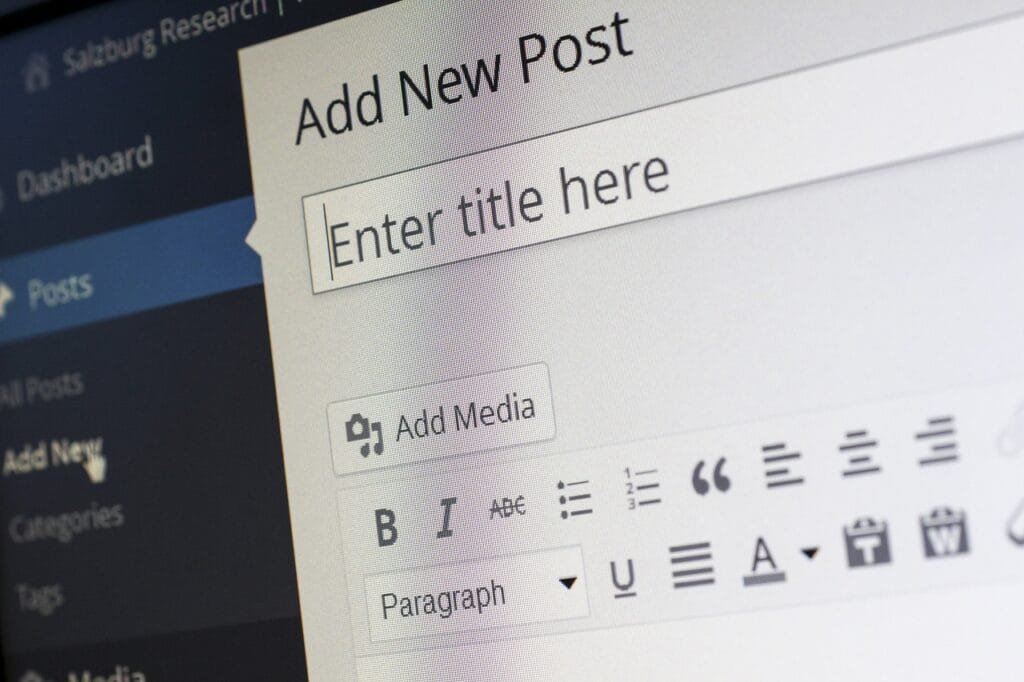
An informative graphic illustrating the process of creating a post on WordPress, showcasing the platform's intuitive design.

How to Use Free Tools for Duplicate Content Checks

An instructional graphic illustrating the steps to add new categories to a blog for better organization and navigation.
Image by Werner Moser from Pixabay

Introduction to Duplicate Content

Duplicate content refers to portions of text or entire articles that appear on multiple web pages, whether within the same website or across various domains. This phenomenon can be problematic for bloggers and website owners for several reasons. Firstly, search engines like Google strive to provide users with unique and original content; thus, the presence of duplicate content can confuse search engine algorithms. When multiple pages contain similar or identical content, it becomes challenging for search engines to determine which version should rank higher in search results. This uncertainty could negatively affect a site’s SEO rankings, potentially leading to reduced visibility and traffic.

Another critical issue arising from duplicate content is its effect on user experience. Users visiting a site expect to engage with original and diverse material. When they encounter repetitive content, their satisfaction diminishes, resulting in higher bounce rates and loss of trustworthiness towards the website. Furthermore, this could deter potential readers from returning, as they may perceive the site as lacking valuable and unique insights.

In addition to SEO and user experience, duplicate content can also undermine a website’s authority. Search engines assess a site’s credibility based on the originality of its content; thus, sites known for duplicate material may struggle to establish themselves as authoritative sources. This decline in perceived authority can hinder collaborations, backlinks, and overall growth within a specific niche.

Given the detrimental effects of duplicate content, it is imperative for bloggers and website owners to adopt preventive measures. Utilizing effective tools and plugins to identify duplicate content is essential. By doing so, website owners can maintain their site’s integrity, enhance user experience, and improve their overall search engine rankings.

The Importance of Checking for Duplicate Content

Duplicate content can significantly impact your blog’s performance and overall visibility in search engine results. Search engines, particularly Google, strive to deliver the most relevant content to users. When they encounter multiple pages with identical content, they face the challenge of determining which version to prioritize. Consequently, this can result in lower rankings for all pages involved, potentially diminishing your organic traffic. Ensuring content originality is, therefore, crucial for maintaining your blog’s competitive edge.

The ramifications of duplicate content extend beyond just reduced visibility. Websites that repeatedly fail to present unique content may find themselves facing penalties or being demoted in search engine rankings. A well-documented case involves a popular e-commerce site that suffered a significant drop in ranking due to extensive duplicate content across its product pages. Following an audit, the site implemented measures to consolidate and optimize its content, ultimately leading to a resurgence in organic traffic. This example illustrates the importance of proactive content management and highlights the need for bloggers and website owners to prioritize originality.

Statistical data reinforces the notion that unique content is vital for user engagement and retention. A study indicated that websites with longer-form, original content had a 60% higher chance of achieving top rankings compared to those with duplicate content. Moreover, blogs that emphasize unique perspectives and information experience significantly lower bounce rates and higher session durations, fostering a more engaged audience. These findings advocate for the necessity of regularly checking for duplicate content, as failure to do so can inhibit growth and adversely affect your blog’s performance in the long term.

Common Causes of Duplicate Content

Duplicate content can pose a significant challenge for blog owners and marketers alike, as it often leads to confusion for search engines and may dilute the visibility of original content. Understanding the common causes of duplicate content is crucial for effectively managing a blog and maintaining its integrity.

One prevalent cause of duplicate content is the use of multiple URLs that point to the same content. This situation often arises due to varying URL parameters, such as session IDs or tracking codes, which can create different web addresses for the same blog post. Search engines struggle to determine the primary version of the content, leading to potential ranking issues. To mitigate this, bloggers should implement canonical tags, which help search engines understand the preferred versions of pages.

Another common source of duplicate content is printer-friendly versions of web pages. While offering a clean, easily printable format for readers can enhance user experience, it can inadvertently create duplicate content in the eyes of search engines. To avoid this, bloggers can employ methods such as redirecting printer-friendly URLs to the main page or using “noindex” tags to exclude them from search engine indexing.

Syndication issues can also lead to duplication. When content is shared across multiple platforms or aggregated by other websites without proper attribution, it can result in several instances of the same content appearing online. Such scenarios can be detrimental to a blog’s SEO strategy. Ensuring original content is retained on the primary blog, with appropriate links back, is crucial in these cases.

By recognizing these common causes of duplicate content, bloggers can better identify potential issues within their posts and take proactive measures to maintain the originality and integrity of their work.

How to Identify Duplicate Content

Identifying duplicate content is an essential aspect of maintaining the integrity and quality of your blog. Several practical steps can be taken to effectively uncover instances of duplicated material. One of the most straightforward methods is through the use of search operators in search engines like Google. For instance, by enclosing a specific sentence or phrase from your blog in quotation marks in the search bar, you can quickly determine if that content appears elsewhere on the internet. This method not only helps to find instances of duplication but also provides insight into how widely your content is being referenced or misappropriated.

In conjunction with manual searches, planning regular content audits is a proactive measure that can significantly aid in identifying duplicate content. By scheduling periodic reviews of your posts, you can systematically scan for overlaps or repetitions that may have occurred either internally (within your own blog) or externally. During this audit, pay close attention to similar titles, subtitles, and descriptions across your pages. It is crucial to keep an organized record of your findings to address any duplicated sections appropriately.

Furthermore, understanding the role of your Content Management System (CMS) is vital in preventing and identifying duplicate content. Some CMS settings may inadvertently create duplicate URLs or content variations through tagging, categorizing, or pagination processes. Hence, reviewing and adjusting these settings based on best practices can prevent the unintentional generation of duplicate material. By ensuring that your CMS is configured properly, coupled with routine audits and the use of search operators, you can effectively minimize the presence of duplicate content within your blog.

Free Tools and Plugins for Checking Duplicate Content

In the world of blogging, maintaining original content is crucial not only for audience engagement but also for optimizing search engine rankings. Fortunately, there are several free tools and plugins available that enable bloggers to effectively check for duplicate content. These resources offer various features, catering to different needs and preferences among users.

One of the most popular tools is Copyscape. This online service allows users to enter the URL of their blog to analyze its content for potential plagiarism. Copyscape provides a straightforward interface, displaying a percentage of originality and highlighting any matching text found on the web. Although the free version has limitations, it remains a favored choice for those who seek quick assessments.

Siteliner is another effective tool that goes beyond simple duplicate content checks. This free service allows users to scan their entire website for issues such as broken links, duplicate pages, and even offers insights into the internal linking structure. Siteliner generates a comprehensive report that can help bloggers optimize their content strategy, making it a multi-functional tool for more detailed analysis.

Additionally, the Duplicate Content Checker is a user-friendly option that allows users to copy and paste text directly into the tool. This checker highlights duplicate phrases, making it an excellent choice for bloggers who are revising specific articles or conducting quick comparisons. Its simplicity makes it accessible for users with varying technical skills.

Other notable mentions include Plagscan and Grammarly, both of which incorporate duplicate content detection in broader writing assistance tools. By utilizing these free resources, bloggers can ensure the originality of their content, contributing to a credible online presence and improved search engine visibility.

Using WordPress Plugins to Detect Duplicates

WordPress users faced with the challenge of duplicate content can benefit significantly from utilizing specialized plugins designed for content management and optimization. Two of the most popular options are Yoast SEO and All in One SEO, both of which provide robust functionalities to detect and manage duplicate content effectively.

To get started, begin by installing either plugin from the WordPress Plugin Directory. Navigate to your WordPress dashboard, click on “Plugins,” then “Add New.” Search for “Yoast SEO” or “All in One SEO,” click “Install Now,” and finally, activate the plugin. Once activated, each plugin will add new options to your dashboard, allowing you to configure various settings tailored to your blog.

Both Yoast SEO and All in One SEO come equipped with features to help identify parsing issues associated with duplicate content. Yoast SEO, for instance, includes an analysis tool that checks for duplicate meta descriptions and title tags, alerting you so that you can make necessary adjustments. Furthermore, it allows you to set canonical URLs, which informs search engines about the preferred version of a page if duplicates exist.

On the other hand, All in One SEO offers similar capabilities focused on optimizing content to avoid duplicate issues. Its interface allows for easy configuration of settings that identify and resolve duplicate metadata conflicts. By using these settings, users can more effectively manage how search engines view their pages and mitigate the possible penalties associated with duplicate content.

For both plugins, ensuring that you regularly update them is essential for optimal performance. Additionally, consider utilizing the review features they provide to routinely assess your blog’s content for potential duplication issues. By proactively using these tools, you can maintain the integrity of your blog’s content, leading to better search engine rankings and improved user experience.

Best Practices to Avoid Duplicate Content

Duplicate content can significantly impact a blog’s search engine optimization (SEO) performance. To maintain the integrity of your blog and ensure that it ranks well, it is crucial to adopt proactive strategies to avoid creating duplicate content. One effective approach is to develop a comprehensive content strategy. This strategy should include detailed planning on topics, headlines, and post formats. By researching existing content in your niche, you can identify gaps that present opportunities for unique posts, ensuring that the information you provide is both original and valuable to your audience.

Additionally, utilizing canonical tags is essential when you have multiple pages with similar content. A canonical tag serves as a signal to search engines indicating which version of content should be treated as the original source. Implementing these tags on your blog will help prevent confusion among search engines, guiding them to attribute the authority of a piece of content to the appropriate page. This practice ensures that your original work is acknowledged rather than diluted by copies.

Collaborating with guest authors provides another opportunity to enrich your blog while mitigating the chances of duplicate content. When engaging with guest contributors, set clear guidelines regarding originality and content uniqueness. Encourage writers to offer fresh perspectives or insights that your audience may not have encountered. This cooperation not only diversifies your content but also allows you to maintain control over the quality and uniqueness of each piece published on your platform.

Incorporating these best practices into your blogging routine will foster a more robust content ecosystem that minimizes the risk of duplication. Careful planning, strategic tagging, and collaborative efforts are vital in maintaining the uniqueness of your blog content, ultimately supporting your SEO objectives and ensuring a positive experience for your readers.

Steps to Take if You Find Duplicate Content

When duplicate content is identified on your blog, it is crucial to address the issue swiftly to maintain the integrity of your site’s search engine ranking and user experience. The following steps can serve as practical solutions to restore the originality of your content.

Firstly, rewriting the duplicated content is one of the most effective means of resolving the issue. By creating fresh, original text that conveys the same ideas or messages, you not only eliminate the duplicate issue but also add value to your readers. Rewriting allows for the integration of new information or insights, thus enhancing the quality of your content.

If rewriting is not feasible or if the content must remain in some form, you may consider implementing 301 redirects. A 301 redirect will permanently redirect users and search engines from the duplicate URL to the original version, effectively consolidating any potential SEO value and ensuring that visitors access the appropriate content. This method is particularly useful for managing duplicates created by URL variations or discrepancies.

Alternatively, utilizing canonical tags can be an effective strategy to guide search engines regarding which version of the content should be indexed. By adding a canonical tag to the duplicate content, you signal to search engines that the original post is the authoritative version, thus preventing potential rank dilution caused by duplicate material.

In some cases, it may be necessary to remove the duplicate content entirely. This is particularly relevant when the duplicate material does not serve a strategic purpose on your blog. Deleting the content can help streamline your site and enhance user experience, but be sure to assess whether these pieces are driving any traffic before deciding to remove them.

Taking these steps effectively will not only help you combat duplicate content issues but also improve the overall quality and originality of your blog’s content.

Conclusion

In an increasingly digital landscape, maintaining unique content is paramount for any blog. Duplicate content not only affects search engine rankings but can also diminish the overall user experience. By regularly checking for duplicate content, bloggers ensure that their work is original, valuable, and engaging to their audience. The tools and plugins outlined throughout this post provide invaluable resources for content managers seeking to identify and resolve issues of content duplication effectively.

In this guide, we explored various free tools, such as Copyscape, Siteliner, and Grammarly, each designed to help detect similarities between your content and existing material on the web. These tools serve as essential components of a robust content management strategy, ensuring that your blog adheres to best practices in search engine optimization (SEO). Additionally, we discussed plugins that can be seamlessly integrated into popular content management systems to automate the process, enhancing the efficiency of content oversight.

Furthermore, implementing best practices in content creation, such as developing a unique voice and structure, can significantly reduce the likelihood of creating duplicate content. Employing a proactive approach to content management fosters an environment where originality thrives, setting your blog apart from competitors. Taking time to routinely dive into checking for duplicate content can yield considerable returns, not only in terms of SEO performance but also in nurturing reader loyalty.

In conclusion, addressing the issue of duplicate content is an essential maintenance task for every blogger. By utilizing the mentioned tools and adhering to sound content practices, bloggers can protect their original work and ensure that they maintain a distinctive voice in an ever-crowded digital space. Taking these proactive measures will secure your blog’s integrity and credibility while elevating its potential for performance in search engines.

colored pencil lined up on top of white surface

How to Optimize H1 to H6 Headers for Your Blog

A computer screen displaying the WordPress interface with the "Add New Post" button prominently featured.
Image by Werner Moser from Pixabay

Understanding Header Tags: H1 to H6 Explained

Header tags, ranging from H1 to H6, play a crucial role in the structuring of blog posts and websites. These HTML elements serve as headings that organize content in a hierarchical manner, offering both visual appeal and functional benefits. The H1 tag serves as the main title of the blog post, encapsulating the primary focus and theme, while subsequent headers (H2 through H6) create a structured outline that guides readers through the content, enhancing overall readability.

The hierarchy established by header tags not only facilitates a better user experience but also significantly impacts Search Engine Optimization (SEO). Search engines utilize header tags to comprehend the structure of content on a page, making it easier for them to index and rank the material accordingly. The H1 tag typically contains the primary keyword, indicating the main topic of the article, while H2s introduce subtopics that delve into key points of discussion. H3 to H6 headers serve as further subdivisions, allowing for detailed exploration of specific aspects or ideas.

Using header tags effectively improves content organization. Readers can quickly identify the main themes and navigate the article with ease. This is particularly valuable in longer blog posts where structure becomes a factor in user engagement. Properly utilized header tags contribute to a natural flow of information, guiding users through a logical progression of ideas. Moreover, well-structured content is more appealing both to human readers and search engines, ensuring that your blog earns the visibility it deserves in search results.

In summary, understanding and implementing H1 to H6 header tags is essential for blog content generation. It enhances readability, aids in SEO, and provides organization that makes it easier for readers to follow and engage with the material presented.

Crafting the Perfect H1 Header

The H1 header serves as the cornerstone of any blog post, functioning as the primary indicator of the page’s content to both readers and search engines. An effective H1 header is crucial in attracting readers, improving search engine optimization (SEO), and enhancing overall engagement. To construct a strong H1, it is essential to incorporate relevant keywords while ensuring clarity and appeal.

When creating a compelling H1 header, begin with identifying the main focus of your blog post. This initial step will guide you in brainstorming potential titles that accurately reflect the post’s content. Engage in thorough keyword research to discover terms and phrases that are frequently searched by your target audience. Utilizing tools like Google Keyword Planner or SEMrush can provide insights into popular keywords, allowing you to select words that resonate with your readers while effectively positioning your post within search engine results.

Next, aim for brevity and precision in your H1 header. An ideal H1 should typically comprise between 50 to 70 characters, making it concise yet informative. By keeping it brief, you reduce the risk of truncation in search results while enhancing readability. Employ action-oriented language that prompts engagement, such as “Discover,” “Learn,” or “Explore,” to draw your audience in and foster curiosity.

Once you have generated a list of potential H1 headers, refine your options through a creative evaluation process. Seek feedback from peers or utilize online forums to gather opinions on which titles are most compelling. Make sure to eliminate any ambiguity or overly complex phrases, focusing instead on straightforward language that accurately communicates the post’s purpose.

Finally, prioritize alignment with SEO best practices. Ensure that the H1 header is unique to each blog post, effectively encapsulating the content’s essence while avoiding duplication. In doing so, you will enhance your blog’s visibility and appeal, ultimately fostering a more significant connection with your audience.

Organizing Content with H2 and H3 Headers

To establish a well-structured blog post, it is essential to utilize H2 and H3 headers effectively. H2 headers serve as significant markers, allowing you to break down your primary topic into easily digestible sections. Each H2 header should encapsulate a key point or theme relevant to the main idea, enabling readers to navigate your content with ease. When crafting these sections, consider the logical flow and the connection between varying topics. This strategic organization ensures that your audience can follow your argument or narrative without confusion.

Once you have established your main sections with H2 headers, the next step is to add H3 headers. These serve as subsections within the broader topics highlighted by H2 headers. By using H3 headers, you can delve deeper into specific aspects of your topic, providing detailed information to support the main points without losing the reader’s attention. For instance, when discussing a comprehensive subject like digital marketing, an H2 could cover ‘Content Strategy’, while H3 headers could elaborate on ‘Social Media Content’, ‘Blogging Techniques’, and ‘Email Marketing’. This hierarchy creates a clear, structured approach that enhances readability.

Consistency in formatting is crucial for maintaining a professional appearance in your blog. Using similar styles for H2 and H3 headers—such as font size, weight, and color—can significantly contribute to a cohesive look throughout the post. This uniformity not only aids in scannability, attracting readers to pertinent sections, but also reinforces the organization of your content. Consider using bullet points, lists, or short paragraphs under H3 headers to further promote clarity and engagement. Ultimately, organizing content with well-defined H2 and H3 headers contributes significantly to an informative and reader-friendly blog post.

Steps 3 and 4: Using H4 to H6 for Detail and Additional Structure

Utilizing H4 to H6 headers effectively can significantly enhance the structure and readability of your blog post. These lower-level headings serve to create a hierarchy within your content, allowing for the breaking down of complex information into manageable sections. The strategic use of H4, H5, and H6 headers not only aids in organizing your thoughts, but also contributes to crafting a more engaging reading experience for your audience.

When incorporating H4 headers, consider them as subheadings under a more general H3 header. They can introduce detailed information pertinent to the preceding section’s topic. For example, if an H3 header discusses a specific aspect of your subject, an H4 header can delve deeper into examples, case studies, or relevant statistics that further illuminate that point. This layered approach helps in guiding the reader through your blog post, ensuring they grasp the essential details.

Transitioning to H5 and H6 headers, these can be utilized for even more specific information. H5 headers may present related but distinct concepts, while H6 headers are ideal for fine-grained details such as bullet-point lists, annotations, or specific conclusions drawn from sections discussed earlier. This level of detail enriches the content and can enhance the user’s comprehension significantly. Furthermore, using lower-level headers aligned with a clear organizational structure allows readers to scan the content easily, increasing the likelihood that they will engage with the entire post.

In summary, leveraging H4 to H6 headers throughout your blog post grants added structure and depth. It facilitates a more organized presentation of information, thereby improving user experience and maintaining reader interest. By adhering to this systematic approach, you contribute to creating a well-structured blog that audiences will appreciate and find easy to navigate.

How to Select Images for Engaging Blog Posts

Image by Bella H. from Pixabay

Understanding the Importance of Images in Blog Posts

Images play a crucial role in the effectiveness of blog posts. They are not just decorative elements; they serve multiple functions that enhance the overall reader experience. One of the primary benefits of incorporating images is their ability to attract reader attention. Studies show that content accompanied by relevant visuals tends to receive significantly higher engagement rates. Blog posts with images receive 94% more total views than those without, indicating that an appealing image can act as a hook, drawing readers in and inviting them to explore further.

Moreover, images enhance content comprehension. They help break down complex ideas and facilitate understanding by providing a visual representation of the information presented in the text. For instance, infographics can distill intricate data into an easily digestible format, enabling readers to grasp key concepts quickly. The human brain processes images 60,000 times faster than text, highlighting the importance of integrating visuals within written content for efficient communication.

Additionally, images contribute to improved SEO. Search engines favor content that utilizes a variety of media, including images, as it is seen as more engaging and user-friendly. Properly optimized images with appropriate alt tags can significantly increase a blog’s visibility in search results. This optimization not only enhances searchability but also creates opportunities for image search traffic, expanding the potential audience reach.

Furthermore, the right images can convey emotions and support the narrative of a blog post. They can evoke feelings that resonate with the reader, heightening their connection to the content. A well-chosen image can provide visual breaks in text-heavy articles, preventing reader fatigue and promoting longer reading sessions. As such, understanding the importance of images in blog posts is essential for any content creator aiming to enhance engagement, comprehension, and searchability efficiently.

Key Considerations When Selecting Images

Choosing appropriate images for your blog posts is a fundamental aspect of crafting engaging content. The first factor to consider is relevance. Images should directly relate to the topic at hand, enhancing the reader’s understanding while also providing visual context. When images align with the content, they can effectively communicate messages and ideas that may be difficult to express through words alone.

The quality and resolution of an image are also critical considerations. High-quality images not only appear more professional but also foster trust and credibility among readers. Blurry or pixelated images can detract from the overall aesthetic of a blog and may cause readers to question the content’s integrity. Therefore, it is advisable to use images that are of sufficient resolution for the intended display size, ensuring they remain sharp and detailed across all devices.

Moreover, the emotional tone of an image plays a significant role in how your audience perceives your content. An image’s color scheme, subject matter, and composition can evoke certain feelings and help to convey the desired mood of the blog post. For instance, bright and vibrant images may suggest excitement, while softer tones might communicate serenity. Matching the emotional tone of images with the overall message of the post reinforces the connection with your audience.

It is also essential to consider branding and voice consistency when selecting images. Images should reflect the blog’s overall style and brand identity, creating a coherent visual experience for readers. This consistency helps in establishing a recognizable brand that resonates with the audience.

Lastly, copyright considerations cannot be overlooked. Using images without proper licensing can lead to legal issues. It is crucial to select images from reputable sources that grant the necessary permissions or utilize stock images that are explicitly licensed for your use. Additionally, ensuring that images are accessible to all readers, including those with visual impairments, is vital. Providing alternative text for images can enhance accessibility and contribute to a more inclusive reading experience.

Types of Images to Use in Blog Posts

Images play a crucial role in enhancing the visual appeal and overall effectiveness of blog posts. Various types of images can be utilized, each with its unique advantages and considerations. Understanding these differences allows bloggers to strategically choose the best images to complement their content.

Stock photos are among the most common types of images found in blogs. They are readily available for purchase or can be found through various websites offering free options. The primary advantage of stock photos is their versatility and accessibility, making them suitable for a wide range of topics. However, the downside is that they may lack originality and may be overused, which can diminish the uniqueness of a blog post.

Infographics are a powerful tool to convey complex information in a visually appealing manner. They are particularly effective in educational or research-based content. Infographics can help illustrate statistics, processes, or comparisons, making them more digestible for readers. However, creating high-quality infographics can be resource-intensive and may require design skills that not all bloggers possess.

Illustrations and custom graphics present an excellent opportunity for bloggers to establish a distinctive brand identity. These images can be tailored to match the blog’s theme and aesthetic. While illustrations can imbue a sense of creativity, they often require more investment and skill in design, which may be a barrier for some content creators.

Screenshots can effectively showcase specific web pages, applications, or tutorials. They are particularly useful for technical subjects or demonstrations, offering a clear representation of processes. However, it is essential to ensure that the content being captured adheres to copyright laws and provides value to the reader.

In summary, choosing the right type of image depends on the nature of the blog content, audience preferences, and the message being conveyed. By leveraging the strengths of stock photos, infographics, illustrations, screenshots, and custom graphics, bloggers can significantly enhance their posts’ visual impact and reader engagement.

Free Resources for High-Quality Images

Finding high-quality images for blog posts can significantly enhance visual appeal and engage readers. Fortunately, numerous reputable websites provide free image resources that bloggers can utilize. Notable platforms include Unsplash, Pexels, and Pixabay, which offer vast libraries of stunning images contributed by talented photographers from around the globe.

Unsplash is renowned for its high-resolution photographs, allowing bloggers to find images that suit various themes and topics without the worry of cost. Each image is free to use, even commercially, and does not require permission from the photographer. However, photographers appreciate attribution, which can help support their work. Pexels operates similarly, providing users with high-quality photos and videos under a license that permits personal and commercial use. The platform encourages giving credit, fostering respect for the creators involved.

Pixabay is another exceptional resource, featuring a vast collection of images, illustrations, and videos. The site offers images released under the Pixabay License, which allows for both non-commercial and commercial use without requiring attribution, although it is encouraged. This platform cultivates a community-minded approach towards content sharing and creation.

In addition to these popular sites, there are lesser-known but equally valuable alternatives, such as Burst by Shopify and StockSnap.io. Burst focuses on business-oriented images, suitable for e-commerce blogs, while StockSnap.io prides itself on its large selection of beautiful, free stock photos. Both platforms work under creative licenses that facilitate easy usage without complex permissions.

When using free resources, it is vital to check the licensing terms for each image, as they can vary by platform and individual contributor. Providing proper credit is not only a way to support artists and photographers, but it also adds credibility to your blog. Enhancing your blog posts with stunning visuals drawn from these free resources can create a more engaging experience for your audience.

Premium Tools for High-Quality Images

When it comes to enhancing the visual appeal of blog posts, premium images play a crucial role. Investing in high-quality images from esteemed platforms not only elevates the aesthetic of the content but also establishes professionalism and credibility. Some of the most prominent services providing a vast library of premium images include Shutterstock, Adobe Stock, and Getty Images. These platforms offer a wide range of images that cater to various themes and niches.

Shutterstock is one of the leading stock photo services, featuring over 300 million images and videos. It provides diverse pricing plans, including pay-as-you-go options and subscription models. By subscribing, users gain access to a larger number of high-quality images at reduced rates, making it a cost-effective option for frequent bloggers in need of fresh content. The platform is known for its user-friendly interface, allowing users to filter search results by categories, image orientation, and even color.

Adobe Stock presents another excellent alternative, especially for those already integrated into the Adobe ecosystem. It offers a seamless connection to Adobe Creative Cloud apps, allowing for easy editing and incorporating images into projects. Adobe Stock features a monthly subscription model where users can choose varied plans based on the number of images needed each month. The quality of images is consistently high, catering to those seeking striking visuals.

Getty Images is synonymous with premium imagery and is often the first choice for professionals in various industries. Although it tends to be pricier than other options, the service boasts a vast collection of exclusive content not found elsewhere. Getty Images caters to bloggers seeking impactful images that command attention and drive engagement, and their flexible licensing options make it easier for users to find suitable images that meet their specific needs.

Using Image Editing Tools to Enhance Visuals

In the realm of blogging, visuals play a crucial role in engaging readers and enriching content. Therefore, utilizing image editing tools is essential to enhance these visuals before publication. Several free and subscription-based options are available to suit different needs and skill levels.

One of the most popular free tools is Canva. This user-friendly platform allows bloggers to design and edit images effortlessly, offering a myriad of templates suitable for various blog types. Users can resize images, crop unnecessary portions, and add text overlays to create eye-catching graphics. Canva’s drag-and-drop interface makes it easy to incorporate elements such as icons, shapes, and photos from its extensive library, ensuring that visuals perfectly align with the blog’s theme.

Another notable free tool is GIMP, which provides more advanced editing capabilities. Although it has a steeper learning curve, GIMP allows users to manipulate images in great detail. From resizing and cropping to applying filters and effects, it offers comprehensive functionalities that cater to more complex image editing needs. Bloggers who require greater control over their visual elements may find GIMP particularly beneficial.

For those willing to invest in their visual content, Adobe Photoshop remains the industry standard. While it requires a subscription, Photoshop delivers unparalleled features for image manipulation and enhancement. Users can create layered compositions, utilize advanced filters, and incorporate sophisticated text effects. Additionally, the program supports a vast range of file formats, enabling bloggers to work seamlessly with their images.

Regardless of the tool chosen, the key is to experiment with these features to maximize the visual impact of blog posts. By effectively using image editing tools, bloggers can transform their photographs and graphics, ultimately leading to a more engaging and aesthetically pleasing reading experience.

Optimizing Images for SEO

In the digital landscape, optimizing images for search engines is a critical aspect of enhancing website visibility and user engagement. Images not only capture attention but also play a significant role in search engine optimization (SEO). When properly optimized, images can improve site loading times, contribute to higher search rankings, and enhance the overall user experience.

The first step in image optimization involves properly naming image files. Descriptive, keyword-rich filenames help search engines understand the content of the image. For instance, instead of using an uninformative title like “IMG_1234.jpg,” a descriptive filename such as “tropical-beach-sunset.jpg” is much more effective. This practice also aids in enhancing the chances of appearing in relevant image search results.

Additionally, utilizing alt text is crucial for SEO. Alt text serves as a textual alternative for images, allowing search engines to grasp their content. It is essential to include relevant keywords in the alt text while ensuring it accurately describes the image. This not only benefits SEO but also improves accessibility for users with visual impairments who rely on screen readers. As a general rule, alt text should be concise, typically under 125 characters.

Image compression is another vital practice for optimizing images for SEO. Large image files can significantly slow down website loading times, which can negatively impact both user experience and search engine rankings. Tools such as JPEGmini or TinyPNG can help reduce file sizes without sacrificing image quality. Striking a balance between quality and size is crucial; high-resolution images may look appealing but should be lightweight enough to maintain fast loading times across various devices, from desktops to mobile phones.

In conclusion, by naming files effectively, using appropriate alt text, and ensuring proper image compression, bloggers can significantly enhance their SEO strategies. These practices not only improve search engine visibility but also contribute to an overall better user experience, making it imperative for any blogger looking to maximize their impact in the digital space.

When it comes to selecting images for blog posts, understanding the legal framework surrounding copyright and fair use is paramount. Copyright laws protect original works of authorship, including photographs and illustrations, granting the creator exclusive rights to their use and distribution. Using copyrighted images without permission can lead to serious legal repercussions, including monetary penalties and demands for image removal. Therefore, it is vital to prioritize images that are either in the public domain or sourced from reputable licensing platforms.

Fair use is a doctrine that permits limited use of copyrighted material without requiring permission from the rights holders. However, determining what constitutes fair use can be complex, as it depends on factors such as the purpose of use, the nature of the copyrighted work, the amount used, and its effect on the market value of the original work. It is often safer to avoid relying solely on fair use unless one has a solid understanding of the implications and boundaries.

To find copyright-free images, many bloggers turn to platforms that specialize in royalty-free or stock photography. Websites such as Unsplash, Pexels, and Pixabay provide a vast array of images that can be used without infringing copyright laws. Importantly, while these images are free to use, most platforms still require proper attribution to the original creator. This acknowledgment not only respects the rights of the image creator but also enhances the credibility of the blog post.

In conclusion, adhering to copyright laws and considering fair use is essential when incorporating images into blog posts. By utilizing properly licensed images and crediting creators, bloggers can enrich their content while steering clear of potential legal issues.

The blogging landscape is continuously evolving, and so are the trends in visual content. One noteworthy trend is the increasing prominence of video content, with platforms such as Instagram, TikTok, and YouTube driving this shift. Video not only captures attention more effectively than static images, but it also fosters engagement and allows for storytelling in a dynamic way. As a result, bloggers are increasingly incorporating videos into their posts to enhance user experience and deliver information more engagingly.

Another significant trend is the rising popularity of GIFs and animated images. These visuals offer a unique way to convey emotions and add humor to blog content. The loop ability and concise nature of GIFs provide a fast-paced method for illustrating concepts or reactions. Bloggers are leveraging GIFs as versatile elements to complement their narratives and evoke emotional responses from their audience, making content more relatable and shareable.

Authenticity and representation in visuals are gaining importance as bloggers strive to connect with their readers on a deeper level. Audiences are more likely to engage with images that reflect genuine experiences, diversity, and inclusivity. As society becomes increasingly aware of representation in media, bloggers are tasked with choosing images that accurately portray various cultural backgrounds, body types, and lifestyles, ensuring that their content resonates with a broader audience.

Looking ahead, we can speculate on emerging trends that may further influence the choice of images in blogging. For instance, advancements in technology may lead to an increase in augmented reality (AR) and virtual reality (VR) integrations in blog posts, allowing for immersive experiences. Additionally, trends in minimalism and sustainability may steer bloggers towards simpler visuals that promote a sense of mindfulness and environmental consciousness. Keeping an eye on these developments will be crucial for bloggers aiming to remain relevant and effectively engage their audience.