

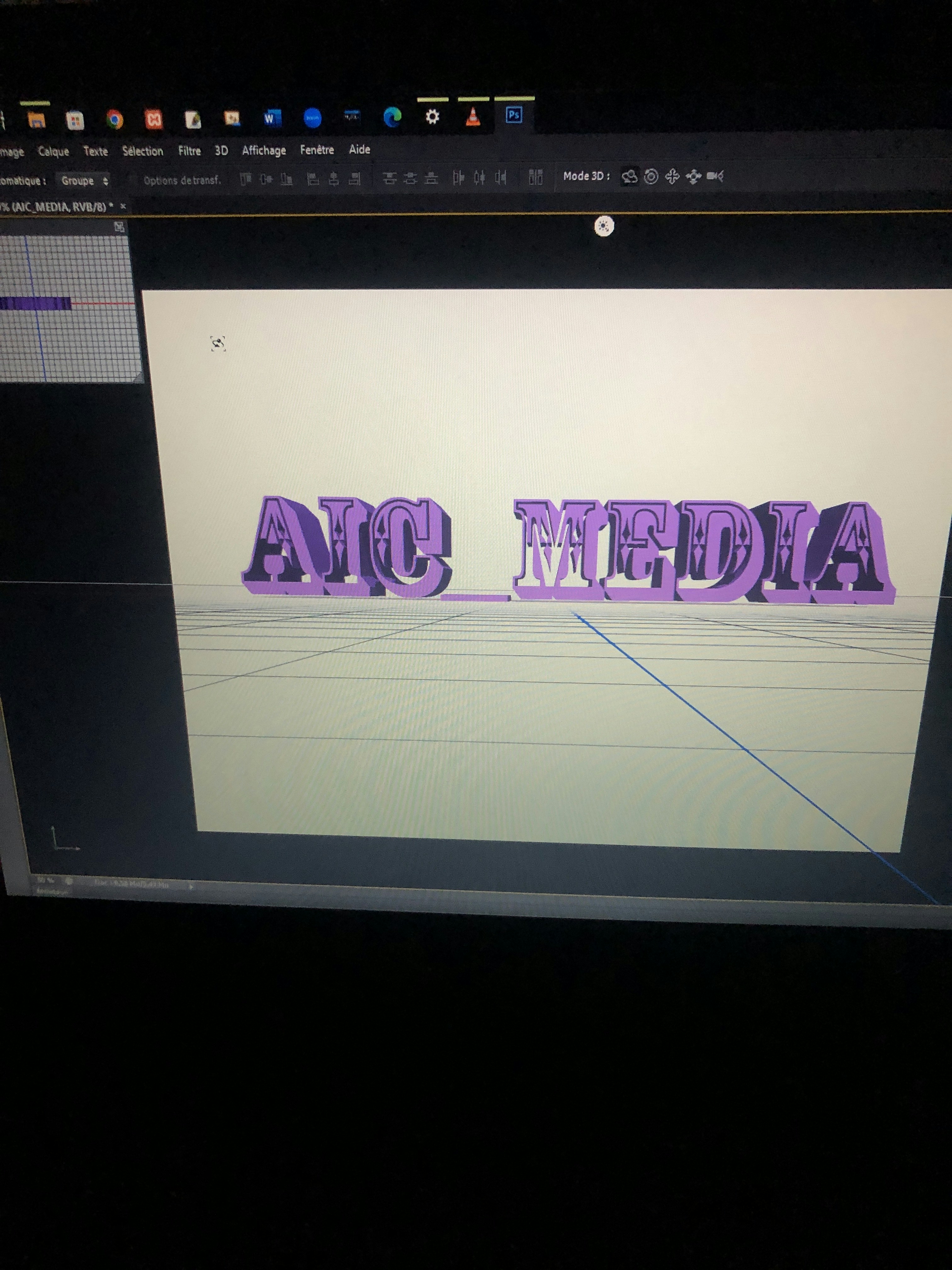
How to Transform 2D Images into 3D Animated Scenes

- Introduction to 2D to 3D Transformation
- Choosing the Right 2D Image
- Tools and Software for 3D Animation
- Preparing Your 2D Image for 3D Animation
- Creating Depth and Layers in 3D Space
- Animating Your 3D Scene
- Adding Sound and Music to Enhance the Experience
- Rendering Your Final 3D Animated Scene
- Final Thoughts and Tips for Success
Introduction to 2D to 3D Transformation
The process of transforming 2D images into 3D animated scenes represents a fascinating intersection of creativity and technology. This innovative approach not only breathes new life into static visuals but also unlocks a world of storytelling possibilities. By converting a flat image into a three-dimensional space, creators can craft immersive experiences that captivate audiences and convey narratives with greater depth and complexity.
One of the primary advantages of this transformation lies in its enhanced visual storytelling capabilities. Unlike traditional 2D formats, a 3D animated scene allows for camera movements, depth perception, and dynamic interactions that can significantly engage viewers. These attributes can be particularly beneficial in fields such as marketing, education, and entertainment, where the goal is to capture attention and convey information effectively. Additionally, utilizing 3D animations can help in illustrating complex concepts and ideas in a more digestible manner, facilitating better understanding and retention.
Furthermore, the technical aspect of 2D to 3D transformation requires a blend of artistic vision and advanced skills in software applications. Knowledge of 3D modeling, animation techniques, and visual effects is essential for achieving impressive results. Mastering these technical skills enables creators to manipulate the nuances of light, texture, and movement, effectively enhancing the overall aesthetic appeal of their projects. The process itself often involves several stages, including image analysis, depth mapping, and rigging, each requiring a keen eye for detail and creativity. By embracing both the artistic and technical sides of this transformation, professionals can produce stunning animations that elevate their content, ensuring that it stands out in an increasingly competitive landscape.
Choosing the Right 2D Image
When embarking on the journey of transforming a 2D image into a captivating 3D animated scene, the initial step involves selecting suitable 2D images that possess the necessary qualities for effective conversion. Several critical factors must be taken into consideration, including image quality, depth potential, and subject matter.
Firstly, the quality of the 2D image is paramount. High-resolution images tend to provide more detail and clarity, which can enhance the overall visual appeal of the resulting 3D scene. Poor quality images may lead to pixelation or delineation issues when viewed in three dimensions, thus detracting from the animation’s impact. Therefore, opting for images with a minimum resolution of 300 DPI is advisable for optimal results.
Depth potential is another notable factor. A 2D image should ideally contain elements that can be easily separated and layered to create a three-dimensional effect. Images with clear foreground, middle ground, and background distinctions often lend themselves well to this transformation process. For instance, photographs of landscapes or portraits with discernible physical layers present greater opportunities for adding depth when converted into 3D scenes.
Furthermore, choosing the right subject matter plays a crucial role in the successful transformation of a 2D image into an engaging 3D animation. Some themes, such as architecture, nature, or abstract designs, generally provide more opportunities for creative interpretation and movement. Visuals that evoke emotions or tell stories are particularly advantageous, as they can enhance viewer engagement and make the animated scene more relatable.
Finally, whether sourcing images from stock libraries or creating original artwork, careful consideration must be given to these elements to ensure they are conducive to producing impressive 3D animations. With thoughtful selection, the transformation from 2D to 3D can yield stunning results that captivate audiences effectively.
Tools and Software for 3D Animation
Creating 3D animated scenes from 2D images requires the right tools and software to transform imagination into visual reality. Among the most popular options in the market is Blender, an open-source tool that caters to a wide range of users, from beginners to advanced animators. Blender offers a comprehensive suite of features, including modeling, rendering, and rigging capabilities. Its extensive support for scripting allows users to customize their workflows, making it an adaptable choice for diverse animation projects.
Another key player in this field is Adobe After Effects. This software excels in post-production and motion graphics, providing users with powerful tools for adding effects and composite elements into animations. While After Effects is primarily used for 2D animation and motion graphics, it can also work with 3D elements when combined with other Adobe products such as Cinema 4D. This integration allows users to achieve high-quality results, although it may come with a steeper learning curve for novices.
Autodesk Maya is an industry-standard software widely used for 3D animation, particularly in film and game development. This program offers comprehensive features, including advanced rigging and character animation tools, catering primarily to advanced users who require a high degree of detail and functionality in their projects. Similarly, Cinema 4D is favored for its user-friendly interface and strong motion graphics capabilities, making it suitable for both beginners and experienced animators.
For those seeking simpler options, Tinkercad offers a browser-based platform perfect for beginners. While it lacks the advanced features of its competitors, it allows users to create basic 3D models with ease. Understanding the strengths and weaknesses of each software enables users to select the best fit for their skill levels and project requirements, whether one is embarking on 3D animation for the first time or refining techniques for professional use.
Preparing Your 2D Image for 3D Animation
Before embarking on the journey of transforming a 2D image into a captivating 3D animated scene, it is crucial to prepare your source material meticulously. The preparation phase is essential, as it directly influences the quality and effectiveness of the final animation. The first key step is to isolate significant elements within the image that you intend to animate. This can be achieved using various graphic design software that allows you to select and separate layers effectively.
Creating distinct layers for different components of your image is vital. For example, if your image consists of characters and backgrounds, separate these into individual layers. This will enable you to manipulate each element independently during the 3D transformation process. Additionally, layering ensures that the depth and movement are more realistic, as each component can be animated in relation to others. Consider using tools like ‘layer masks’ or ‘alpha channels’ in such software to refine the edges of your selections, providing a smoother transition when viewed in 3D.
Furthermore, image adjustments play a significant role in preparing your 2D image. You might need to adjust brightness, contrast, and colors to ensure that the elements stand out vibrantly when transformed into a three-dimensional format. Cropping is another integral task that allows you to focus on the key areas of your image without unnecessary distractions. Ensure that you save your cropped images in high resolution to maintain clarity and detail in the final product. Resizing these elements may be necessary to fit the intended 3D space accurately, making sure they align perfectly without pixelation.
Overall, careful preparation of your 2D image—through isolation, layering, and precise adjustments—sets a solid foundation for a successful 3D animation transformation. By attending to these details meticulously, you can greatly enhance the viewer’s experience and the overall impact of your animated scene.
Creating Depth and Layers in 3D Space
Transforming 2D images into a three-dimensional animated scene necessitates the creation of depth and layers. The process revolves around manipulating two-dimensional elements to convey a sense of volume and spatial relations that a flat image inherently lacks. One effective technique is layering; this involves positioning various components of the image on different planes in the digital 3D space. By placing foreground elements closer to the viewer and background elements further away, a stark sense of depth can be achieved, enhancing the viewer’s experience.
To initiate this layering process, first, identify the distinct elements within the 2D image that will be separated. Each element should be meticulously extracted from the original image, utilizing software like Adobe Photoshop for precision. After extracting these components, import them into a 3D animation software such as Blender or After Effects. Here, you will arrange each element on its designated plane; for example, the main subject can occupy the foreground layer, while secondary objects like trees or buildings can be pushed back into the mid or background layers.
Another critical technique for enhancing the 3D effect is adjusting the perspective. When layering elements, consider the vanishing points that exist within the original image. Apply perspective corrections through scaling and rotation of the layers as necessary to mimic the natural distortion observed in real life. Simultaneously, integrating parallax effects can augment the illusion of depth. As the camera moves, layers can be animated at different speeds; foreground elements generally move faster than those in the background. This behavior replicates how human eyes perceive depth, leading to a more immersive animated scene.
By carefully implementing these methods—layering elements in distinct planes, adjusting perspectives, and employing parallax effects—you can effectively breathe new life into a 2D image, transforming it into a captivating 3D animated scene.
Animating Your 3D Scene
After creating a 3D scene from a 2D image, the next crucial step is to bring it to life through animation. The essence of animation in a 3D environment lies in its ability to engage viewers and evoke emotion, transforming static images into dynamic narratives. Various techniques can enrich the animation process, enhancing both the visual appeal and storytelling capabilities of the scene.
One common technique involves camera movement. By transitioning the camera’s position or angle, viewers can explore the 3D space from different perspectives. This technique can create a sense of depth, making the scene more immersive. Using subtle camera pans, zooms, or dolly shots can greatly enhance the animated scene, allowing audiences to feel as if they are within the environment rather than merely observing it.
Object animation plays a vital role as well. Animated elements within the scene, such as characters or objects, should exhibit fluid movement that reflects their surroundings. Utilizing techniques like rigging and skinning can facilitate realistic character animations, while keyframe animations can be applied to various objects to illustrate specific actions or transformations. A well-thought-out animation sequence can significantly contribute to the story being conveyed through the 3D scene.
Moreover, incorporating special effects, such as lighting and shadows, can add depth and emotion to the animated work. Dynamic lighting changes can set moods or emphasize particular areas within the scene. Shadows can enhance realism, making objects appear grounded and tangible within the environment. Adjusting these elements alongside the animation can create a cohesive and engaging visual experience.
To achieve an effective animation, it is essential to maintain a rhythm and pacing that sustains viewers’ attention while ensuring clarity in the narrative. This involves strategically planning each movement, effect, and transition within the 3D scene. By combining these techniques thoughtfully, creators can transform their animated scenes into captivating visual storytelling experiences.
Adding Sound and Music to Enhance the Experience
Sound design plays a crucial role in the creation of animated scenes, transforming them from simple visuals into immersive experiences that engage the audience on multiple sensory levels. The careful selection of background music and sound effects can significantly enhance the emotional impact of a scene, making it more resonant and memorable for viewers. To achieve this, it is essential to consider the theme and mood of the animation when choosing audio elements. For instance, an upbeat track can inject energy into a vibrant chase scene, whereas a subtle, melancholic tune might better serve a contemplative moment.
When integrating sound into animated visuals, the synchronization of audio cues with animation actions is paramount. This technique, often termed ‘audio-visual synchronization,’ ensures that every sound aligns seamlessly with the corresponding visual elements. For example, the sound of footsteps should coincide with the character’s movement on-screen, while environmental sounds, such as wind or rustling leaves, should complement the action. Utilizing software that allows for precise timing adjustments can aid in achieving this synchronization, elevating the overall quality of the animation.
In addition to selecting the right music and sound effects, creators should also consider the layering of audio tracks. A rich audio landscape can be achieved by blending sound effects, voiceovers, and background music simultaneously. This layering should not overpower the visuals but rather support and enhance them, creating a harmonious balance. Utilizing tools such as sound design software can facilitate this process, allowing creators to modify sound levels, panning, and effects. Properly executed, the integration of sound and music will not only enhance the viewer’s experience but also elevate the emotional depth and narrative richness of the animated work.
Rendering Your Final 3D Animated Scene
Rendering your 3D animated scene is a critical final step in producing high-quality animations. This process involves taking your completed 3D model and transforming it into a series of flat images or video frames that create the illusion of motion. Key factors to consider during rendering include resolution, file formats, and specific rendering settings that will optimize both quality and performance.
When selecting the resolution for your final animation, it is essential to align it with the intended output medium. For instance, if your animation is aimed at online platforms, a resolution of 1920×1080 (1080p) is often adequate. However, for higher-quality projects that may be used in cinema or large presentations, consider using 4K resolution or even higher if the computational power allows. The resolution not only affects the sharpness of the final visuals but also has significant implications on the rendering time.
The choice of file format is another important aspect to consider. Common formats such as MP4, MOV, and AVI provide flexibility, but you should also weigh the pros and cons of each. For instance, while MP4 offers a good balance of quality and file size, uncompressed formats like TIFF or PNG may yield higher visual fidelity at the cost of larger file sizes. It is often useful to use a lossless format for the initial rendering stages and then convert to a more compressed format for final distribution.
Rendering settings can impact performance significantly. Adjusting options such as anti-aliasing, shadow quality, and texture resolution can greatly increase the visual appeal of your animation but may also slow down the rendering process. It is advisable to conduct small test renders to find an optimal balance between performance and quality.
Challenges may arise during the rendering of complex scenes, such as unexpected crashes or prolonged render times. Should issues occur, reviewing the scene for overly complicated geometry or excessive texture sizes may help alleviate the problems. Monitoring system resources and ensuring that drivers are updated may also minimize rendering difficulties.
Final Thoughts and Tips for Success
As we conclude our exploration of transforming 2D images into captivating 3D animated scenes, it is essential to reflect on the crucial elements discussed throughout this blog post. The journey from 2D to 3D is not merely a technical process; it also involves a creative mindset that embraces learning and experimentation. Understanding the significance of perspective, depth, and animation fluidity will significantly enhance the realism of your 3D creations.
One key takeaway is the importance of selecting the right tools for your project. Various software options cater to different skill levels and artistic needs, ranging from beginner-friendly platforms to advanced applications for seasoned professionals. Becoming familiar with these tools and their capabilities can streamline your workflow and improve the quality of your output.
Moreover, it is vital to pay attention to lighting, texture, and color schemes, as these elements play a significant role in establishing mood and atmosphere within your 3D scenes. The right combination of these aspects can transform a simple animated scene into a visually compelling experience. Remember, trial and error is part of the learning process; don’t hesitate to adjust and refine your techniques based on what you discover along the way.
Another essential tip is to seek feedback from peers or engage with online communities focused on 3D animation. Constructive critiques can provide insights you may overlook on your own and inspire new approaches to your work. Additionally, continually practicing your skills by taking on diverse projects will contribute to your growth as an artist.
Finally, an array of online resources is available for those eager to expand their knowledge further. Tutorials, forums, and dedicated courses can offer valuable guidance as you delve deeper into the world of 3D animation. Embrace the journey with enthusiasm, explore, and never be afraid to learn from your mistakes. With persistence and dedication, you will craft stunning 3D animated scenes from your 2D images.


