patakhdeletsolutionsltd.tech

Loading

How to Choose the Right Wireless Charger for Your Device
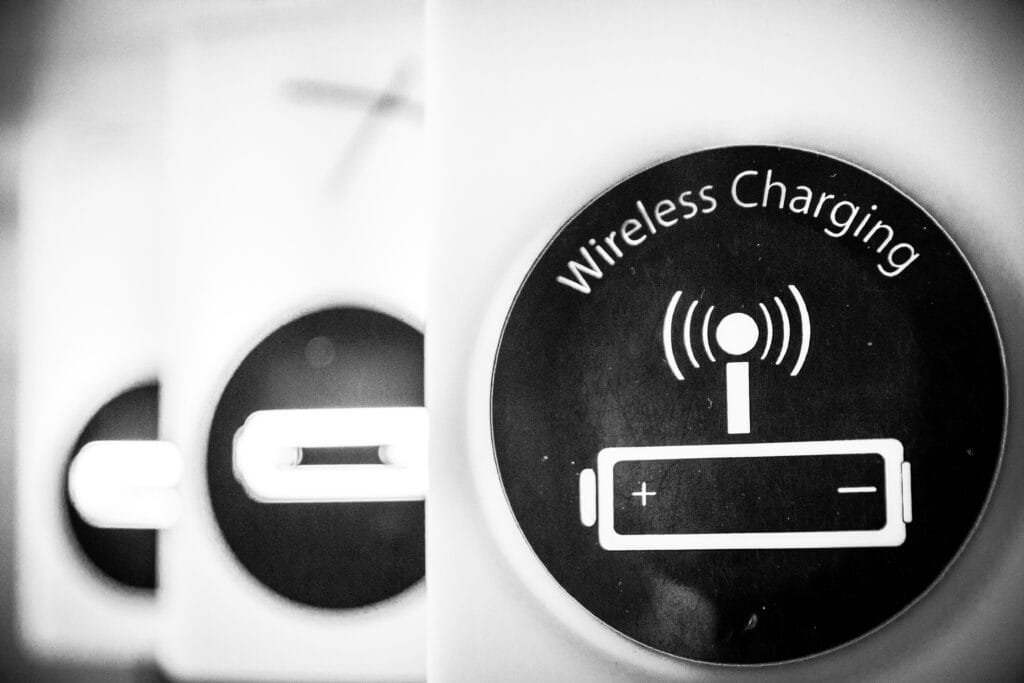
How to Choose the Right Wireless Charger for Your Device

Photo by Limor Zellermayer on Unsplash

Introduction to Wireless Charging

Wireless charging, also known as inductive charging, refers to the technology that allows electronic devices to be charged without the need for physical connectors. This process utilizes electromagnetic fields to transfer power between a charging station and a compatible device, typically smartphones, tablets, and other small electronics. With the increasing prevalence of mobile devices and the continual drive for convenience in technology, wireless charging has seen a significant rise in popularity within the modern tech landscape.

The core principle behind wireless charging involves the use of electromagnetic induction. A charging pad or station generates an alternating electromagnetic field, which induces an electric current in a coil located within the device that needs charging. This method not only simplifies the charging process but also eliminates the wear and tear associated with traditional charging cables. Today’s consumers appreciate the ease of simply placing their devices on a charging pad rather than fumbling with cords and connectors.

Moreover, wireless chargers are becoming increasingly integrated into our daily lives, appearing not only in homes and offices but also in public spaces like cafes and transportation hubs. This accessibility enhances user experience, as it allows individuals to charge their devices quickly and efficiently without needing to be tethered to a wall outlet. The convenience offered by wireless chargers, paired with advances in charging speeds and efficiency, makes this technology an attractive option for those seeking a hassle-free way to power their devices.

This blog post will explore the fundamental principles behind wireless charging, touching upon the technology’s working mechanisms, its advantages, and the challenges it presents. As consumers continue to demand more innovative charging solutions, understanding this technology will prove essential in navigating its future developments.

The Science Behind Wireless Charging

Wireless charging operates based on the principles of electromagnetic induction and resonance charging, allowing devices to receive electrical energy without the need for physical connectors. The key to this technology lies in the interaction between magnetic fields and electric currents. When an alternating current flows through a coil in the charging station, it generates an oscillating magnetic field around it. This phenomenon is primarily governed by Faraday’s law of electromagnetic induction, which states that a changing magnetic field can induce an electric current in a nearby conductor.

The process begins when a device, such as a smartphone or smartwatch, is placed on a wireless charging pad. A secondary coil within the device picks up the magnetic field generated by the charging pad. This results in an electric current being induced in the device’s coil. This current is then converted into direct current (DC) to charge the device’s battery. The efficiency of this energy transfer can depend on several factors, including the alignment of the coils and the distance between them.

Another important concept related to wireless charging is resonance charging. In resonance charging systems, both the transmitting and receiving coils are tuned to resonate at the same frequency, enhancing the energy transfer efficiency. This takes advantage of the natural frequency of the coils, allowing for a more effective energy transfer compared to systems that operate at non-resonant frequencies.

Overall, wireless charging represents a significant advancement in technology, simplifying the way devices are charged. By utilizing electromagnetic fields and resonance, the need for cumbersome cables is eliminated, paving the way for more convenient and innovative charging solutions. As technology progresses, improvements in efficiency and range of these systems are likely, contributing to the commonplace integration of wireless charging in everyday life.

Types of Wireless Charging Technologies

Wireless charging technologies have evolved significantly, offering various methods to power devices without the need for traditional cables. The three primary types are inductive charging, resonant charging, and radio frequency (RF) charging. Understanding the mechanisms, advantages, and typical applications of each can help users determine which technology best suits their needs.

Inductive charging is perhaps the most common method, utilizing electromagnetic fields to transfer energy between two coils: a transmitter coil in the charging station and a receiver coil within the device. When the two coils are aligned, an alternating current is generated in the transmitter, producing a magnetic field that induces an electric current in the receiver coil. This technology is widely used in smartphones, smartwatches, and electric toothbrushes due to its efficiency and convenience. One notable advantage of inductive charging is its ability to provide energy without direct contact between the device and the charger, minimizing wear and tear on charging ports.

Resonant charging, while similar to inductive charging, operates over a greater distance by using resonant inductive coupling. This approach allows for a more extensive spatial range between the transmitter and receiver, potentially enabling multiple devices to charge simultaneously on a single pad. The technology employs tuned circuits to achieve resonance, significantly improving energy transfer efficiency. Its application extends to electric vehicles and consumer electronics, offering the advantage of charging multiple devices without the need for precise alignment.

Lastly, radio frequency (RF) charging utilizes electromagnetic radiation to transmit energy. Unlike the other two methods, RF charging can operate over longer distances and is not limited to specific orientations. This technology is still emerging, but its applications are varied, ranging from powering small sensors to possibly enabling charging in public spaces. Although still in its development phase, RF charging presents an exciting opportunity for future wireless energy solutions.

How Wireless Chargers are Made

The manufacturing process of wireless chargers involves a series of intricate steps that focus on creating an efficient and safe charging device. At the core of a wireless charger are the inductive coils, typically made from copper, which play a pivotal role in the transfer of energy. These coils are designed to create an electromagnetic field, facilitating the wireless transmission of power. The production of these coils demands precision engineering to ensure that they are able to generate and capture sufficient power for effective charging.

In addition to coils, wireless chargers consist of receivers that are integral for the conversion of the electromagnetic energy back into electrical energy. These receivers are often located within smartphones or other compatible devices. The receivers also need to be designed meticulously as they must align perfectly with the charging coils to optimize energy transfer. The development of these components involves the use of sophisticated materials and technology to enhance compatibility across various devices.

Power management circuits are also a crucial aspect of wireless charger production. These circuits ensure that the energy received is appropriately regulated, providing a stable and safe charge to the device. The circuits must be engineered to handle fluctuations in power and to protect against overheating, which can otherwise result in potential hazards. Engineers must balance efficiency with safety standards, making use of durable materials that can withstand regular use while maintaining high performance.

The overall design and engineering of wireless chargers not only influence their efficiency but also their aesthetic appeal. A visually appealing charger can enhance user experience while promoting market competitiveness. The combination of advanced materials, precise engineering, and thoughtful design in the manufacturing process contributes significantly to the functionality and reliability of wireless charging solutions.

Efficiency and Speed of Wireless Charging

The efficiency and speed of wireless charging have been subjects of considerable interest, particularly when comparing this technology to traditional wired charging methods. While wireless chargers have significantly evolved, they often exhibit inherent limitations in terms of energy transfer efficiency and charging speed. Typically, most wireless chargers achieve an efficiency rate of 70% to 80%, which contrasts with wired chargers that can reach efficiencies above 90%. This discrepancy arises primarily due to energy losses converted into heat during the wireless charging process.

Several factors influence the performance of wireless charging. First and foremost is the alignment of the charging coils. Proper alignment between the transmitter coil in the charging pad and the receiver coil in the device is crucial for optimal energy transfer. Even slight misalignments can result in decreased efficiency and slower charging times. Furthermore, the distance between the coils plays a significant role, where increased spacing can result in diminished energy efficiency, making close contact essential for effective charging.

Environmental conditions also impact the performance of wireless charging systems. For instance, the presence of metal objects or the use of certain phone cases can interfere with the electromagnetic field needed for efficient charging. These factors can not only impede the charging process but may also lead to overheating, which further reduces charging speed and device safety. Comparatively, wired charging methods do not typically endure such limitations, providing more consistent and faster charging times regardless of external conditions.

While wireless charging may not yet match wired charging in efficiency and speed, innovations continue to emerge that aim to address these limitations. Emerging technologies, such as resonance charging, pave the way for potential advancements in this area. Therefore, understanding these factors is essential for users to make informed decisions about their charging options and expectations regarding wireless technology.

Benefits of Using Wireless Chargers

Wireless chargers have rapidly gained popularity in recent years, largely due to the numerous benefits they offer compared to traditional wired charging methods. The most apparent advantage is the convenience they provide. Users can simply place their devices on a charging pad without the hassle of plugging and unplugging cables. This ease of use is especially beneficial in environments where multiple devices need to be charged simultaneously, as it eliminates the clutter of cables and connectors.

Another significant benefit of wireless charging is the reduction in wear and tear on charging ports. Frequent plugging and unplugging of cables can lead to damage over time, ultimately affecting the device’s functionality and lifespan. By using wireless chargers, consumers can mitigate this issue, safeguarding their devices from potential port-related problems. Additionally, wireless charging technology often incorporates safety features that further protect devices from overheating or overcharging, offering peace of mind to users.

Aesthetics play a crucial role in the modern lifestyle, and wireless chargers can seamlessly integrate into various environments. With their sleek designs, they enhance the visual appeal of workspaces or living areas, contributing to a minimalist aesthetic. Moreover, many wireless chargers are designed to charge multiple devices at once, appealing to technology-savvy consumers who own more than one device. This multipurpose functionality not only saves space but also optimizes the charging experience for users with multiple gadgets.

In summary, the benefits of using wireless chargers range from practical advantages, such as convenience and safety, to aesthetic enhancements that elevate the user experience. As technology continues to advance, wireless charging is expected to become an increasingly attractive option for consumers seeking efficient and elegant ways to power their devices.

Drawbacks and Considerations

While wireless charging technology offers a range of advantages, it is also essential to acknowledge certain drawbacks and considerations that users should be aware of. One of the prominent issues associated with wireless charging is heat generation. When a device is placed on a wireless charger, it can generate excess heat due to energy inefficiencies. This heat can lead to faster battery wear over time, negatively affecting battery life and overall performance. Users may find that prolonged exposure to heat can even trigger safety mechanisms in their devices, causing a temporary halt in the charging process.

Another significant consideration is the slower charge times compared to traditional wired charging methods. Wireless chargers typically have lower power output, which translates into longer charging durations. For individuals accustomed to quick charging, this can be a considerable drawback, especially when dealing with urgent charging needs. Users may need to align their charging habits to accommodate the slower pace of wireless charging, potentially leading to inconvenience during busy days or when on the move.

Moreover, compatibility is a critical factor that warrants attention when opting for wireless charging. Not all devices are equipped with the necessary technology to support wireless charging, and some may require specific types of chargers to function effectively. This could limit the accessibility of wireless charging for some users. Additionally, obstacles such as phone cases and other accessories can hinder the charging process, necessitating users to remove these items for optimal performance.

In light of these considerations, users must weigh the benefits of convenience and modernity against the potential downsides of heat issues, slower charging times, and compatibility challenges. Carefully assessing these factors can assist in making an informed choice between wireless and traditional charging methods.

Future of Wireless Charging Technology

The future of wireless charging technology appears promising, with significant advancements on the horizon that could redefine how we power our devices. Innovations are continually emerging, aimed at enhancing efficiency and reducing the time required for charging. As the demand for faster charging capabilities grows, researchers and engineers are exploring various techniques to increase the power transfer efficiency of wireless chargers. This pursuit is not only about speed but also about minimizing energy loss, which is critical for sustainable electronic usage.

Another exciting development is the potential integration of wireless charging technology into public spaces. Urban environments may soon see charging stations embedded in tables at cafes, benches in parks, and even on the streets. This kind of ubiquitous charging solution would enable users to power their devices on the go, significantly altering daily routines and making the need for plugged-in charging stations less critical. Companies are also considering collaborations with city planners to incorporate such innovations into smart city frameworks, highlighting how the integration of wireless power can improve convenience and accessibility.

Moreover, the automotive industry is poised to benefit immensely from advancements in wireless charging. Electric vehicles (EVs) could leverage stationary wireless charging stations or even dynamic charging lanes that power cars as they drive. Such developments may hasten the adoption of electric vehicles, enhance road safety, and reduce infrastructure costs associated with traditional charging stations.

As we move forward, the evolution of wireless charging technology will likely reshape our charging habits and devices’ integration into our daily landscapes. With ongoing research and the trend toward smarter, more efficient solutions, the future of wireless charging holds the potential to make charging our devices more seamless and user-friendly than ever before.

Conclusion and Final Thoughts

In conclusion, wireless chargers represent a significant advancement in charging technology, utilizing electromagnetic induction to provide a convenient and efficient method of powering devices. By eliminating the need for physical connectors, these chargers offer unparalleled ease of use, allowing users to simply place their smartphones or other compatible devices on a charging pad. This innovative approach not only enhances user experience but also contributes to the longevity of device ports, which can suffer wear and tear from frequent plugging and unplugging.

Moreover, various advancements in wireless charging technologies, such as the introduction of different power levels and compatibility across multiple devices, have expanded the utility of these chargers. As the technology continues to evolve, it becomes increasingly essential to understand how wireless chargers function, enabling users to make informed choices that suit their lifestyles. With widespread adoption in public spaces and homes, wireless charging systems have the potential to become the standard for powering mobile devices.

It is important for users to consider factors such as charging speed and the specific type of charger that is compatible with their devices when selecting a wireless charging solution. As awareness and understanding of wireless charging grow, so too does the potential for community engagement and shared experiences. We encourage you to share your thoughts or experiences regarding wireless charging in the comments section below, as your contributions can enrich our collective knowledge and foster discussion. Together, we can explore the evolving landscape of technology and its impact on our daily lives.
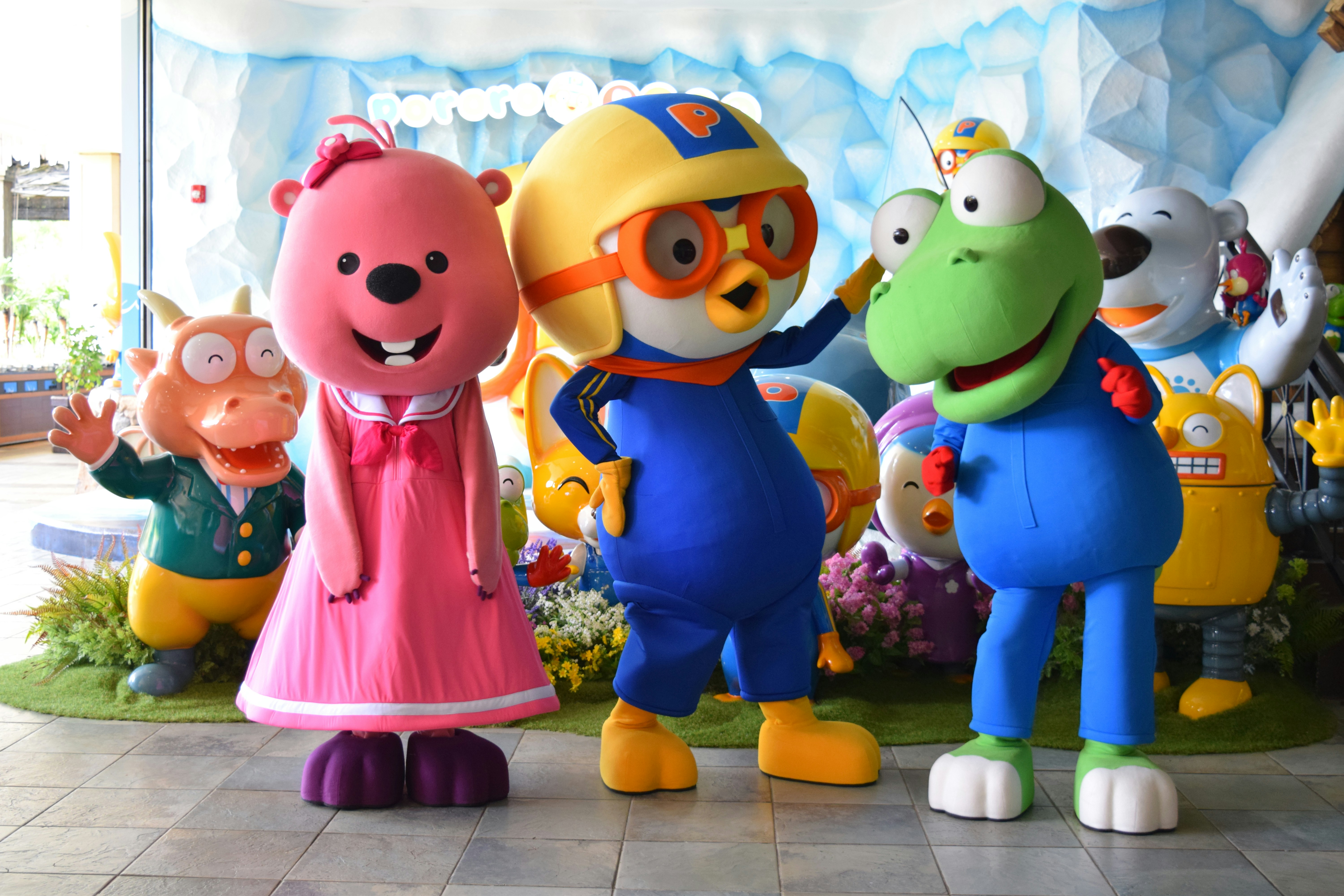

How to Make Animated Videos for Education Effectively

How to Make Animated Videos for Education Effectively

Photo by Alison Wang on Unsplash

Introduction to Animated Educational Content

In recent years, the integration of animated content into educational videos has gained significant traction, reflecting a broader trend towards innovative teaching methods. Animated cartoon characters serve as a vital tool in enhancing the learning experience, primarily due to their ability to simplify complex subjects, increase engagement, and cater to various learning styles. Educational video content enriched with animation not only captivates the attention of learners but also promotes a deeper understanding of diverse topics.

The power of animated characters lies in their versatility; they can represent a myriad of ideas, making difficult concepts much more digestible. For instance, scientific principles can be demonstrated through vivid animations, allowing students to visualize processes that would otherwise remain abstract. This visual learning style is particularly beneficial for students who struggle with traditional teaching methods, as it provides them with a more relatable and entertaining means to grasp essential information.

Moreover, animated content encourages active participation by creating a dynamic environment that fosters curiosity. Students are more likely to engage with content that features lively characters and colorful graphics, leading to higher retention rates compared to conventional instructional videos. As learners connect emotionally with the characters, they are often motivated to delve deeper into the subject matter presented.

In addition to enhancing comprehension and retention, animated educational videos also promote inclusivity. They can accommodate students with varying degrees of learning proficiency, ensuring that the material is accessible to a broader audience. The incorporation of animated elements appeals to both visual and auditory learners, ultimately creating a more enriching educational experience. Thus, the use of animated cartoon characters in educational videos is not merely a trend but rather an imperative approach to modern education that seeks to engage and inspire students effectively.

Why Choose Animation for Educational Videos?

Animation has become an increasingly popular medium for educational content, particularly due to its unique capacity to engage viewers. One of the primary reasons to choose animation for educational videos is its psychological impact on learners. Animated characters can evoke emotions, create relatable scenarios, and present complex information in an easily digestible format. This emotional connection often captures the viewer’s attention more effectively than traditional live-action formats, making animated educational videos a valuable tool for educators.

Another significant advantage of using animation in educational videos is the potential for enhanced retention rates among learners. Research has shown that learners are more likely to remember information when presented in an animated format. The combination of visual stimulation and storytelling inherent in animation boosts memory retention, as viewers are often more engaged with the characters and narratives depicted. This higher retention rate is particularly beneficial in fostering long-term learning, making animation an indispensable resource in educational mediums.

The educational principles of constructivism and cognitive load theory also support the use of animation in teaching. Constructivism posits that learners build knowledge through experiences; animated scenarios can effectively simulate these experiences, allowing viewers to explore content in an interactive manner. Additionally, cognitive load theory suggests that information presented in a well-structured, visual format can reduce mental overload, facilitating better learning outcomes. Animated characters can illustrate complex concepts without overwhelming the audience, making them an ideal choice for explaining intricate subjects.

Moreover, animation permits the visualization of abstract or unseen processes, such as scientific phenomena or mathematical concepts, thereby enhancing understanding. By choosing animation for educational videos, educators can effectively combine engagement, retention, and support for diverse learning theories, ensuring a comprehensive learning experience for all audiences.

Features of the Software for Cartoon Creation

When exploring software designed for creating animated cartoon characters, several key features stand out that cater to both novices and experienced users alike. A user-friendly interface is paramount, allowing creators to navigate smoothly through the design process without feeling overwhelmed. The layout typically includes intuitive tools that enable users to easily access different functionalities such as character editing and animation settings. This accessibility ensures that anyone can begin creating engaging content without an extensive background in animation or graphic design.

Another significant feature is the availability of customizable templates. These templates serve as foundational designs that can be altered to fit the unique style and narrative of the user’s project. Whether a simple character sketch or a complex scene is needed, the option to modify these templates encourages creativity while saving time in the production process. Users can quickly select from various themes, character types, and visual styles, thereby streamlining the creation of animated scenes.

Additionally, a built-in library filled with diverse characters, backgrounds, and props enriches the creative experience. This library allows users to select pre-made components that can be incorporated into their animations, enhancing both efficiency and variety. With hundreds of options at their disposal, creators can easily envision their stories coming to life through vivid animations. Furthermore, the software often includes a range of animation tools tailored for beginners. These tools facilitate the smooth movement of characters and objects, offering simple yet effective ways to bring animations to life. Features such as drag-and-drop functionality, keyframe editing, and basic motion controls empower users to experiment with their productions confidently.

Step-by-Step Guide to Making Your First Cartoon Character

Creating your first cartoon character can be an exciting and rewarding experience. To begin, you will need to set up the software. First, download and install the animation software of your choice. Once installed, launch the program and familiarize yourself with its interface. Most software will have a tutorial or help section that can guide you through the basic functions. Be sure to explore these resources to gain a comprehensive understanding before moving on to character creation.

Next, it’s time to choose your character styles. Depending on the software you are using, there may be a library of pre-existing templates available. These templates can serve as great starting points. You can look for styles that resonate with the character personality you wish to convey, whether that is whimsical, heroic, or comical. Consider the demographic of your target audience when making these choices.

After selecting a style, you will begin editing features to create a unique character. This typically includes customizing the face, body shape, hair, and clothing. Many software applications offer sliders, color palettes, and shape tools to help refine each feature. Pay particular attention to facial expressions, as they are essential in showcasing your character’s personality effectively. For instance, adjusting the eyebrows and mouth can entirely change the emotion conveyed.

Moreover, adding personality traits is crucial in bringing your cartoon character to life. Think about your character’s backstory and characteristics – are they shy or outgoing? This can influence features like posture and attire. Once you have completed the main character design, take a moment to preview your work and make any necessary adjustments. Screenshots of your progress can be beneficial for reference and sharing with others for feedback.

Best Practices for Using Animated Characters in Videos

Incorporating animated characters into educational videos can enhance engagement and facilitate learning. To effectively leverage animated characters, it is essential to adhere to best practices that ensure these avatars complement the educational material rather than overshadow it.

One of the pivotal aspects of integrating animated characters is ensuring that their voiceovers resonate with the target audience. Selecting an appropriate voice that aligns with the character’s persona is critical; for instance, a cartoon character designed for children should have a cheerful and energetic tone, while a character aimed at adults could adopt a more sophisticated or relaxed demeanor. This alignment helps reinforce the learning objectives and keeps viewers engaged.

Timing is another crucial factor when employing animated characters. The synchronization of character actions and speech should match the educational content being presented. This harmony allows viewers to absorb the material more effectively, as mismatched timing can lead to confusion and disengagement. For example, if a character is explaining a complex concept, the visual representation should align perfectly with the spoken words to aid comprehension.

Balancing the animation with educational content is essential. While animated characters can add visual appeal, they should not distract from the core learning material. One effective approach is to use animated sequences to illustrate key points rather than dominate the screen time. This method keeps the focus on the content while using animation to reinforce and clarify ideas.

Lastly, it is crucial to keep animated characters relatable to the target audience. This relatability can be fostered through shared experiences, cultural references, or humor that resonates with viewers. Real-world examples, such as using an animated scientist character to explore environmental science topics, can provide context and foster connection, ultimately enriching the educational experience.

Incorporating Storytelling Elements with Animation

In educational videos, storytelling plays a crucial role in effectively conveying complex concepts and engaging the audience. By integrating storytelling elements with animation, creators can craft a captivating narrative that resonates with viewers. The first step in this process is establishing a clear narrative arc that guides the viewer through the educational material. Beginning with a strong introduction that sets the context prepares the audience for the journey ahead, while the rising action presents challenges or conflicts that need resolution. This flow not only enhances retention but also promotes a deeper understanding of the subject matter.

Character development is another vital component of storytelling in animated educational videos. Characters should be relatable and serve as the audience’s guide through the learning experience. By designing characters with distinct personalities and motivations, viewers can form emotional connections, making the educational content more memorable. Additionally, incorporating humor can lighten the learning atmosphere, breaking down barriers and making complex ideas more approachable. Behavioral traits, quirks, or humorous interactions between characters can significantly enhance viewer engagement.

Furthermore, introducing conflict or challenges is essential for maintaining audience interest. The protagonist’s journey, fraught with obstacles, can mirror the learning process itself. As viewers see characters overcoming hurdles, they can draw parallels to their own experiences, enriching their understanding. This dynamic not only provides motivation but also demonstrates practical applications of the educational content. Moreover, wrapping up the story with a satisfying resolution solidifies the key messages conveyed throughout the video.

In sum, when animated characters embody relatable traits and face challenges within a structured narrative, they can effectively engage viewers while imparting essential educational lessons. By prioritizing storytelling techniques, educational video creators can enhance their content’s overall effectiveness and impact.

Tips to Edit and Refine Animated Videos

Editing is a crucial stage in the creation of animated videos, particularly when it comes to enhancing the overall quality and coherence of your content. Effective editing tools are integrated within most animation software, allowing creators to make final adjustments that can significantly improve flow and pacing. Familiarizing oneself with these tools is essential; many programs offer features like trimming, splitting, and merging clips, which can help in crafting a seamless narrative. Utilizing transitions effectively can also enhance the visual appeal and keep the audience engaged.

Another important aspect of refining your animated videos is to consider the pacing. The rhythm of your video can greatly influence viewer retention. Aim for a balance between information delivery and engagement—allow for pauses where necessary, especially after important points are made. Similarly, timing the animation to correspond with the audio can create a more synchronized and professional feel, benefiting the overall viewer experience.

Feedback from peers or target audience members can be invaluable during the editing phase. This outside perspective can uncover any areas that may require modification or clarification. Moreover, incorporating feedback allows for revisions that may enhance storytelling and visual coherence. It is recommended to conduct several rounds of editing based on this feedback, rather than relying solely on initial instincts.

While editing, be mindful of common mistakes that can detract from the video’s effectiveness. Overusing effects, for example, can overwhelm viewers and distract from the core message. Similarly, inconsistent animation styles or sound levels can disrupt the flow, so strive for uniformity throughout. By focusing on these aspects during the editing phase, you can create a polished and engaging animated video that resonates with your audience.

Examples of Successful Animated Education Videos

Animated education videos have proven to be an effective medium for enhancing viewer engagement and improving learning outcomes. One noteworthy example is “Khan Academy’s Animated Math Tutorials.” These videos use simple animated characters to explain complex mathematical concepts through relatable scenarios. By incorporating visual metaphors and narrative techniques, they help demystify challenging topics, making them accessible to a broader audience.

Another exemplary project is the “TED-Ed” series, which skillfully combines animation with storytelling. Each video presents a specific educational topic, supplemented with engaging animations that visualize the key points. The meticulous use of animated characters and scenes captures the audience’s attention while retaining educational value, allowing viewers to grasp information with greater retention. The storytelling method employed in TED-Ed videos not only makes learning enjoyable but also encourages critical thinking, thereby enhancing the overall educational experience.

Additionally, the “CrashCourse” YouTube series showcases how animated graphics and lively narration can infuse energy into educational content. The animated characters engage in witty dialogues and humor, making subjects like history and science entertaining. This unique approach fosters a connection with viewers, allowing complex ideas to be conveyed in a digestible format.

These examples serve as a testament to the effectiveness of animated education videos. The combination of storytelling, engaging visuals, and relatable characters can significantly elevate a viewer’s learning experience. By examining these successful cases, content creators can glean valuable insights and inspiration for their projects, ultimately leading to more engaging and impactful educational videos. As the demand for digital learning resources continues to grow, utilizing animated characters effectively can foster a more enjoyable and productive educational environment.

Conclusion and Next Steps

In summary, the use of dedicated software for creating animated cartoon characters significantly enhances the quality and engagement of educational videos. These tools offer intuitive interfaces, allowing users to craft visually appealing content that resonates with diverse audiences. By leveraging animations, educators can deliver complex concepts in an accessible manner, thereby improving retention and understanding among learners. The interactive nature of animated videos not only captures attention but also fosters a more enjoyable learning experience.

As you explore these software options, it is beneficial to immerse yourself in online communities that focus on animated content creation. Platforms such as forums and social media groups provide valuable insights and feedback from fellow creators. Engaging with these niches not only expands your network but also leads to collaborative opportunities that can refine your skills and broaden your creative outlook.

Additionally, consider accessing tutorials and workshops that focus on mastering the software of your choice. Many platforms offer free resources that cover everything from the basics of animation to advanced techniques that can truly elevate your projects. By investing time in learning, you will be better equipped to produce compelling content that effectively conveys your educational message.

To maximize your success in this endeavor, document your progress and experiment with various styles and techniques. As you grow more comfortable with the tools available, you will likely discover innovative ways to incorporate animated characters within your educational framework. Ultimately, the journey of creating engaging animated videos is both an art and a science; with dedication and practice, you can create captivating content that educates and inspires.

How to Transform 2D Images into 3D Animated Scenes

How to Transform 2D Images into 3D Animated Scenes

Image by Peggy und Marco Lachmann-Anke from Pixabay

Introduction to 2D to 3D Transformation

The process of transforming 2D images into 3D animated scenes represents a fascinating intersection of creativity and technology. This innovative approach not only breathes new life into static visuals but also unlocks a world of storytelling possibilities. By converting a flat image into a three-dimensional space, creators can craft immersive experiences that captivate audiences and convey narratives with greater depth and complexity.

One of the primary advantages of this transformation lies in its enhanced visual storytelling capabilities. Unlike traditional 2D formats, a 3D animated scene allows for camera movements, depth perception, and dynamic interactions that can significantly engage viewers. These attributes can be particularly beneficial in fields such as marketing, education, and entertainment, where the goal is to capture attention and convey information effectively. Additionally, utilizing 3D animations can help in illustrating complex concepts and ideas in a more digestible manner, facilitating better understanding and retention.

Furthermore, the technical aspect of 2D to 3D transformation requires a blend of artistic vision and advanced skills in software applications. Knowledge of 3D modeling, animation techniques, and visual effects is essential for achieving impressive results. Mastering these technical skills enables creators to manipulate the nuances of light, texture, and movement, effectively enhancing the overall aesthetic appeal of their projects. The process itself often involves several stages, including image analysis, depth mapping, and rigging, each requiring a keen eye for detail and creativity. By embracing both the artistic and technical sides of this transformation, professionals can produce stunning animations that elevate their content, ensuring that it stands out in an increasingly competitive landscape.

Choosing the Right 2D Image

When embarking on the journey of transforming a 2D image into a captivating 3D animated scene, the initial step involves selecting suitable 2D images that possess the necessary qualities for effective conversion. Several critical factors must be taken into consideration, including image quality, depth potential, and subject matter.

Firstly, the quality of the 2D image is paramount. High-resolution images tend to provide more detail and clarity, which can enhance the overall visual appeal of the resulting 3D scene. Poor quality images may lead to pixelation or delineation issues when viewed in three dimensions, thus detracting from the animation’s impact. Therefore, opting for images with a minimum resolution of 300 DPI is advisable for optimal results.

Depth potential is another notable factor. A 2D image should ideally contain elements that can be easily separated and layered to create a three-dimensional effect. Images with clear foreground, middle ground, and background distinctions often lend themselves well to this transformation process. For instance, photographs of landscapes or portraits with discernible physical layers present greater opportunities for adding depth when converted into 3D scenes.

Furthermore, choosing the right subject matter plays a crucial role in the successful transformation of a 2D image into an engaging 3D animation. Some themes, such as architecture, nature, or abstract designs, generally provide more opportunities for creative interpretation and movement. Visuals that evoke emotions or tell stories are particularly advantageous, as they can enhance viewer engagement and make the animated scene more relatable.

Finally, whether sourcing images from stock libraries or creating original artwork, careful consideration must be given to these elements to ensure they are conducive to producing impressive 3D animations. With thoughtful selection, the transformation from 2D to 3D can yield stunning results that captivate audiences effectively.

Tools and Software for 3D Animation

Creating 3D animated scenes from 2D images requires the right tools and software to transform imagination into visual reality. Among the most popular options in the market is Blender, an open-source tool that caters to a wide range of users, from beginners to advanced animators. Blender offers a comprehensive suite of features, including modeling, rendering, and rigging capabilities. Its extensive support for scripting allows users to customize their workflows, making it an adaptable choice for diverse animation projects.

Another key player in this field is Adobe After Effects. This software excels in post-production and motion graphics, providing users with powerful tools for adding effects and composite elements into animations. While After Effects is primarily used for 2D animation and motion graphics, it can also work with 3D elements when combined with other Adobe products such as Cinema 4D. This integration allows users to achieve high-quality results, although it may come with a steeper learning curve for novices.

Autodesk Maya is an industry-standard software widely used for 3D animation, particularly in film and game development. This program offers comprehensive features, including advanced rigging and character animation tools, catering primarily to advanced users who require a high degree of detail and functionality in their projects. Similarly, Cinema 4D is favored for its user-friendly interface and strong motion graphics capabilities, making it suitable for both beginners and experienced animators.

For those seeking simpler options, Tinkercad offers a browser-based platform perfect for beginners. While it lacks the advanced features of its competitors, it allows users to create basic 3D models with ease. Understanding the strengths and weaknesses of each software enables users to select the best fit for their skill levels and project requirements, whether one is embarking on 3D animation for the first time or refining techniques for professional use.

Preparing Your 2D Image for 3D Animation

Before embarking on the journey of transforming a 2D image into a captivating 3D animated scene, it is crucial to prepare your source material meticulously. The preparation phase is essential, as it directly influences the quality and effectiveness of the final animation. The first key step is to isolate significant elements within the image that you intend to animate. This can be achieved using various graphic design software that allows you to select and separate layers effectively.

Creating distinct layers for different components of your image is vital. For example, if your image consists of characters and backgrounds, separate these into individual layers. This will enable you to manipulate each element independently during the 3D transformation process. Additionally, layering ensures that the depth and movement are more realistic, as each component can be animated in relation to others. Consider using tools like ‘layer masks’ or ‘alpha channels’ in such software to refine the edges of your selections, providing a smoother transition when viewed in 3D.

Furthermore, image adjustments play a significant role in preparing your 2D image. You might need to adjust brightness, contrast, and colors to ensure that the elements stand out vibrantly when transformed into a three-dimensional format. Cropping is another integral task that allows you to focus on the key areas of your image without unnecessary distractions. Ensure that you save your cropped images in high resolution to maintain clarity and detail in the final product. Resizing these elements may be necessary to fit the intended 3D space accurately, making sure they align perfectly without pixelation.

Overall, careful preparation of your 2D image—through isolation, layering, and precise adjustments—sets a solid foundation for a successful 3D animation transformation. By attending to these details meticulously, you can greatly enhance the viewer’s experience and the overall impact of your animated scene.

Creating Depth and Layers in 3D Space

Transforming 2D images into a three-dimensional animated scene necessitates the creation of depth and layers. The process revolves around manipulating two-dimensional elements to convey a sense of volume and spatial relations that a flat image inherently lacks. One effective technique is layering; this involves positioning various components of the image on different planes in the digital 3D space. By placing foreground elements closer to the viewer and background elements further away, a stark sense of depth can be achieved, enhancing the viewer’s experience.

To initiate this layering process, first, identify the distinct elements within the 2D image that will be separated. Each element should be meticulously extracted from the original image, utilizing software like Adobe Photoshop for precision. After extracting these components, import them into a 3D animation software such as Blender or After Effects. Here, you will arrange each element on its designated plane; for example, the main subject can occupy the foreground layer, while secondary objects like trees or buildings can be pushed back into the mid or background layers.

Another critical technique for enhancing the 3D effect is adjusting the perspective. When layering elements, consider the vanishing points that exist within the original image. Apply perspective corrections through scaling and rotation of the layers as necessary to mimic the natural distortion observed in real life. Simultaneously, integrating parallax effects can augment the illusion of depth. As the camera moves, layers can be animated at different speeds; foreground elements generally move faster than those in the background. This behavior replicates how human eyes perceive depth, leading to a more immersive animated scene.

By carefully implementing these methods—layering elements in distinct planes, adjusting perspectives, and employing parallax effects—you can effectively breathe new life into a 2D image, transforming it into a captivating 3D animated scene.

Animating Your 3D Scene

After creating a 3D scene from a 2D image, the next crucial step is to bring it to life through animation. The essence of animation in a 3D environment lies in its ability to engage viewers and evoke emotion, transforming static images into dynamic narratives. Various techniques can enrich the animation process, enhancing both the visual appeal and storytelling capabilities of the scene.

One common technique involves camera movement. By transitioning the camera’s position or angle, viewers can explore the 3D space from different perspectives. This technique can create a sense of depth, making the scene more immersive. Using subtle camera pans, zooms, or dolly shots can greatly enhance the animated scene, allowing audiences to feel as if they are within the environment rather than merely observing it.

Object animation plays a vital role as well. Animated elements within the scene, such as characters or objects, should exhibit fluid movement that reflects their surroundings. Utilizing techniques like rigging and skinning can facilitate realistic character animations, while keyframe animations can be applied to various objects to illustrate specific actions or transformations. A well-thought-out animation sequence can significantly contribute to the story being conveyed through the 3D scene.

Moreover, incorporating special effects, such as lighting and shadows, can add depth and emotion to the animated work. Dynamic lighting changes can set moods or emphasize particular areas within the scene. Shadows can enhance realism, making objects appear grounded and tangible within the environment. Adjusting these elements alongside the animation can create a cohesive and engaging visual experience.

To achieve an effective animation, it is essential to maintain a rhythm and pacing that sustains viewers’ attention while ensuring clarity in the narrative. This involves strategically planning each movement, effect, and transition within the 3D scene. By combining these techniques thoughtfully, creators can transform their animated scenes into captivating visual storytelling experiences.

Adding Sound and Music to Enhance the Experience

Sound design plays a crucial role in the creation of animated scenes, transforming them from simple visuals into immersive experiences that engage the audience on multiple sensory levels. The careful selection of background music and sound effects can significantly enhance the emotional impact of a scene, making it more resonant and memorable for viewers. To achieve this, it is essential to consider the theme and mood of the animation when choosing audio elements. For instance, an upbeat track can inject energy into a vibrant chase scene, whereas a subtle, melancholic tune might better serve a contemplative moment.

When integrating sound into animated visuals, the synchronization of audio cues with animation actions is paramount. This technique, often termed ‘audio-visual synchronization,’ ensures that every sound aligns seamlessly with the corresponding visual elements. For example, the sound of footsteps should coincide with the character’s movement on-screen, while environmental sounds, such as wind or rustling leaves, should complement the action. Utilizing software that allows for precise timing adjustments can aid in achieving this synchronization, elevating the overall quality of the animation.

In addition to selecting the right music and sound effects, creators should also consider the layering of audio tracks. A rich audio landscape can be achieved by blending sound effects, voiceovers, and background music simultaneously. This layering should not overpower the visuals but rather support and enhance them, creating a harmonious balance. Utilizing tools such as sound design software can facilitate this process, allowing creators to modify sound levels, panning, and effects. Properly executed, the integration of sound and music will not only enhance the viewer’s experience but also elevate the emotional depth and narrative richness of the animated work.

Rendering Your Final 3D Animated Scene

Rendering your 3D animated scene is a critical final step in producing high-quality animations. This process involves taking your completed 3D model and transforming it into a series of flat images or video frames that create the illusion of motion. Key factors to consider during rendering include resolution, file formats, and specific rendering settings that will optimize both quality and performance.

When selecting the resolution for your final animation, it is essential to align it with the intended output medium. For instance, if your animation is aimed at online platforms, a resolution of 1920×1080 (1080p) is often adequate. However, for higher-quality projects that may be used in cinema or large presentations, consider using 4K resolution or even higher if the computational power allows. The resolution not only affects the sharpness of the final visuals but also has significant implications on the rendering time.

The choice of file format is another important aspect to consider. Common formats such as MP4, MOV, and AVI provide flexibility, but you should also weigh the pros and cons of each. For instance, while MP4 offers a good balance of quality and file size, uncompressed formats like TIFF or PNG may yield higher visual fidelity at the cost of larger file sizes. It is often useful to use a lossless format for the initial rendering stages and then convert to a more compressed format for final distribution.

Rendering settings can impact performance significantly. Adjusting options such as anti-aliasing, shadow quality, and texture resolution can greatly increase the visual appeal of your animation but may also slow down the rendering process. It is advisable to conduct small test renders to find an optimal balance between performance and quality.

Challenges may arise during the rendering of complex scenes, such as unexpected crashes or prolonged render times. Should issues occur, reviewing the scene for overly complicated geometry or excessive texture sizes may help alleviate the problems. Monitoring system resources and ensuring that drivers are updated may also minimize rendering difficulties.

Final Thoughts and Tips for Success

As we conclude our exploration of transforming 2D images into captivating 3D animated scenes, it is essential to reflect on the crucial elements discussed throughout this blog post. The journey from 2D to 3D is not merely a technical process; it also involves a creative mindset that embraces learning and experimentation. Understanding the significance of perspective, depth, and animation fluidity will significantly enhance the realism of your 3D creations.

One key takeaway is the importance of selecting the right tools for your project. Various software options cater to different skill levels and artistic needs, ranging from beginner-friendly platforms to advanced applications for seasoned professionals. Becoming familiar with these tools and their capabilities can streamline your workflow and improve the quality of your output.

Moreover, it is vital to pay attention to lighting, texture, and color schemes, as these elements play a significant role in establishing mood and atmosphere within your 3D scenes. The right combination of these aspects can transform a simple animated scene into a visually compelling experience. Remember, trial and error is part of the learning process; don’t hesitate to adjust and refine your techniques based on what you discover along the way.

Another essential tip is to seek feedback from peers or engage with online communities focused on 3D animation. Constructive critiques can provide insights you may overlook on your own and inspire new approaches to your work. Additionally, continually practicing your skills by taking on diverse projects will contribute to your growth as an artist.

Finally, an array of online resources is available for those eager to expand their knowledge further. Tutorials, forums, and dedicated courses can offer valuable guidance as you delve deeper into the world of 3D animation. Embrace the journey with enthusiasm, explore, and never be afraid to learn from your mistakes. With persistence and dedication, you will craft stunning 3D animated scenes from your 2D images.

How to Use Python for Minecraft Video Animation

How to Use Python for Minecraft Video Animation

Photo by Singh on Unsplash

Introduction to Minecraft Animations

Minecraft, a sandbox video game renowned for its distinctive blocky aesthetic, has captured the hearts of millions of players around the globe. One of the most appealing aspects of this game is the ability to create and share content, particularly through animations. Minecraft animations have gained immense popularity within the gaming community, allowing players to bring their imaginations to life by transforming static ideas into dynamic visual narratives. The craft of animation in the Minecraft universe has evolved significantly, offering numerous avenues for creativity.

The process of creating Minecraft animations from existing videos provides an intriguing opportunity for content creators and gamers alike. By merging the familiar framework of animated storytelling with the unique stylistic elements of Minecraft, creators can achieve an engaging form of expression that resonates well with audiences. This method not only enhances personal creativity but also invites collaboration, enabling different content creators to share their visions and skills. The resulting animations maintain a distinctive charm, effectively capturing the spirit of the original videos while adapting them to the cubic world of Minecraft.

The allure of Minecraft animations stems from their ability to convey narratives or concepts in a visually captivating manner. The blocky textures and pixelated visuals, combined with clever animation techniques, can create a memorable viewing experience. Moreover, because the Minecraft community is vast and diverse, there is a constant demand for innovative and entertaining content. As such, the transformation of traditional video footage into Minecraft animations has become a fascinating project, encouraging a blend of artistic expression and technical proficiency. Overall, as more individuals discover the possibilities within this medium, the scope for creativity only continues to expand.

Understanding the Basics of Python and Video Processing

Python has established itself as a powerful programming language widely used for various applications, including video processing. When it comes to manipulating video files, specific libraries have been developed to simplify tasks that might otherwise require extensive programming knowledge. Among these, OpenCV and MoviePy stand out as essential tools for any developer interested in creating animations or processing video content.

OpenCV, or Open Source Computer Vision Library, offers a robust set of capabilities for tasks such as real-time computer vision and video analysis. It allows users to capture video from multiple sources, extract individual frames, and perform a range of processing techniques such as filtering, edge detection, and image transformation. Through OpenCV, users can manipulate these frames programmatically, enabling the creation of animations by altering the content of each frame individually.

On the other hand, MoviePy is specifically designed for video editing and simple video manipulation tasks. This library seamlessly combines different video clips, applies effects, and even renders text overlay, making it easy to create cohesive animations. MoviePy works efficiently with various formats and offers a user-friendly interface, which simplifies the integration of video components and aids in achieving desired visual effects.

Core concepts in video processing begin with frame extraction, the process of accessing each frame within a video file. By extracting frames, developers can analyze and modify individual images before recomposing them into a final animation. This flexibility allows for advanced creative expression, such as synchronizing motion to music or altering scenes to fit a thematic narrative. Understanding frame manipulation through Python libraries not only paves the way for creating Minecraft animations but also instills essential skills for future projects involving video content.

Prerequisites for Running the Script

To successfully transform your videos into Minecraft animations using Python, certain prerequisites must be met. The initial step is to ensure you have Python installed on your machine. It is recommended to use Python version 3.6 or higher, as this version supports the necessary syntax and libraries for handling video processing effectively.

Once Python has been installed, it is advisable to create a virtual environment. This can be achieved through the use of the ‘venv’ module included in Python’s standard library. A virtual environment allows you to manage dependencies separately for different projects, minimizing conflicts between packages. To set up a virtual environment, open your command line interface and execute the command: python -m venv myenv, where “myenv” is the name you choose for your environment. After creating it, activate the environment using source myenv/bin/activate for macOS/Linux or myenvScriptsactivate for Windows.

In addition to Python and the virtual environment, certain libraries are essential for the script to function correctly. Key libraries such as OpenCV and MoviePy must be installed. OpenCV is widely recognized for its potent image and video processing capabilities, while MoviePy excels in video editing tasks, making both indispensable in the creation of Minecraft animations from video files. To install these libraries, use pip within your activated virtual environment:

pip install opencv-python moviepy

On the hardware side, ensure that your computer has sufficient resources to handle video files seamlessly. A multi-core processor, at least 8 GB of RAM, and a dedicated graphics card can significantly enhance performance when processing large video files. These specifications will ensure that your transformation process is efficient and smooth, allowing for a better experience as you work with Python to create Minecraft animations.

The Python Script Explained

The automation of transforming video files into engaging Minecraft animations can be achieved through a well-structured Python script. This script primarily utilizes libraries such as OpenCV for video handling and NumPy for frame manipulation, enabling developers to effectively read, process, and convert video frames into the pixelated art style characteristic of Minecraft.

To begin, the script starts by importing the necessary libraries. OpenCV allows us to read video files frame by frame, while NumPy is employed to perform array manipulations on these frames. The first function initializes by defining the input video file and output file paths, ensuring that the script knows where to pull the video from and where to save the final animated output.

The core of the script involves a loop that reads the video frame by frame using OpenCV’s `cv2.VideoCapture()` function. Each frame is captured and transformed into a NumPy array, which facilitates further processing. After this, a custom filter is applied to convert the frame into a stylized, block-like appearance reminiscent of Minecraft. This is done by modifying the color palette and reducing the complexity of the pixel grid, yielding a distinctive Minecraft aesthetic.

As each frame is processed, it’s essential to save the newly created frames in order. This is handled using OpenCV’s `cv2.imwrite()` function, which allows each modified frame to be written to the designated output path sequentially. Upon finishing the processing of all frames, the script consolidates these images into a video file using `cv2.VideoWriter()`, completing the transformation.

Overall, the structured approach and detailed comments within the code make it accessible for users seeking to understand how to customize it based on their specific animation requirements. By modifying parameters and experimenting with various filters, users can create unique Minecraft-inspired animations tailored to their preferences.

Converting Video Frames to Minecraft Characters

Transforming video frames into Minecraft character models is an innovative process that allows creators to blend real-world footage with the distinctive aesthetics of Minecraft. This conversion involves several key steps that require careful consideration of the video’s visual elements, particularly pixelation and texture application.

To begin with, each frame of the video must be extracted. This can be done using various tools, such as OpenCV, which can capture images at a specified interval. Once individual frames are obtained, the pixelation process begins. Pixelation is essential in this context because Minecraft uses a blocky art style that prioritizes simplicity over realism. Therefore, each frame can be transformed into a pixelated version by reducing the resolution, effectively emphasizing the block-like appearance characteristic of Minecraft. This can be completed through the use of techniques like downscaling the image and then enlarging it back to its original size, resulting in a blockier image.

The next step involves applying textures. Textures are pivotal in breathing life into your Minecraft characters. By mapping appropriate textures to the pixelated model, you can represent various entities accurately while maintaining the essence of the original video. This could involve using sprites from Minecraft’s existing textures or creating custom textures that align with the characters depicted in the video.

Finally, to achieve realistic animations, it is important to replicate the original video’s movements. By creating a series of frames depicting the character in various positions, we can construct walking or standing animations. This involves adjusting the models accordingly to display different poses over time, ensuring that the movements correspond to what is captured in the video.

Through this methodical approach, video frames can be effectively transformed into Minecraft characters, achieving a seamless integration of video and gaming narrative. Each step plays a vital role in ensuring that the final product remains faithful to the original while embracing the unique visual language of Minecraft.

Rendering and Exporting Your Animation

Once your animations have been meticulously crafted using Python, the next essential step is rendering and exporting your project to a format compatible with Minecraft. The rendering process transforms your created animations into a video file that can easily be integrated within the game, ensuring a seamless experience for users. This process requires careful consideration of several factors, including resolution, file format, and the specific settings that optimize animation performance.

When it comes to resolution, choosing the right dimensions is vital. Standard resolutions such as 1080p (1920×1080) or 720p (1280×720) are often preferred due to their balance between quality and performance. However, if your animation is simple or intended for lower-end hardware, utilizing a resolution such as 480p can help reduce lag during gameplay. Additionally, Minecraft’s graphics capabilities may limit the effectiveness of higher resolutions in certain contexts, so testing different settings is recommended to find the best fit for your specific animation.

The choice of file format is equally important. Utilizing formats like MP4, which compresses the video while maintaining quality, is ideal for Minecraft integration. Furthermore, ensure that the frame rate is set appropriately; a consistent 30 frames per second (fps) usually offers a smoother playback experience. In certain cases, especially with complex animations, utilizing formats that support transparency, such as WebM, may enhance visual effects when layered within the game environment.

To ensure your animation plays smoothly in Minecraft, it is paramount to optimize performance during the rendering stage. Minimizing details in complex scenes and avoiding excessively high-resolution assets can significantly reduce the chances of lag. Additionally, testing the final export within the Minecraft environment allows for adjustments based on performance feedback, ensuring that your animations captivate viewers without compromising gameplay quality.

Common Errors and Troubleshooting

When transforming videos into Minecraft animations using Python, users may encounter a variety of common errors that can hinder the successful execution of the script or disrupt the video processing stage. Understanding these issues is crucial for effectively overcoming them and ensuring a smooth animation conversion process.

One frequent problem involves video file formats. Many video processing libraries, such as OpenCV or ffmpeg, expect specific file formats for compatibility. Users may find that their input video file is in a format not recognized by these libraries, leading to errors. To avoid this, it is advisable to convert videos into widely supported formats such as MP4 or AVI before processing. Tools like HandBrake can facilitate this conversion by providing an intuitive interface for users unfamiliar with command-line utilities.

Another common issue arises from missing libraries or improperly installed dependencies. Python scripts often rely on various external libraries for video manipulation, graphics rendering, and animation. If any required library is absent or incorrectly installed, the script will fail. Users should ensure that all necessary dependencies are installed, preferably within a virtual environment to manage these libraries efficiently. Regular updates to the libraries can also help mitigate compatibility issues.

Errors in the animation output are also prevalent, and they can stem from multiple sources, such as incorrect configuration settings or improper parameter values in the Python script. Users are encouraged to carefully review the script’s documentation and validate their settings against the expected parameters. In addition, debugging log statements can be incorporated to trace any anomalies in the code execution process, providing insight into where things may be going wrong.

By addressing these common issues proactively, users can enhance their experience when transforming videos into Minecraft animations, resulting in a more efficient and enjoyable project. With diligent troubleshooting, many of these obstacles can be resolved swiftly, allowing users to focus on creativity and enjoyment.

Creative Ideas for Your Minecraft Animations

As you embark on the journey of transforming your videos into Minecraft animations using Python, it’s essential to harness your creativity and explore diverse concepts that can enhance your storytelling. One of the most engaging approaches is to showcase remarkable gameplay moments, where you can highlight exhilarating battles, unforgettable builds, or unexpected encounters. By capturing these unique experiences and animating them, you provide viewers with a visual feast that transports them into the heart of the action.

Another inspiring idea is to craft story-driven narratives. Imagine weaving intricate tales that revolve around the adventures of a Minecraft character. Whether it’s a quest to defeat a formidable foe, a journey of friendship among players, or the discovery of hidden treasures, storytelling adds depth to your animations. Incorporating humorous elements, plot twists, or emotional themes can further captivate your audience, pulling them into the Minecraft universe you create.

In addition to original content, consider animating user-generated videos or collaborations with fellow players. This not only fosters community spirit but also allows you to showcase the talents of others. You can transform gameplay clips from friends into dynamic animations, adding your unique touch while encouraging a collective exploration of creativity. Such an approach also invites collaboration, where other Minecraft enthusiasts may provide input or content for you to animate, leading to a richer variety of outputs.

Lastly, do not shy away from experimenting with different animation styles or techniques. From pixel art influences to incorporating 3D elements, your animations can become a canvas for artistic expression. By combining your personal flair with innovative storytelling, your Minecraft animations will undoubtedly stand out, inspiring others to take part in this vibrant creative community.

Conclusion and Next Steps

In this blog post, we have explored the innovative process of transforming videos into Minecraft animations using Python programming. Through a combination of coding techniques and artistic creativity, individuals can bring their unique visions to life within the popular Minecraft universe. By following the steps outlined, readers have learned how to utilize Python’s robust libraries to extract key frames and create engaging animations that align with the playful and immersive nature of Minecraft.

The journey of learning Python and animation does not have to end here. As our discussion highlighted, there are numerous pathways that can be taken to expand one’s skills further. For instance, individuals might consider delving into more advanced Python libraries, such as Pygame or Blender’s Python API, which facilitate the creation of more sophisticated animations and game designs. Engaging with these libraries will not only enhance your programming proficiency but also broaden your creative horizons.

Moreover, aspiring animators are encouraged to participate in online communities and forums dedicated to Python and Minecraft. These platforms provide ample opportunities for collaboration, feedback, and inspiration, essential components for continuous learning and improvement. Consider undertaking projects that involve transforming live-action sequences or original storytelling into Minecraft animations; this not only solidifies the concepts learned but also enhances your portfolio.

Readers interested in further reading might explore resources focused on game design theory or animation principles. Books and online courses available through educational platforms or local libraries can serve as excellent reference materials. Ultimately, the goal is to cultivate a passion for both programming and animation, leading to an enriching and creative experience as you transition from basic transformations to creating elaborate animated worlds in Minecraft. Your journey into this creative digital art form is just beginning.

How to Animate Your First TikTok Short: A Beginner’s Guide

How to Animate Your First TikTok Short: A Beginner’s Guide

Photo by Solen Feyissa on Unsplash

Introduction to Animated Shorts

The rise of animated shorts on social media platforms, particularly TikTok, has revolutionized the way creators engage with audiences. Animated shorts, brief segments of animation ranging from a few seconds to a couple of minutes, captivate viewers through their unique storytelling and visual appeal. In an age where attention spans are fleeting, animation allows creators to convey messages, emotions, and narratives in a condensed format, making it an increasingly popular choice for both budding artists and seasoned animators.

One of the primary reasons animation thrives on TikTok is its versatile nature. With a blend of creativity and technology, animated shorts can vary from simple stick figures to complex character animations. This flexibility enables creators to express ideas that might be difficult to communicate through live-action video alone. Furthermore, the dynamic aspects of animation, such as vivid colors and rapid movements, are designed to grab the viewer’s attention instantly, which is essential on a platform that promotes fast-paced content consumption.

Animation also provides a distinct advantage in terms of originality. While many creators might rely on similar themes or trends in conventional videos, animated shorts allow for more imaginative storytelling and character creation. This originality can help new creators differentiate themselves in an ever-growing pool of content on TikTok. By utilizing animation, they have the opportunity to establish a unique brand identity that resonates with viewers, thereby fostering a more personal connection.

In this guide, we will explore practical steps for creating animated shorts that stand out on TikTok. As we delve deeper into the world of animation, aspiring creators will learn how to harness this captivating medium to effectively engage their audience and elevate their presence on the platform.

As one of the fastest-growing social media platforms, TikTok boasts a diverse audience that significantly influences content creation. Primarily, TikTok attracts a younger demographic, particularly Generation Z and Millennials, with users aged 16 to 24 comprising a substantial portion of the platform’s user base. This demographic is characterized by a preference for engaging, visually appealing, and often humorous content. Understanding this audience is crucial for creators looking to produce animated shorts that resonate with viewers.

Trends play a pivotal role in shaping the type of content that gains traction on TikTok. Viral challenges, trending sounds, and popular hashtags frequently dictate what is considered ‘in’ at any given moment. These trends not only guide the kind of animations that creators should consider but also inform the themes and styles that viewers are currently drawn to. For instance, if a particular sound or song is trending, incorporating it into an animated short can substantially increase the chances of the content being discovered by a wider audience.

By analyzing trending hashtags, creators can gain insights into what topics are capturing viewers’ attention. Utilizing TikTok’s search function to identify popular sounds and trending content allows animators to adapt their styles and narratives to align with these prevailing trends. Additionally, participating in challenges or incorporating elements from popular animations can provide a direct pathway into trending conversations, making animated shorts more relatable to the platform’s audience.

Ultimately, by recognizing the significance of audience demography and staying attuned to emerging trends, newbies in the animation field can develop TikTok shorts that are not only enjoyable but also relevant. Understanding these factors enhances a creator’s ability to engage with TikTok’s audience effectively, increasing their chances of success on the platform.

Choosing the Right Animation Style

When embarking on the journey of creating animated shorts for TikTok, selecting an appropriate animation style is a crucial first step. The platform, known for its quick and engaging content, offers various animation techniques, including 2D, 3D, stop-motion, and motion graphics. Each style has unique characteristics and may appeal to different audiences, making your choice significant depending on the narrative you wish to convey.

2D animation is a popular choice among beginners due to its relatively straightforward process. Tools like Adobe Animate and Toon Boom Harmony provide user-friendly interfaces that facilitate the creation of engaging visuals. This style is well-suited for storytelling that requires expressive characters and vibrant backgrounds, making it ideal for humorous or light-hearted narratives. Furthermore, incorporating elements of 2D animation can enhance your storytelling by allowing for a level of detail and personality that resonates with viewers.

If you’re inclined toward a more sophisticated approach, 3D animation may be the right option. With programs like Blender and Autodesk Maya, you can create stunning visuals that bring depth and dimension to your short films. Although 3D animation involves a steeper learning curve, the results can be incredibly rewarding. This style works well for stories that benefit from realism or intricate animations, attracting an audience that appreciates high-quality production.

For those searching for a creative twist, stop-motion animation provides a unique aesthetic using physical objects and models. While it may require more time and effort to set up, the charm of stop-motion is undeniable, making it a captivating option for storytelling that emphasizes tactile elements. Alternatively, motion graphics utilize animated text and shapes to deliver messages efficiently, ideal for informative content.

Ultimately, beginners should assess their own skills, the tools at their disposal, and the essence of the story they intend to tell. By thoughtfully choosing an animation style that aligns with these factors, creators can set the groundwork for effective and engaging animated shorts on TikTok.

Tools and Software for Animation

For those venturing into the vibrant world of animation, it is essential to select the right tools and software that cater to your skill level and creative aspirations. A variety of applications, both free and paid, are available for beginners aiming to create compelling animated shorts for TikTok. Here’s a summary of some popular options that can facilitate your journey into animation.

First on the list is Toon Boom Harmony, a professional-grade animation software widely used in the industry. While it offers a range of advanced features, its user-friendly interface makes it accessible for newcomers. Beginners might find the essential tools overwhelming, but numerous tutorials provide a solid foundation for learning.

Another excellent option is OpenToonz, an open-source software that combines professional tools with an adaptable interface. It allows users to create 2D animations with ease, and its open-source nature ensures that it remains free. This software is particularly suitable for those interested in exploring traditional animation techniques.

If you prefer mobile applications, FlipaClip is a popular choice among animators starting on their smartphones or tablets. Its intuitive interface makes frame-by-frame animation straightforward and enjoyable. Additionally, FlipaClip offers a wealth of features, including layers, sound integration, and the ability to export animations to various formats.

Animaker stands out as an online platform perfect for creating animated videos quickly. It offers a plethora of pre-built characters and templates, making it ideal for individuals without extensive animation experience. The drag-and-drop functionality streamlines the animation process, allowing users to focus on creativity.

Lastly, Adobe Animate remains a favorite among budding animators. The software supports both raster and vector graphics, providing versatility in animation styles. Although it requires a subscription, Adobe Animate offers a myriad of powerful features that can enhance the learning experience for beginners.

In summary, selecting the appropriate animation tools and software can dramatically influence your creative process. Whether you lean towards desktop applications or mobile apps, the right choice will help you bring your animated shorts to life on TikTok.

Storyboarding Your Animated Short

Storyboarding is a fundamental step in creating animated shorts, serving as the visual blueprint for your project. This process involves sketching out a series of illustrations or images, representing each significant moment of the narrative. By organizing these visual elements, filmmakers can effectively visualize the sequence of scenes and the overall flow of the story before production begins. Storyboarding plays a crucial role in ensuring that your animated short not only captivates but also conveys a coherent narrative to its viewers.

To start your storyboard, begin by breaking down your script or concept into several key scenes. Determine the main events that drive your animation, then draft rough sketches of each scene, along with notes that describe the action taking place and any dialogues, sound effects, or music. Prioritize clarity over artistic detail at this stage, as the primary goal is to communicate ideas effectively. A well-structured storyboard will help you identify the pacing of your animated short, aiding in timing and transitions between scenes.

One helpful technique in storyboarding is to utilize a grid layout, organizing each panel in chronological order. This grid makes it easier to visualize the sequence of events as well as any necessary changes. Be sure to include annotations for camera angles, movements, and transitions; these elements will aid you in visualizing the action and atmosphere of each scene. Additionally, consider creating alternate versions of specific panels, as this allows for experimentation with different approaches to storytelling. Storyboarding is not static; it can evolve as your ideas develop.

In conclusion, the storyboard serves as the backbone of your animated short, allowing for a comprehensive overview of your narrative. By following these storytelling techniques and principles, you will enhance the consistency and quality of your completed animation for platforms like TikTok. Embracing the importance of storyboarding will set a strong foundation for your animation journey.

Creating Your Animation

Once you have developed a storyboard, the next step in producing your animated short for TikTok is to create the animation itself. This process can be both invigorating and challenging, and mastering it requires attention to detail and creativity.

The first essential element to consider is character design. Characters are the heartbeat of your animation, so ensure that they are visually appealing and resonate with your intended audience. Utilize design software like Adobe Illustrator or Procreate to sketch and refine the characters, ensuring that they have distinct features and expressions that will convey emotion effectively during your animation.

Secondly, focus on background creation. The backgrounds should reflect the tone and setting of your animation, enhancing the scene without overshadowing the characters. You can either illustrate these backgrounds manually or use pre-made assets from libraries available online. Consistency in style is key; ensure that the backgrounds complement your characters and align with the overall aesthetic of your animation.

Scene transitions are another critical component to bring your animation to life. Smooth transitions between scenes will help in maintaining viewer engagement, making the narrative flow seamlessly. Experiment with various transition effects like fades, slides, or cuts, but be mindful not to overdo them to avoid distracting from the storyline.

Lastly, syncing your animation with audio is crucial. The right sound effects and music can significantly enhance the impact of your animated short. Use audio editing software to adjust timings, ensuring that voiceovers align with character dialogues and that sound effects accentuate movements. By focusing on these key elements, you can effectively animate your creations and enhance the viewer’s experience on platforms like TikTok.

Editing and Refining Your Animated Short

Once the animation of your short is complete, refining it through the editing process is crucial to achieving a polished final product. Effective editing enhances the overall quality, ensuring your animated short engages the audience on TikTok. The initial step in this process involves careful review of the animated sequences to determine areas that require adjustments. This may include identifying frames that could benefit from better timing or transitions that need smoothing.

One basic editing technique to employ is color correction. This involves adjusting the colors of your animation to create a cohesive and visually appealing aesthetic. Utilizing software tools, you can manipulate the brightness, contrast, and saturation of your colors, which can significantly impact the mood and tone of your animated short. Ensuring that the color palette aligns with your intended message can amplify viewer engagement.

Additionally, adding visual effects can further enhance the animation. Effects such as motion blur or subtle transitions between scenes elevate the overall quality and maintain viewer interest. Be mindful, though, to use effects judiciously—as overuse can lead to distraction rather than enhancement. Each effect should serve a purpose and be in harmony with the animation’s theme.

Improving audio quality is another pivotal aspect of editing your animated short. Ensure your sound effects and background music complement the visuals seamlessly. Utilizing software options like Adobe Premiere Pro or Final Cut Pro provides a range of audio editing features, allowing you to adjust levels, reduce noise, and enhance clarity.

Software recommendations can vary depending on your editing experience. Beginners might find user-friendly options such as Shotcut or OpenShot suitable for their needs. As skills grow, transitioning to more advanced software can provide additional features that enhance your editing capabilities. Taking the time to meticulously edit and refine your animated short ultimately results in a more captivating and professional-looking final product.

Sharing and Promoting Your Short on TikTok

Once you have created your animated short, the next vital step is to share and promote it effectively on TikTok. This platform thrives on engaging content, and your ability to connect with viewers can significantly impact your short’s reach and overall success. One of the first considerations is crafting an engaging caption. Your caption should not only describe your short but also evoke curiosity or emotion. Aim to ask a question, share a fun fact, or include a call to action, encouraging viewers to interact with the content. A compelling caption acts as an invitation for viewers to click on your post and engage with it.

Additionally, utilizing the right hashtags plays a crucial role in maximizing visibility. Hashtags are essential tools that help categorize your content and make it discoverable to users interested in specific topics. Research trending hashtags within the TikTok community and include a mix of popular ones along with niche-specific hashtags related to your animation. This balanced approach can enhance your potential to reach different audience segments, thereby increasing engagement and attracting new followers.

Moreover, timing matters when it comes to posting your animated short. An optimal posting schedule can influence how many people see and engage with your content. Analyzing TikTok’s peak user activity times can guide you in determining the best times to share your short. Consistency is also key; maintaining a regular posting schedule keeps your audience engaged and directly correlates to increasing your TikTok visibility over time. By focusing on these strategies—engaging captions, strategic hashtags, and optimal posting times—you can effectively promote your animated short on TikTok, maximizing both reach and audience interaction.

Learning from Feedback and Iterating

As a creator of animated shorts for TikTok, recognizing the value of viewer feedback is paramount for artistic growth and audience engagement. Each comment, share, and view presents an invaluable opportunity to glean insights regarding what resonates with your audience. Start by actively reading and analyzing the comments on your posts; constructive criticism can illuminate areas in need of improvement, while positive feedback can guide you in replicating successful elements in your future work. Pay attention to recurring themes in the comments, which can highlight your strengths and potential weaknesses in storytelling, animation style, or humor.

In addition to qualitative feedback, quantitative data such as views and shares can offer a broader understanding of your content’s impact. An increase in views, for example, may suggest that the timing of your post aligns with peak user activity, or that the content itself has sparked interest. Tracking engagement metrics over time allows you to identify patterns that define your audience’s preferences and viewing habits, enabling you to tailor your future projects accordingly. For instance, if a specific animation style or topic garners markedly more attention than others, experimenting further with that style could lead to enhanced viewer satisfaction.

Iteration is a key component of the creative process. Using the insights acquired from feedback, consider testing variations of your animated shorts to see how small changes can significantly affect audience reception. This could involve adjusting pacing, character designs, or even the themes of your narratives. Engaging in this experimental cycle not only nurtures your creative skills but also fosters a stronger connection with your audience, as they feel their opinions are valued and reflected in your evolving body of work. Ultimately, embracing feedback and iterating on your creations will lay the groundwork for sustained growth and innovation in your animated storytelling journey.

How to Make an Animated Film: A Comprehensive Guide

How to Make an Animated Film: A Comprehensive Guide

Image by Vale Mora from Pixabay

Introduction to Animated Films

Animated films are a distinctive form of visual storytelling that uses sequences of images or illustrations to create the illusion of motion. This genre has evolved remarkably over the years, transcending from simple hand-drawn sketches to complex computer-generated imagery (CGI). Animated films capture the imagination of audiences across all ages, making them a significant pillar of the global entertainment industry.

One of the most compelling aspects of animated films is their versatility, which allows creators to explore various genres. From whimsical comedies to poignant dramas, the realm of animation accommodates diverse themes and narratives. Moreover, animated films can convey intricate ideas and emotions often in a more nuanced manner than live-action films, appealing to a broad audience. This adaptability has led to a surge in the production of animated content in recent years, gaining recognition at major film festivals and award ceremonies.

The history of animated films dates back to the early 20th century with pioneers such as Winsor McCay and Walt Disney, who established foundational techniques that are still relevant today. Disney’s groundbreaking works, particularly “Snow White and the Seven Dwarfs,” signaled animation’s potential as a serious art form and commercial success. Since then, advancements in technology have further revolutionized the medium, enabling a myriad of creative possibilities for filmmakers.

Additionally, the impact of animation on storytelling and visual art is profound. Animated films often merge artistic styles, allowing creators to experiment with color, form, and visual narrative in ways that challenge traditional boundaries. As we delve deeper into this guide, we will unravel the intricacies of making animated films, exploring tools, techniques, and essential principles that contribute to the creation of compelling animated stories.

Understanding the Animation Process

The creation of an animated film is a multifaceted endeavor that involves several distinct stages, each integral to the overall success of the project. This process can be divided into three primary phases: pre-production, production, and post-production. Understanding these stages is essential for anyone interested in the animation field.

Pre-production is the initial phase where ideas are developed into concepts. This stage involves brainstorming sessions, scriptwriting, and storyboarding, which serve to outline the visual and narrative structure of the film. Artists and writers collaborate to create character designs, settings, and to establish the overall tone and style of the animation. Importantly, a well-developed pre-production phase can save time and resources later in the project, making it a vital step in ensuring a cohesive vision.

Following pre-production is the production phase, which is where the actual animation takes place. This stage requires animators to bring the storyboards to life using various techniques, such as 2D or 3D animation. Sound design and voice recording also occur during this phase, enhancing the storytelling aspect of the film. Collaboration is critical, as animators often work in teams to synchronize movements and ensure continuity in the animation process. The production stage can be time-consuming, but it is where the magic truly happens, transforming static images into a dynamic film.

Finally, post-production includes editing, sound mixing, and visual effects. This stage is essential for refining the final product. Editors compile the animated sequences, sound design enhances the auditory experience, and visual effects can add layers of depth and interest. Post-production ensures that the animation is polished and ready for distribution, marking the culmination of the hard work put into the previous phases. Each stage of this process is vital, working together to create a compelling animated film that resonates with audiences.

Developing Your Story and Characters

In the realm of animated films, storytelling serves as the backbone of the narrative and greatly influences the audience’s connection to the film. A compelling narrative is essential for captivating viewers, as it establishes the motivations of characters and guides them through their journey. Therefore, it is crucial to invest time and effort into developing a well-rounded story that resonates emotionally with the audience.

The first step in crafting a strong narrative is to outline the central theme of your film. Consider what message or feeling you want to convey. This theme should inform the character arcs, conflicts, and resolutions throughout the animated project. A clear theme will not only guide the storytelling process but also ensure consistency in tone and direction. Once you have your theme, proceed to the scriptwriting phase, where dialogue and scenes come to life. Each piece of dialogue should serve a purpose and advance the plot, while also revealing character traits and relationships.

Character design is another significant aspect of developing your story. Memorable characters often serve as the heart of any animated film. Begin by creating well-defined character profiles that detail their backgrounds, motivations, and personality traits. Consider how these traits will influence their actions and decisions within the story. Visual design should reflect the character’s personality—colors, shapes, and expressions can convey a wealth of information that augments the narrative.

Lastly, establishing an emotional arc is vital for engaging the audience. Ensure that characters undergo meaningful transformations as they navigate their challenges and conflicts. This arc should resonate with viewers, making them invested in the characters’ outcomes. By skillfully weaving together a captivating narrative, rich characters, and emotional depth, animators can create films that leave a lasting impact on audiences.

Choosing the Right Animation Software

When embarking on the journey of creating an animated film, selecting the appropriate animation software is paramount. The vast array of available programs caters to various levels of expertise, whether you are a novice looking to dip your toes into animation or a seasoned animator seeking advanced features. Understanding the strengths and limitations of different software can greatly enhance your creative process and the final output of your project.

One of the most widely recognized tools in the industry is Adobe Animate. This software is particularly well-suited for beginners due to its user-friendly interface and extensive tutorials. Adobe Animate offers a rich set of features that allow for both frame-by-frame animation and rigging, making it a versatile option for different animation styles. Whether you’re creating web animations or character animations, this tool provides a solid foundation for aspiring animators.

For those seeking a 3D animation experience, Blender stands out. As an open-source software, Blender is free to use and offers a comprehensive suite of features including modeling, shading, and compositing. Its powerful animation capabilities enable users to create high-quality animations, making it suitable for both independent projects and larger productions. Its robust community support further enhances its appeal, providing ample resources and plugins that can extend its functionality.

Another excellent option, especially for professional animators, is Toon Boom Harmony. Known for its advanced animation tools, Toon Boom caters to those interested in 2D animations with an emphasis on traditional techniques. Its features such as multi-plane compositing and automated lip-syncing are tailored for efficiency and creativity, allowing animators to focus on storytelling.

Finally, Pixar’s Presto has gained recognition due to its role in creating some of the most beloved animated films. While it’s not commercially available, it exemplifies the type of robust software used in professional environments. Understanding the capabilities of these software options can guide you in making an informed decision while aligning the choice with your animation goals and project requirements.

Techniques for Animation: 2D vs. 3D

Animation is a vibrant art form that can be categorized into various techniques, with 2D and 3D being the most prominent styles. Each method possesses unique characteristics, advantages, and challenges that can significantly impact the creative process and final product’s effectiveness.

2D animation, often referred to as flat animation, involves creating images in a two-dimensional space. The traditional approach includes hand-drawn sketches, which are then scanned and animated. This technique is acclaimed for its stylistic flexibility, allowing for immense creativity in visual storytelling. It often elicits a nostalgic appeal, drawing audiences familiar with classic animations. However, the challenges of 2D animation can include labor-intensive frame-by-frame creation and a limited depth perspective, which can be visually restrictive in certain narratives.

On the other hand, 3D animation introduces a third dimension, providing depth and realism to characters and environments. This approach utilizes computer-generated imagery (CGI) to render objects in three-dimensional space, allowing for intricate details and dynamic camera movements. The advantages of 3D animation include its versatility in creating lifelike characters and environments, which can enhance the emotional connection with the audience. However, 3D animation demands more advanced technical skills and software, making it potentially more costly and time-consuming to produce than its 2D counterpart.

When deciding between 2D and 3D animation, several factors must be considered. The project’s goals and the target demographic play a critical role; for instance, children’s media may benefit more from the vibrant and imaginative nature of 2D, while adult-oriented films may leverage the realism offered by 3D. Additionally, evaluating available resources, including budget and talent, will greatly influence the decision-making process. Ultimately, both animation styles hold their own merits and can yield compelling narratives when aligned with the project’s objectives.

Creating Storyboards and Animatics

When embarking on the journey of creating an animated film, the importance of having a meticulously crafted storyboard cannot be overstated. A storyboard serves as a visual blueprint, outlining scenes, characters, and action sequences in a clear and cohesive manner. Each panel of the storyboard captures a significant moment or development within the narrative, allowing animators to visualize the flow of the story before diving into the animation process. This pre-visualization aids in identifying the narrative pacing, character movements, and background settings, which are essential for driving the plot forward.

To create an effective storyboard, animators typically use a series of sketches or illustrations displayed sequentially. These visuals should represent key frames or moments that encapsulate the essence of each scene. It is vital for the storyboard to be straightforward yet detailed enough to convey the intended emotions and actions of the characters. Additionally, notes and annotations can be added to clarify camera angles, transitions, and sound cues, ensuring that every element is accounted for during animation.

Once the storyboard is finalized, the next step involves developing animatics. An animatic is essentially a rough version of the animation, combining the storyboard images with preliminary audio and timing. This step is crucial as it allows directors and animators to assess the flow and timing of the scenes in a moving format, rather than static images. As a preliminary animation guide, animatics help visualize how characters will interact, where transitions occur, and how sound will sync with the visuals. Fine-tuning these elements at this stage can save time and resources later in the production process.

In summary, both storyboards and animatics play pivotal roles in the animation pipeline. By thoughtfully planning and visualizing the narrative through these tools, animators can establish a solid foundation that enhances both the creative process and resulting film quality.

Building Audio and Sound Designs

Audio and sound design are critical components in the creation of animated films, serving not only to complement the visual elements but also to evoke emotions and enrich storytelling. Properly sourced and expertly crafted audio can significantly enhance the audience’s experience, making it essential for filmmakers to pay attention to sound effects, voice acting, and music. Each of these elements plays a unique role in bringing animations to life.

When sourcing sound effects, filmmakers have two primary options: using a sound library or creating custom sounds. Sound libraries provide ready-made audio files that can be easily implemented; however, original sounds can offer a unique auditory signature to a project. This can be achieved through recording real-life sounds or utilizing synthesizers. Whether using existing assets or crafting new ones, it is crucial to ensure that the sound effects align with the animation’s theme and style.

Voice acting is another vital component, as it lends characters personality and emotional depth. Auditions should be conducted to find the right voice talents who can deliver performances that match the characters’ attributes. Recording sessions should be meticulously coordinated to capture clear audio, emphasizing the importance of synchronized timing. The alignment of the dialogue with the animation is essential; any discrepancies can disrupt the flow and immersion of the audience.

Lastly, music serves as an emotional conduit throughout animated films. Composers should be given clear guidelines regarding the mood and pacing of scenes to generate appropriate soundtracks. Collaborating with a composer early in the animation process allows for music to be adapted in sync with the visual narrative. Advanced audio editing tools can be employed to manipulate sound, enhancing its quality and ensuring seamless integration with the animation.

In conclusion, creating a cohesive audio landscape is vital for animated films. By effectively sourcing, creating, and editing sound effects, voice acting, and music, filmmakers can significantly enhance the storytelling and emotional impact of their animations.

Final Touches: Editing and Post-Production

The post-production phase of creating an animated film is crucial for ensuring the final product meets the desired quality and vision. This stage encompasses several essential activities, including editing, adding special effects, and color correction. Each of these elements plays a significant role in enhancing the overall look and feel of the animated film, ensuring it resonates with its intended audience.

During the editing process, filmmakers gather all of the completed animation sequences and audio tracks to create a cohesive story. This involves reviewing each scene meticulously, ensuring that transitions are smooth and timing is perfect. Editors often work with software tools that allow them to cut, rearrange, and adjust the sequences to achieve the intended pacing and narrative flow. It is essential to consider how the audience will engage with the story, focusing on moments that will evoke emotional responses.

Special effects can further elevate the animated film by adding depth and visual interest. They can range from subtle enhancements to more dramatic elements that capture attention. Implementing effective special effects requires close collaboration between animators and visual effects artists, ensuring that every effect aligns with the film’s style and storyline. Attention should be paid to timing and integration, as poorly executed effects can detract from the viewer’s experience.

Color correction is another vital aspect of post-production. This process adjusting colors, brightness, and contrast can significantly influence the animation’s mood and tone. A consistent color palette helps create a unified visual style, ensuring that the entire film feels cohesive. With color correction, filmmakers can enhance the emotional impact of specific scenes, facilitating a deeper connection between the characters and the audience.

By giving careful consideration to these elements during the editing and post-production phases, creators can polish their animated films effectively, preparing them for successful distribution. Ultimately, the goal is to present a finished product that captivates audiences and meets industry standards.

Promoting Your Animated Film

Once your animated film is completed, the next crucial step is to effectively promote it to ensure it reaches a broad audience. A well-thought-out marketing plan can significantly enhance visibility and audience engagement. One of the most effective platforms for promotion is social media. By leveraging platforms such as Facebook, Instagram, and Twitter, animators can share teaser trailers, character profiles, and behind-the-scenes content to build anticipation. Engaging with audiences through polls or live Q&A sessions can also foster a stronger connection and encourage word-of-mouth promotion.

Film festivals serve as another valuable avenue for showcasing your animated film. These events allow creators to present their works in front of industry professionals, potential distributors, and passionate audiences. Participating in festivals not only provides exposure but also opens doors for networking with other filmmakers and industry veterans. Researching and selecting the appropriate festivals that align with your film’s theme is essential; specialized animation festivals can particularly offer extra visibility within a targeted demographic.

In addition to traditional marketing methods, consider utilizing influencer partnerships. Collaborating with social media influencers who resonate with your film’s themes can amplify your outreach significantly. Additionally, creating an enticing press kit, including high-quality images, descriptions, and press releases, ensures journalists have all the materials they need to share your story effectively.

Building an audience around your animated film begins before its release. Start by establishing a website where potential viewers can find information, updates, and exclusive content. Email newsletters can also keep audiences engaged with regular updates, countdowns to the release date, and announcements about screenings or merchandise. The combination of strategic social media usage, participation in film festivals, and building an online community can greatly enhance the success of your animated film.

How to Create Stunning Animations from Images

How to Create Stunning Animations from Images

Photo by nilufar nattaq on Unsplash

Introduction to Image Animation

Image animation is the process of taking still images and creating a sequence that conveys motion or change. This technique has gained significant traction across various industries, including marketing, entertainment, and education. With the increasing accessibility of sophisticated software and tools, the ability to produce stunning animations has become a pivotal skill set, enabling individuals and organizations to enhance their content and engage their audiences effectively.

In marketing, for instance, image animations can be utilized to create eye-catching advertisements and social media content that stand out in a crowded digital landscape. By transforming static images into dynamic visual narratives, brands can capture consumer attention and convey their messages more effectively. Similarly, the entertainment industry harnesses image animation in film and video games, allowing for the creation of visually rich storytelling experiences that resonate with audiences.

In educational contexts, image animations serve as powerful teaching tools, facilitating the explanation of complex concepts in a more digestible format. For example, animations can demonstrate scientific processes or historical events, making them more relatable and easier to understand for students. Overall, the ability to animate images offers vast opportunities for creativity and expression, setting apart the content that utilizes this art form.

There are various types of image animations, including 2D and 3D animations, stop-motion animations, and motion graphics. Each type has its unique characteristics and applications, catering to different needs and preferences. As we delve further into the realm of image animation, we will explore these various types in detail, equipping you with the knowledge necessary to create stunning animations that can elevate your projects across multiple fields.

Understanding the Basics of Animation

Animation is a captivating art form that brings static images to life through movement and storytelling. At its core, animation relies on several fundamental principles that underpin the creation of visually appealing sequences. Understanding these principles is essential for anyone interested in transforming images into stunning animations.

One of the key concepts in animation is frame rate, which refers to the frequency at which individual frames are displayed. The frame rate, typically measured in frames per second (FPS), plays a crucial role in the smoothness of the animation. A higher frame rate can create a more fluid motion, while a lower frame rate may impart a choppier appearance. Most common animations utilize frame rates ranging from 24 to 30 FPS, balancing the need for smooth transitions with file size considerations.

Timing is another vital aspect that affects how animations are perceived. Timing refers to the length of time that an action takes within the animation. Proper timing can evoke specific emotions and reactions from viewers. For instance, slower movements can convey a sense of serenity or thoughtfulness, while rapid actions may induce excitement or urgency. Understanding the dynamics of timing is crucial for animators looking to craft engaging narratives from their images.

Movement in animation is not just about changing positions; it encompasses various principles, such as anticipation, overshooting, and follow-through. Anticipation prepares the viewer for an action by providing context, while overshooting creates a natural sense of inertia. Follow-through ensures that elements continue to move after the main action has ceased. Mastering these motion principles allows animators to convey realistic and compelling movements that resonate emotionally with the audience.

In conclusion, a firm grasp of the foundational concepts of frame rate, timing, and motion is essential for anyone aspiring to create animations from images. By understanding and implementing these principles, creators can produce captivating animations that engage and entertain audiences effectively.

Choosing the Right Software for Animation

When embarking on the journey of creating stunning animations from images, selecting the appropriate software is crucial. The diversity in animation software caters to various skill levels, ranging from novice to professional. Each option has its unique features, advantages, and limitations which are essential to consider based on individual requirements.

For beginners, software such as Adobe Spark and Canva offers user-friendly interfaces and intuitive design tools. These platforms allow users to effortlessly create animations by providing pre-designed templates and easy drag-and-drop functionality. However, while they are excellent for fundamental tasks, their limited customization options may not satisfy more advanced users looking for intricate projects.

As users gain more experience, they might explore options like Animaker and Vyond. These platforms offer a good balance of functionality and accessibility, featuring a robust set of animation tools that enable users to create vector-based animations and explainer videos with relative ease. Nonetheless, the subscription fees can be a factor for those on a tight budget and may limit their attractiveness to casual users.

On the professional side, software such as Adobe After Effects and Blender stands out. Adobe After Effects is renowned for its extensive capabilities in motion graphics and visual effects, allowing for a high degree of customization and sophistication. However, it comes with a steep learning curve that might be daunting for beginners. Meanwhile, Blender provides a comprehensive 3D animation suite and is open-source, making it an attractive option for professionals at no cost. Its complexity, however, may require a substantial time investment to master.

Ultimately, the right software for animation depends on individual skill levels and project requirements. By understanding the unique features and limitations of each option, users can choose software that aligns best with their creative ambitions.

Preparing Your Images for Animation

Before embarking on the animation process, it is essential to ensure that your images are optimally formatted and ready for the task. The preparation of images plays a crucial role in the overall quality of the animated sequence. One of the first steps is evaluating the resolution of your images. Higher resolution images provide better detail and clarity, which are vital in creating smooth animations. Aim for at least 1920×1080 pixels for standard HD animations, but higher resolutions may be necessary for larger displays or detailed graphics. However, be mindful of file size, as excessively large images may slow down the animation rendering process.

Next, selecting the proper file format is imperative. Common formats such as JPEG, PNG, and GIF each offer distinct advantages depending on the animation’s requirements. JPEG is ideal for photographs or images with intricate color gradients due to its compression capabilities, while PNG is preferred for images needing transparency or sharper edges. GIF can be used for simple animations but is limited in color palette. For crisp animations requiring layered images, preferred formats include PSD or TIFF as they preserve additional details and allow for easy manipulation.

Lastly, proper cropping and composition cannot be overlooked. Cropping minimization of unnecessary areas helps focus on the main subjects of your images, aiding the viewer’s attention. Additionally, consider the framing and composition of each image—this ensures that transitions between frames appear seamless in the final animation. Throughout this preparatory phase, maintaining consistency in style and proportions across images fosters a cohesive aesthetic in the final output. By following these best practices, you will be well-equipped to initiate a successful animation project with technically sound images.

Creating Simple Animations: Step-by-Step Guide

To create stunning animations from images, one can follow a systematic approach that anyone, even beginners, can master. The process begins with selecting images that will form the basis of the animation. Ensure these images convey a coherent story or message as this sets the foundation for your animation. Once you have chosen the images, the next step is to layer them using software that supports animation, such as Adobe After Effects or any user-friendly alternative like Canva or Animaker.

Start by importing the images into your chosen program and arrange them on different layers. This layering is crucial as it allows each image to be independently manipulated. For instance, you can adjust the timing and positioning of each layer to create the desired motion. Applying transitions between layers further enhances the animation’s fluidity. Fading in and out or sliding images on and off the screen are effective techniques that maintain viewer engagement.

Moreover, incorporating effects is vital for adding depth to your animation. Effects such as zooming in on an image or applying parallax scrolling can make your static images appear dynamic. Experiment with different effects to see how they change the overall feel of the animation. It is also beneficial to consider the timing of each layer and effect; pacing your animation will help maintain a rhythm that captures the viewer’s attention.

Once you are satisfied with the progress, preview the animation to ensure all elements work harmoniously. This step allows you to make final adjustments before exporting your completed animation. By following these steps, you not only create a simple yet stunning animation but also familiarize yourself with the tools and techniques that can be utilized in more complex projects in the future.

Advanced Techniques for Dynamic Animations

Creating stunning animations from images involves understanding and applying a variety of advanced techniques that can elevate the quality of your work. One such technique is the addition of motion paths. Motion paths allow you to define a specific route that an object will take during the animation, adding a sense of direction and fluidity. By customizing the motion path, you can guide elements along complex trajectories, which can significantly enhance the viewer’s experience. This technique is particularly useful for creating dynamic transitions or simulating realistic movements in your animations.

Furthermore, the use of keyframes is essential for animators looking to achieve precise control over the timing and movement of their animated elements. Keyframes mark specific points in time within an animation, allowing you to set values for properties like position, scale, and rotation. By strategically placing keyframes, you can efficiently create smooth transitions and animations that respond well to changes over time. Moreover, adjusting the easing functions between keyframes can add a natural feel to the motion, making it appear more organic.

Incorporating 3D effects into your animations can add an extra layer of depth and realism. Utilizing 3D layers and camera movements can help create a sense of dimension, which is particularly effective in making static images feel alive. When animating in a 3D space, consider employing perspective shifts and depth of field to enhance the visual impact of your work. These techniques can transform simple images into immersive experiences that captivate your audience.

By mastering these advanced techniques—motion paths, keyframes, and 3D effects—you can significantly enhance the dynamism and appeal of your animations. Each of these methods offers distinct benefits that can add sophistication to your projects, allowing you to move beyond basic animations and truly engage your viewers.

Adding Sound and Music to Your Animations

Incorporating sound and music into animations is essential for creating an engaging viewer experience. Sound enhances the emotional impact of an animation, making it feel more immersive and vibrant. When integrating audio elements, it is important to consider both sound effects and background music, as each serves a unique purpose in the overall piece.

Background music sets the tone for the animation, helping to convey the intended mood and atmosphere. Choosing the right music can elevate the storyline and guide the viewer’s emotional reactions throughout the animation. It is advisable to select music that aligns with the pacing and theme of the visuals. Additionally, royalty-free music sources are often available for those looking to avoid copyright issues, ensuring that the animation can be shared and viewed widely without legal concerns.

Sound effects, on the other hand, add depth to the visuals. They enhance actions and movements, allowing viewers to feel more connected to what they are seeing. For instance, adding footsteps, ambient sounds, or specific effects related to the action can make an animation feel much more polished. Careful synchronization of sound effects with the corresponding visuals is crucial; this alignment ensures that viewers experience a cohesive and fluid narrative.

When combining sound and animations, it is essential to maintain a balance. If the background music is too loud, it can overshadow important sound effects, diminishing their impact. Conversely, if sound effects are not noticeably integrated, they may go unappreciated by the audience. A good practice is to use audio editing software that allows multiple tracks to be adjusted individually, ensuring that both sound effects and music are heard clearly without overpowering one another.

Ultimately, a well-crafted soundscape contributes significantly to the overall quality of an animation, compelling viewers to remain engaged and immersed in the presented visuals.

Exporting and Sharing Your Animation

Using the right export settings is crucial for ensuring that your animation maintains its quality and plays smoothly across different platforms. There are various formats available for exporting animations, each suited for specific use cases. The most commonly used formats include GIF, MP4, and AVI. Understanding the strengths and weaknesses of each format will help in selecting the appropriate one for your needs.

The GIF format is often favored for simple animations and is particularly effective for social media platforms, such as Twitter and Facebook. It is important to note that while GIFs can support looping animations, they are limited to 256 colors, which may affect the vibrancy of your animation. On the other hand, MP4 is a widely accepted format that provides better compression and higher quality, making it ideal for sharing videos on platforms like Instagram, YouTube, or in presentations. MP4 allows for millions of colors and is generally more efficient in terms of file size, which can be beneficial when sharing via email or uploading to websites.

When exporting your animation, consider the resolution and aspect ratio as well. Most social media platforms have specific requirements for optimal display, so keeping these factors in mind will ensure your animation looks professional. A 16:9 aspect ratio is commonly used for videos, while a square format may work better for platforms like Instagram. Additionally, adjust settings such as frame rate and bitrate to strike a balance between quality and file size.

Once your animation is exported, sharing it is the next step. For social media, simply upload the file directly or share a link if hosted on platforms like Vimeo or YouTube. For websites, depending on your content management system, you may need to embed the animation or provide a download link. By ensuring that your animation is exported in the right format with the appropriate settings, you can enhance its visibility and impact across various platforms.

Conclusion and Next Steps

In summary, creating stunning animations from images involves understanding the fundamental principles of animation, selecting the right tools, and applying techniques that enhance visual storytelling. We explored key concepts including the importance of timing, movement, and transition effects, which are essential in breathing life into static images. By utilizing various software options and online platforms, you can turn your creative ideas into animated realities. The journey of animation starts with a single frame, and practice is crucial to mastering the art.

To further support your animation endeavors, numerous resources are available. Online platforms such as YouTube offer comprehensive tutorials that cater to both beginners and experienced animators. Websites like Coursera and Udemy host specialized courses that delve into animation techniques, software usage, and artistic inspiration. Moreover, engaging with communities on social media platforms like Reddit and Discord can provide invaluable feedback and encouragement from fellow learners and seasoned professionals.

As you embark on your animation journey, seeking out additional resources, tutorials, and online communities will enhance your learning experience. Consider participating in forums and groups where you can share your projects, seek constructive criticism, and connect with like-minded individuals. These interactions often lead to new insights and innovative approaches that can elevate your work. Approach your animation projects as opportunities for exploration and experimentation, as this mindset fosters creativity and growth.

To conclude, the world of animation is vast and filled with possibilities. By continuously honing your skills and staying engaged with the community, you will develop your unique style and contribute to the ever-evolving landscape of animated content. Embrace the learning process, and let your imagination guide you as you create stunning animations from images.

How to Create Simple 2D Animations for Beginners

How to Create Simple 2D Animations for Beginners

Photo by Shannia Christanty on Unsplash

Introduction to 2D Animation

2D animation, at its core, refers to the process of creating moving images in a two-dimensional space. This type of animation is characterized by its use of flat images rather than three-dimensional models or environments, which differentiates it significantly from 3D animation. While 3D animation employs depth and perspective, 2D animation focuses on shapes, colors, and movements that occur within a defined flat plane. This simplicity not only makes 2D animation accessible for beginners but also enables artists to convey emotions and narratives effectively.

The fundamental principles of animation, whether in 2D or 3D, are crucial for bringing characters and stories to life. These principles include concepts such as timing, spacing, and movement, which contribute to the overall fluidity and believability of animated sequences. Mastering these principles allows animators to create engaging and dynamic visuals that resonate with audiences. In 2D animation, the importance of drawing techniques and understanding movement cannot be overstated; even basic shapes can be animated in ways that communicate personality and emotion.

Storytelling plays a pivotal role in the effectiveness of 2D animations. Since the medium often relies on visual simplicity, a strong narrative is necessary to hold the viewer’s interest. Character design is equally significant, as unique and well-developed characters can enhance the storytelling experience, allowing viewers to form connections with them. Developing a character’s design involves not just aesthetics but also the consideration of their background, motivations, and the roles they play in the story. Together, these elements forge an engaging narrative and compelling visuals that are the hallmarks of successful 2D animations.

Choosing the Right Free Software

When embarking on the journey of creating simple 2D animations, selecting the appropriate free software is pivotal to your success. Several tools are accessible, each with unique features that cater to different aspects of the animation process. Among the most popular options are OpenToonz, Pencil2D, and Synfig Studio, which support beginners and experienced animators alike.

OpenToonz is a powerful software derived from the Toonz animation platform used by professionals. This tool provides a robust set of features, including vector and raster support, along with advanced tools for frame-by-frame animation. Although it may require a steeper learning curve than some alternatives, its capabilities make it suitable for users who aspire to create high-quality animations. OpenToonz also offers a variety of plugins to extend functionality further.

Pencil2D, on the other hand, is an excellent choice for those looking for a more straightforward and user-friendly interface. As a free software application designed explicitly for 2D hand-drawn animation, it supports both bitmap and vector graphics. This makes it ideal for beginners who wish to focus on traditional animation techniques without being overwhelmed by excessive features. Pencil2D is appreciated for its simplicity, making it easy for users to quickly grasp the foundational skills of animating.

Synfig Studio strikes a balance between functionality and ease of use. Unlike Pencil2D, which focuses primarily on frame-by-frame animation, Synfig enables the creation of animations using vector graphics and digital puppetry techniques. This software is particularly advantageous for those interested in creating animations with fewer frames while achieving smooth motion through interpolation. It’s targeted at users who are comfortable exploring more advanced animation techniques without sacrificing usability.

Ultimately, the choice of animation software depends on the user’s individual needs and preferences. By assessing the features, ease of use, and target audience of each tool, one can make an informed decision that aligns with their animation goals.

Setting Up Your Animation Project

To begin creating simple 2D animations, the first step involves setting up your animation project within your chosen free software. Whether you are using software like Pencil2D, Synfig, or OpenToonz, the process generally follows a similar outline. Firstly, launch the software and select the option to create a new project. This action will initiate the project setup process, allowing you to establish foundational parameters that will guide the rest of your animation work.

Next, you will need to configure the canvas size, which is a critical aspect of your animation project. The canvas size determines the dimensions of your final animation, so it’s essential to choose wisely based on your intended use. For instance, common sizes can include 1920×1080 pixels for HD quality or 1280×720 pixels for standard HD. Ensure that you think about your audience and where the animation will be displayed when deciding on these dimensions.

Additionally, with your canvas established, you should set the resolution. Higher resolutions ensure that your images maintain their clarity during playback, making them particularly important for animations that will be viewed on large screens. Aim for a resolution of 300 DPI for print-quality outputs, and 72 DPI can be sufficient for digital platforms. This ensures that your animations present well across various media.

Another critical component of setting up your animation project is determining the frame rate. The frame rate, typically measured in frames per second (FPS), directly affects the smoothness and fluidity of movement in your animation. A standard frame rate is usually set at 24 FPS for a cinematic feel, while 30 FPS can be suitable for web-based projects. Adjusting this setting allows for greater control over the pacing and dynamics of your animated scenes.

By completing these initial steps, you prepare your animation workspace effectively, setting the stage for creativity and seamless production in your forthcoming animation journey.

Basic Animation Techniques

Animation, at its core, is the process of creating the illusion of motion through a sequence of images. For beginners embarking on their animation journey, understanding the fundamental techniques is essential. Keyframing, tweening, and the principles of timing and spacing form the foundation of simple 2D animations using free software.

Keyframing is one of the primary techniques employed in animation. It involves setting specific positions for a character or object at particular points in time, known as keyframes. These keyframes serve as reference points that define the start and end of a movement. By strategically placing keyframes, animators can outline the trajectory of their characters and objects, thereby allowing for a dynamic animation sequence. This method provides animators with the control they need over the movement and design of their animations.

Tweening, short for “in-betweening,” is another crucial technique used to create smooth transitions between keyframes. When animators have set their keyframes, they can utilize tweening to automatically generate the intermediate frames. This process saves time by filling in the gaps, ensuring that the animation flows smoothly from one keyframe to another. Various free software applications come equipped with tweening tools that streamline this process, allowing beginners to focus more on their creative vision rather than getting bogged down by frame-by-frame drawing.

Moreover, mastering timing and spacing is fundamental in creating the illusion of realistic motion. Timing refers to the number of frames allocated to an action, while spacing involves the distribution of those frames in relation to one another. Properly timing and spacing movements can greatly enhance the believability of an animation, making actions appear more fluid or exaggerated as required. For instance, a quick action should take fewer frames, while a more deliberate motion may require more frames to convey the weight and speed accurately.

Creating Your First Animation: A Step-by-Step Guide

Embarking on your journey to create a simple 2D animation can be an exciting yet overwhelming adventure. This step-by-step guide aims to break down the process, ensuring that beginners grasp each concept efficiently. The first step begins with sketching your animated character. Using pencil and paper or software like GIMP or Krita, produce different poses that highlight your character’s personality and movements. Remember, the key to effective animation lies in the frames; a minimum of 12 frames will enable smoother transitional movements.

After developing your character sketches, the next phase involves creating a digital version. Utilize free software that supports layer functions, such as Pencil2D or OpenToonz. Start a new canvas and import your sketches as layers. This organization will serve you well as you progress. Make sure to separate your character from the background to allow for easy editing and adjustments. It’s advisable to label your layers clearly, as maintaining an organized workspace is crucial, especially when working with multiple elements.

With your character in a digital format, the next step is to add movement. Using a process known as keyframing, it helps to define the start and end points of your character’s actions. The in-between frames can then be filled in to create consistency. Consider utilizing easing techniques to enhance the realism of character movements, allowing them to accelerate and decelerate smoothly rather than appearing static. Experimenting with effects, such as opacity changes and color adjustments, can further elevate the animation’s quality.

Throughout this creative process, remember to save your work frequently and experiment with different techniques. By following these steps, you will not only enjoy the experience of crafting your first simple 2D animation but also develop a foundational skill set that will serve you well in future projects.

Adding Sound and Music

Incorporating sound effects and music into your 2D animations is crucial for creating an engaging and immersive viewer experience. Sound can dramatically enhance the emotional impact of your visuals, making it feel more alive and dynamic. For beginners, several free audio resources are available that provide high-quality sound effects and music tracks to complement your animations.

One popular option for finding free audio is the website Freesound, which hosts a vast community-driven collection of sound effects. Users can search for specific audio clips, download them, and even contribute their sounds to the library. Alternatively, Incompetech offers a range of royalty-free music tracks ideal for animations, with various genres and moods to choose from. Moreover, Bensound is another excellent resource where you can find free music under a Creative Commons license, perfect for those looking to enrich their animation projects without incurring costs.

Once you have selected your sound resources, the next step involves syncing the audio with your animated visuals. Most free animation software, such as Blender or Synfig Studio, includes audio layering capabilities that allow you to import sound files directly into your project. It is vital to align audio cues with key moments in your animation for maximum effect. For instance, if a character jumps, a ‘whoosh’ sound can emphasize the action, while background music can set the ambiance and overall mood throughout the animation.

Experimenting with audio levels is also important; ensure that the sound effects complement rather than overwhelm your visuals. Balancing volume and timing helps achieve a cohesive final product that resonates well with viewers. By thoughtfully integrating sound and music into your animations, you significantly enhance the storytelling aspect, making them more compelling and polished.

Exporting and Sharing Your Animation

Once you have completed your animation, the next crucial step is exporting it in a format that is suitable for sharing with your audience. Various free software options provide diverse exporting functionalities that enable you to create high-quality files ready for publication on platforms such as social media and video-sharing websites.

The first consideration when exporting your animation is selecting the correct file format. Generally, formats such as MP4, GIF, and MOV are popular choices due to their broad compatibility across multiple platforms. For instance, MP4 is highly favored for its ability to maintain quality while compressing file size, making it ideal for online sharing. Conversely, GIF is typically used for short animations that you want to loop indefinitely, such as promotional content or humorous clips. It is crucial to choose the format that aligns with the intended use of the animation.

Next, it is essential to set the appropriate resolution and quality. Higher resolutions produce crisper and more detailed images, which is particularly important for professional presentations. However, be mindful that increasing the resolution may also lead to larger file sizes, potentially causing issues with upload limits on certain platforms. It is often advisable to strike a balance between visual quality and manageable file size to ensure a smooth uploading process.

Additionally, some software will allow you to configure the frame rate of your exported animation. Standard frame rates such as 24 or 30 frames per second (fps) are usually sufficient for a seamless viewing experience. Before finalizing the export, performing a preview can also help to identify any adjustments that may be necessary, ensuring your animation meets your expectations.

By following these guidelines, you can successfully export and share your completed animations effortlessly, reaching your intended audience effectively.

Common Challenges in 2D Animation and How to Overcome Them

As with any creative endeavor, 2D animation presents a unique set of challenges that can prove daunting for beginners. One common hurdle is achieving fluid motion. New animators often struggle to create movements that appear natural and engaging. A helpful technique is to study real-life motion and reference it in your animations. Observing how objects and characters move will provide invaluable insight into timing and spacing, which are crucial to achieving seamless animations. Utilizing animation software features, such as ‘onion skinning,’ can also aid in visualizing how different frames interact with one another, making it easier to maintain consistency in motion.

Another significant challenge is effectively managing time during the animation process. Since animation is often time-consuming, beginners may find it difficult to balance their workload, leading to procrastination or stress. One effective strategy for tackling this issue is to create a detailed animation schedule that breaks down the project into manageable tasks over a specific timeframe. This approach promotes not only better time management but also helps maintain motivation as animators see their progress unfold. Setting specific milestones within the schedule can also provide a sense of accomplishment that further fuels creativity.

Moreover, staying organized is critical when working on a 2D animation project. Keeping files well-structured and maintaining a clear naming convention can help prevent confusion and streamline the workflow. Additionally, utilizing project management tools or animation software with integrated organizational features may enhance productivity and ease the creative process.

Ultimately, while beginner animators may encounter difficulties in fluid motion and time management, these challenges can be mitigated with careful planning, observation, and the utilization of software features. Developing effective strategies will not only enhance technical skills but also cultivate a more enjoyable animation experience.

Further Resources and Learning Opportunities

As you embark on your journey into the world of 2D animation, it is essential to equip yourself with a range of resources that can enhance your skills and support your growth as an animator. Numerous platforms offer a wealth of tutorials, forums, and communities tailored to beginners and more seasoned animators alike. These resources can provide insightful feedback and foster connection within the animation community.

One of the most valuable resources is online tutorial platforms such as YouTube, Skillshare, and Udemy. These sites are teeming with courses that cover everything from the basics of animation techniques to advanced software use. Many tutorials are free or available at a nominal fee, making them accessible to anyone interested in developing their 2D animation skills. Searching for keyword terms related to 2D animation can lead you to detailed guides, which can help you understand various techniques and tools available for free software.

In addition to video tutorials, consider engaging with online forums and communities. Websites like Reddit and Animation Resources serve as excellent platforms where budding animators can share their projects, seek advice, and receive constructive criticism. Participation in these forums fosters a sense of community and allows for networking with individuals who share similar passions. You may come across mentors and experienced animators who can provide invaluable insights to enhance your skill set.

Moreover, social media groups on platforms such as Facebook or Discord can offer real-time interaction with other animators. Here, you can discuss challenges, share your work, and gather inspiration from fellow artists. Collaboration on projects and discussions about animation trends can serve as an excellent source of motivation. By tapping into these resources and making connections, you will be well positioned to embark on your journey toward mastering 2D animation.

What Are the Best Tips for Designing a Roblox Avatar?

What Are the Best Tips for Designing a Roblox Avatar?

Photo by Nik on Unsplash

Introduction to Roblox Avatars

Roblox avatars serve as digital representations of players within the expansive universe of Roblox, playing a crucial role in the overall gaming experience. These avatars not only embody individual identities but also allow players to express their creativity and personality. Each avatar is unique, created through a wide array of customization options that include hairstyles, clothing, accessories, and even animations. This level of personalization enables players to stand out in the vast community of Roblox, fostering a sense of belonging and individuality.

The importance of avatars in Roblox extends beyond mere appearance. They act as a social catalyst, facilitating interactions with other players in various gaming scenarios. A well-designed avatar can enhance a player’s social experience by making them more approachable and recognizable among peers. Good taste in avatar design might lead to connections with like-minded individuals, while an eye-catching avatar can garner attention and admiration from others, ultimately contributing to a more fulfilling gaming experience.

Furthermore, customization options are not just limited to physical traits. Players can also equip their avatars with unique emotes and expressions, enhancing the non-verbal communication inherent in social gaming environments. By using different avatar features, players can convey emotions and intentions, making interactions more engaging and enjoyable.

As new capabilities and design elements are introduced continuously, the landscape of avatar customization in Roblox continues to evolve, presenting players with ever-increasing opportunities for individuality. Ultimately, a well-crafted avatar not only boosts player confidence but also enriches gameplay and fosters community engagement, underscoring the fundamental place avatars hold in the Roblox experience.

Understanding Roblox Avatar Types

Roblox offers a diverse range of avatar types, each catering to unique player preferences and gaming experiences. The avatars in Roblox can primarily be categorized into two systems: the classic avatar system and the newer R15 avatar system. Understanding these distinct types is crucial for players looking to customize their gaming personas effectively.

The classic avatar system is perhaps the most familiar to long-time Roblox players. This system features a blocky, cartoonish design that has remained consistent since the game’s inception. Classic avatars are limited to the basic movements and animations available at the time, allowing for a certain nostalgic charm but restricting the depth of customization. Players can personalize their classic avatars through various accessories, clothing items, and animations, although the choices may feel somewhat less dynamic compared to newer options.

In contrast, the R15 avatar system represents a significant evolution in avatar design. Introduced to enhance realism and interaction within the game, R15 avatars are characterized by their more fluid movements, allowing for greater expressiveness and a wider array of animations. This avatar type consists of 15 body parts, as opposed to the 10 in the classic system. Consequently, R15 avatars provide players with an enhanced level of customization. Users can modify individual body parts, enabling them to create more unique avatars that reflect their personal styles.

When deciding between the classic and R15 avatars, players should consider their gaming needs and aesthetic preferences. While classic avatars may appeal to those who favor simplicity and nostalgia, the R15 system is well-suited for players seeking a modern gaming experience with heightened animation and interaction. Ultimately, both avatar types serve to enrich the Roblox gaming experience, allowing players to embody their creative expressions.

Customizing Your Avatar: The Basics

Creating a unique Roblox avatar is an essential aspect of the gaming experience, allowing players to express their individuality through customizable options. Initially, players encounter the avatar editor, which serves as the gateway to a myriad of customization possibilities. The first step involves selecting the desired skin tone, with a range of options tailored to represent various shades. This fundamental choice significantly impacts the overall appearance of the avatar and should resonate with personal preferences.

Next, the face of the avatar plays a pivotal role in defining its personality. Roblox offers an extensive selection of facial expressions and features, allowing users to choose from various eyes, mouths, and additional facial attributes. By exploring different combinations, players can curate a face that embodies their character’s emotions or disposition.

Moreover, clothing choices comprise another critical element in the customization process. The avatar editor provides access to an array of shirts, pants, and outfits, showcasing various styles, colors, and patterns. Players can also opt for themed attire, corresponding to seasonal events, popular trends, or specific interests. To create a cohesive look, it is essential to carefully coordinate clothing pieces while taking into consideration the avatar’s overall color scheme and style.

Accessories further enhance the avatar’s individuality and depiction. Items such as hats, backpacks, or masks can be mixed and matched according to personal taste, elevating the avatar’s overall aesthetic appeal. The flexibility in choosing these accessories enables players to illustrate their unique sense of fashion, often aligning with their gaming persona or narrative. Overall, navigating through the avatar editor is straightforward, and players are encouraged to experiment with various combinations. In doing so, they will ultimately cultivate a Roblox avatar that accurately represents their personality and creativity.

Choosing Clothing: Tips and Tricks

Selecting the appropriate clothing for your Roblox avatar plays a crucial role in defining its unique style and presence within the game. The first step in curating a stylish outfit is to explore the vast array of options available to players. The Roblox catalog is an excellent starting point, featuring official clothing items that vary from casual wear to themed costumes. Users can filter these items by popularity, newly released, or price, aiding in the discovery of high-quality clothing that aligns with personal preferences.

Additionally, one of the most appealing aspects of Roblox is its user-generated content. Many talented creators design their clothing, offering users an astonishing selection of unique pieces to choose from. To find these items, consider browsing through the “Avatar Shop” and exploring the “Clothing” sections, which often feature user-designed outfits. Supporting creators not only benefits the community but also enhances the overall gaming experience. By purchasing clothing from these creators’ stores, players can present exclusive styles while helping to stimulate the robust economy present in the game.

Another key tip is to experiment with mixing and matching outfits, allowing for the development of diverse aesthetics. Layering different pieces such as shirts, pants, hats, and accessories can facilitate creating distinctive looks. Utilizing color coordination and thematic elements can further enhance the overall outfit, making it stand out among others. Staying attuned to the latest trends within the game can also boost your avatar’s fashion credentials. Monitor popular avatars and their clothing choices to stay inspired and relevant in Roblox’s ever-evolving fashion landscape.

In conclusion, by utilizing the available resources, supporting creators, and embracing the art of mixing and matching, players can develop a visually appealing and trendy Roblox avatar that showcases their personal style.

Accessorizing Your Avatar

In Roblox, customizing your avatar goes beyond selecting a basic outfit; it’s about accessorizing to elevate your character’s unique style. Accessories play a crucial role in defining an avatar’s appearance and can set a player apart from others in the engaging virtual landscape. Among the myriad of accessories available are hats, jewelry, and gear, each contributing to the overall aesthetic and personality of your avatar.

Hats are a popular choice and come in various shapes and styles, ranging from elegant fedoras to whimsical party hats. They offer an excellent way to express individuality and can even complement specific themes, such as formal wear or casual outfits. Additionally, themed hats, such as seasonal or event-specific designs, can enhance the avatar’s connection to in-game experiences and communities.

Jewelry, including necklaces, bracelets, and earrings, can bring an extra layer of sophistication or playfulness to your avatar. Players should consider mixing and matching these items to achieve a balanced and visually appealing look. For instance, pairing a sparkling necklace with simple earrings can create a chic appearance without overwhelming the overall outfit. Moreover, certain jewelry pieces can be themed, suitable for specific events or in-game challenges.

Gear is another category of accessories that serve not only an aesthetic purpose but also functional capabilities within the game. Items like wings or hoverboards can enhance movement and mobility, allowing avatars to explore the immersive environments of Roblox more effectively. Players might choose gear that aligns with their gameplay style or represents various fan-favorite genres, such as fantasy or sci-fi.

When selecting accessories, it is advisable to think critically about the avatar’s intended theme or persona. Whether aiming for a casual, adventurous, or futuristic look, the right accessories can significantly improve the representation of the avatar and enhance the overall gaming experience. Balance, theme, and personal expression are key elements to consider when accessorizing your Roblox avatar.

Exploring Adventure Themes: Dress for Success

Creating the perfect Roblox avatar begins with understanding the significance of themed costumes tailored for various gaming adventures. In the vibrant world of Roblox, players have a vast array of game genres, each requiring specific attire to enhance immersion and gameplay experience. By dressing your avatar according to the theme of the game, you not only look the part but also connect more deeply with the gaming environment.

For instance, in a fantasy-themed game, donning outfits such as flowing robes, enchanted armor, or mystical accessories can significantly elevate your avatar’s presence. Elements like capes, crowns, and wizard hats can signify your character’s role in the game, whether as a hero, a mage, or a cunning rogue. Combining these items helps to create an authentic look that resonates with the enchanted worlds full of quests and adventures.

Conversely, if you’re engaging in a sci-fi experience, futuristic outfits become paramount. Equip your avatar with sleek bodysuits, high-tech gadgets, and alien accessories to fit into interstellar settings. Items such as helmets or post-apocalyptic wear can enhance the sense of realism in a distant galaxy or a dystopian universe. These choices allow your character to blend in and become a part of that captivating narrative.

Historical themes also present a rich opportunity to express creativity through costume. Depending on the setting—be it medieval, Renaissance, or with a modern twist—your avatar can sport the attire reflective of that era. Choosing elements like traditional armor, elegant gowns, or vintage accessories helps to recreate scenes from the past, improving the overall gameplay experience.

Ultimately, dressing your Roblox avatar for different themes can enhance not only your visual appeal but also deepen your engagement with the game. By aligning with the adventure’s character requirements, players enjoy an enriched gaming experience, making each session more memorable.

Finding Unique Items in the Roblox Catalog

The Roblox catalog offers an extensive array of items, making it easier for users to customize their avatars. To maximize your experience while searching for unique items within this vast library, employing effective search tactics is essential. Begin by utilizing the search bar located at the top of the catalog. By entering descriptive keywords related to the type of item you seek, you can refine your results to display only those that meet your criteria. For instance, typing in “rare hats” or “exclusive shirts” can help streamline your search and enhance your overall satisfaction.

In addition to keyword searches, users can harness various filtering options available on the catalog. These filters allow you to sort items by categories such as “most popular,” “highest rated,” or “recently added.” Evaluating user ratings is particularly beneficial, as this can give insights into which items are highly regarded by fellow players. A systematic approach to browsing through well-rated items may lead you to unique accessories that align with your avatar’s personality.

Moreover, staying informed about limited edition items can significantly enhance your avatar’s distinction. These items are often available for a brief period, so monitoring upcoming releases is crucial. Following Roblox’s official channels, including their blog and social media handles, can provide timely information about new arrivals and special events that introduce rare items. Additionally, exploring community-made content in the catalog broadens your options—creators often release unique designs that may not be available through official channels. By taking the time to navigate the Roblox catalog strategically and exploring the community’s creations, you can assemble a truly exceptional collection of unique items for your avatar.

Avatar Animation Settings

Roblox avatars are a crucial part of the gaming experience, allowing players to express themselves and showcase their individuality. One significant aspect of this customization process is the selection of avatar animations, which can greatly enhance the personality of an avatar. The platform offers a wide variety of animations that players can utilize to give their avatars unique movements and behaviors. Understanding how to effectively use these animations can enrich the overall gaming experience.

Roblox provides players with numerous animation options ranging from idle, walking, running, to jumping animations. Additionally, there are specific animations tailored for emotes, such as dancing or waving, which can effectively communicate emotions or signals to other players. To customize the animations of your avatar, navigate to the avatar settings from your profile. Here, you will find the option to change both default animations and specific action-oriented animations, thereby positioning your avatar as a unique entity within the vast Roblox universe.

When selecting animations, it’s essential to consider how they complement your chosen avatar style. For instance, a more mischievous or whimsical character might benefit from playful dance animations, while a more serious or heroic avatar may opt for strong, confident movements. Take time to experiment with different settings to determine the combinations that resonate best with your avatar’s persona. It can also be beneficial to view your avatar in-game, allowing you to see how the animations translate during interactive gameplay.

In summary, avatar animation settings are pivotal in bringing personality to a Roblox avatar. By carefully selecting and adjusting animations, players can create a unique representation of themselves that adds depth to their gaming experience. Customize your avatar today to stand out in the vibrant world of Roblox.

To create the ideal Roblox avatar, staying informed about the latest trends and events within the Roblox community is essential. Regular participation in community activities, such as seasonal events and new game releases, can provide valuable opportunities for avatar customization. Roblox frequently introduces limited-time items linked to these events, giving players a chance to enhance their avatars with exclusive gear and accessories.

One effective method for staying updated is to subscribe to official Roblox channels, including their social media platforms, YouTube, and blog. These resources are often the first to announce new items, trends, and community events. Additionally, following influential Roblox content creators can provide insights into popular styles and customization techniques. Many creators often showcase unique outfits and accessories, inspiring players to explore new aesthetics and stay on the cutting edge of design trends.

Engagement with the Roblox community through forums and social media groups can also be beneficial. Online platforms such as Reddit or Discord can foster discussions about upcoming events and share tips on how to acquire limited-edition items. Interacting with other users facilitates a broader understanding of what’s trending and aids in maintaining a fresh and modern avatar.

Moreover, seasonal changes in Roblox can significantly impact avatar customization options. Events such as Halloween, Christmas, or annual anniversaries are often accompanied by themed items and accessories. Keeping an eye on the calendar for such events ensures players don’t miss out on unique opportunities to modify their avatars in line with the latest seasonal themes.

By proactively engaging with these resources, players can maximize their avatar customization potential, ensuring their Roblox characters remain relevant and stylish in an ever-evolving environment.

What Are the Best Ways to Find Free Avatars on Reddit?

What Are the Best Ways to Find Free Avatars on Reddit?

Photo by Brett Jordan on Unsplash

Introduction to Reddit Avatars

Reddit avatars serve as personalized digital representations of users within the vibrant Reddit community. These virtual avatars allow individuals to convey their personality, style, and preferences in a platform where textual interaction is paramount. The significance of avatars in the Reddit ecosystem extends beyond mere aesthetics; they foster a sense of identity and belonging among users. By crafting unique avatars, individuals can stand out in discussions, making their contributions more identifiable and memorable.

In recent years, Reddit has embraced an evolution in avatar customization, introducing a plethora of features that enhance user creativity. The revamped avatar system encourages more intricate designs, enabling users to choose from an array of options including different clothing, accessories, facial features, and even thematic designs. This development reflects Reddit’s commitment to allowing individuality within its community, as users can now turn an otherwise standard profile into a distinctive representation of themselves.

Moreover, the social dimensions of using avatars on Reddit are noteworthy. As users engage in subreddit discussions, their avatars often become conversational talking points, facilitating connections and interactions. For instance, a well-designed avatar can attract attention and spark dialogue, thus enriching the overall experience of participating within various communities. As Reddit continues to evolve, these digital representations are becoming integral to the platform’s social fabric, encouraging users to engage more deeply with both the content and the community.

Understanding the significance of avatars and their implications in social interactions is crucial for users seeking to navigate Reddit effectively. With an emphasis on personalization and community engagement, avatars on Reddit are not merely a fun feature; they are an essential element of how users relate and present themselves within the platform.

Understanding Reddit’s Avatar System

Reddit’s avatar system plays a fundamental role in personalizing user profiles, allowing individuals to establish a distinctive identity within the platform. The avatars serve as a visual representation of users, enabling them to express their personalities, interests, and affiliations more vividly. Initially, Reddit offered simple default avatars, but over the years, the system has evolved to accommodate a broader range of customization options, significantly enhancing user experience.

Currently, users can choose from various avatar types, including standard avatars and premium avatars. Standard avatars are available for free and provide basic customization features such as changing colors, clothing, accessories, and facial expressions. This allows users to create a representation that resonates with their identity. On the other hand, premium avatars offer advanced customization options and are typically tied to a subscription service or specific purchases. They often feature exclusive designs, thematic elements, and limited-edition items that elevate the avatar’s uniqueness.

The distinction between free and premium options lies not only in the range of customization but also in the perceived status that comes with premium avatars. Premium avatars are often viewed as badges of honor, signifying a user’s support for Reddit and their engagement with the community. Moreover, the introduction of avatar skins and animated features has revolutionized how users interact with one another, adding an interactive layer to Reddit’s community interactions.

As Reddit continues to adapt and enhance its avatar system, user engagement has increased, fostering a stronger sense of community. Overall, the evolution of Reddit’s avatars reflects a blend of creative expression and social interaction, making them a vital aspect of the Reddit experience.

Creating a Reddit Account to Access Avatars

Establishing a Reddit account is the first essential step in accessing the platform’s unique features, including free avatars. The process begins by navigating to the Reddit homepage and locating the “Sign Up” button. Once clicked, users will be prompted to fill out a form containing required information such as a desired username and password. Choosing an appropriate username is crucial as this will be your identity on the platform. It should be memorable but also reflect your interests or personality.

Following the selection of a username, users will need to provide a valid email address. This serves multiple purposes; it allows for account verification and recovery, and it enables notifications regarding any activity on the account, such as messages or posts made in subscribed communities. It is advisable to use an email address that is regularly monitored to ensure you don’t miss critical updates.

Once the email is entered, users will receive a verification link. Clicking this link is vital as it confirms the legitimacy of the account and unlocks full functionalities, including customizing avatars. Without account verification, features such as creating or modifying avatars may be restricted, limiting the overall experience on Reddit.

After verification, users can access the avatar creation tool by heading to the profile settings or user profile section. Here, a straightforward interface allows for personalization options ranging from hairstyles to clothing choices, enabling users to create unique avatars that represent their online personas. The flexibility of this tool enhances user engagement within the Reddit community, allowing individuals to express their identity creatively.

By diligently following these steps, users will successfully create their Reddit account, paving the way to enjoy the platform’s community-driven content and personalized avatar options.

How to Earn Free Avatars through Reddit Features

Reddit, known for its diverse communities and engaging discussions, offers various features through which users can earn free avatars. These avatars add a personal touch to user profiles and enhance the overall experience on the platform. Here we discuss several methods to capitalize on Reddit’s offerings, allowing users to acquire these unique virtual representations.

Participating in contests is one of the most effective ways to earn free avatars on Reddit. Many subreddits often host themed contests that reward creativity and engagement with custom avatars. By keeping an eye on contest announcements in your favorite communities, you can submit your entries and stand a chance to win exclusive avatar designs. To increase your chances, focus on delivering high-quality content, whether it’s compelling artwork, clever captions, or engaging discussions that resonate with the community vibe.

Another pathway to free avatars involves contributing actively to discussions or posts within subreddit communities. Reddit rewards users with karma, which can be accumulated by providing valuable insights or initiating thought-provoking conversations. When your contributions are well-received, you may find yourself earning community awards such as “Gold” or “Silver,” which often come with free avatar options. It is crucial to engage authentically and respond to fellow users promptly, as this can also enhance your visibility and foster valuable connections.

Furthermore, users can keep an eye on Reddit’s official announcements and features that prompt avatar giveaways. Occasionally, the platform may run promotional events or special campaigns that allow users to claim free avatars. By participating in these initiatives, you can expand your avatar collection without any cost.

In conclusion, Reddit offers ample opportunities to earn free avatars through various features. From participating in contests to engaging in discussions, users can maximize their chances of acquiring distinctive avatars by being active, creative, and involved. Embracing these community-driven opportunities not only enhances personal expression but also fosters a deeper connection with the Reddit ecosystem.

Utilizing Reddit Premium for Free Avatars

Reddit Premium presents a noteworthy opportunity for users seeking free avatars on the platform. By subscribing to this membership service, individuals gain access to a variety of exclusive benefits that can enhance their overall Reddit experience, particularly when it comes to personalizing their accounts with unique avatars.

One of the most significant advantages of Reddit Premium is the availability of exclusive avatar designs that are not accessible to standard users. These specially curated avatars allow Redditors to distinguish themselves from other users within the vast Reddit community. The selection of premium avatars includes a diverse range of styles and themes, catering to different interests and preferences. This added level of personalization encourages members to express their individuality and foster connections with like-minded users.

In addition to the exclusive avatar designs, Reddit Premium members enjoy other perks that contribute to a more streamlined and enjoyable browsing experience. This includes an ad-free interface, access to the r/premium subreddit, and the ability to earn coins that can be used to reward other Redditors. These benefits, combined with the allure of unique avatars, make Reddit Premium an appealing option for avid Reddit users.

For those who are hesitant about committing to a paid subscription, Reddit often offers free trials or promotional periods that allow users to experience the benefits of Premium membership without any initial cost. Taking advantage of such promotions can be an excellent way for individuals to explore the exclusive avatars and features of Reddit Premium without any financial investment. Ultimately, subscribing to Reddit Premium can provide an enhanced platform experience and access to visually distinctive avatars that stand out in the online community.

Participating in Reddit Communities for Avatar Opportunities

Engaging with specific Reddit communities can serve as an excellent opportunity to obtain free avatars, enhancing not only your profile but also your overall experience on the platform. Reddit is home to a multitude of subreddits dedicated to various interests, many of which host events, giveaways, or contests focused on avatar creation and customization. By actively participating in these communities, users can discover unique ways to obtain distinct avatars without any monetary investment.

For example, subreddits like /r/FreeAvatars and /r/AvatarArt frequently share posts about free avatar offers and artistic contests. These communities foster creativity and provide a platform for users to showcase their work while offering opportunities for others to acquire custom avatars. Furthermore, engaging in discussions on these platforms can lead to valuable connections with artists who may offer free designs in exchange for exposure within the community.

Additionally, subreddits like /r/CharacterArt often host themed events where participants create avatars based on specific prompts. These events not only enhance creativity but also encourage members to share their own unique avatar designs, which can sometimes result in giveaways managed by the participating artists. To find and join these communities, it’s essential to utilize Reddit’s search function or explore the subreddit directory. By simply typing in keywords related to avatars or avatars’ customization, users can discover various relevant communities and start their journey towards acquiring free avatars.

Engaging in discussions, participating in events, and sharing your own avatar can increase your chances of being selected for giveaways and contests. In summary, participating in the right Reddit communities can lead to multiple opportunities for users to obtain aesthetically pleasing and unique avatars without incurring any costs.

Troubleshooting Common Issues with Reddit Avatars

When customizing or obtaining avatars on Reddit, users may encounter various issues that can hinder their experience. This section aims to address some of the most common problems and offer practical solutions. One frequent issue is the inability to access the avatar features. Users may find that they cannot enter the customization interface even though they are logged into their accounts. In such cases, users should first ensure that they are using an updated version of the Reddit app or browser. If the problem persists, clearing the cache and cookies in the browser or reinstalling the app may resolve the issue.

Another challenge that users may face is glitches during the avatar customization process. These glitches can manifest as slow loading times, unresponsive buttons, or failed saving of changes. If a user experiences these issues, it is advisable to try refreshing the page or restarting the application. Additionally, checking the internet connection for stability can often mitigate these types of interruptions. In some instances, trying to use a different browser may also prove beneficial, as compatibility issues with the current browser might cause problems.

Issues related to account verification can also impede access to avatar customization. For users who find their accounts not verified, it is crucial to confirm that proper account setup has been completed. This includes confirming email addresses or linking any required payment methods, depending on the type of avatar customization intended. Users should also verify if there are any pending notifications from Reddit that require attention. Following these steps can help ensure a smoother experience while exploring the various avatar features available on the platform.

By understanding these common issues and applying the suggested solutions, users can enhance their chances of successfully obtaining and customizing their avatars on Reddit without prolonged disruptions.

Tips for Customizing Your Avatar for Free

Customizing your avatar on Reddit can significantly enhance your online presence, allowing you to express your individuality and creativity. Fortunately, there are numerous free options available for creating a distinctive avatar without incurring any costs. By utilizing available customization tools effectively, you can ensure that your avatar stands out among the vast array of Reddit users. Here are some actionable tips to help you craft a unique and eye-catching avatar.

Firstly, focus on color choices. Selecting a color palette that resonates with your personality or interests is crucial. Many platforms offer a diverse range of color options, enabling you to mix and match shades to achieve the desired effect. Consider colors that evoke emotions or themes relevant to your online persona. Combining contrasting shades can also help your avatar catch the eye and remain memorable.

Secondly, accessorize your avatar with various elements that reflect your character or hobbies. Reddit’s customization options often include hats, glasses, and other accessories that can be layered onto your avatar. By incorporating accessories that resonate with your interests, such as gaming gear or artistic tools, you can create an avatar that tells a story about who you are.

Additionally, think about the themes you want to showcase. Many users choose themes based on popular culture or seasonal events. For instance, consider designing your avatar around holidays, using festive colors and accessories that align with a specific celebration. This method not only makes your avatar relevant but also provides an opportunity to engage with the community during thematic discussions.

Lastly, ensure that your customization remains coherent and visually appealing. Aim for a balanced design where all elements complement each other, avoiding excessive clutter. By applying these tips while utilizing the available customization tools, you can effectively create a free avatar that is unique, vibrant, and an authentic representation of yourself on Reddit.

Conclusion and Final Thoughts on Reddit Avatars

Throughout this guide, we have explored the various methods to acquire free avatars on Reddit, emphasizing the significance of personalized expressions in this vibrant online community. From utilizing Reddit’s in-built customization features to participating in events and contests, users can unlock opportunities to create a unique digital persona. These avatars are not merely images; they reflect the individuality and creative spirit of users, allowing them to stand out among the millions of profiles within the platform.

Engaging with the Reddit community in a lively and interactive manner is crucial. By involving oneself in discussions, sharing creative content, and participating in subreddit-specific activities, users not only enhance their avatar collection but also foster meaningful connections with others. Each interaction provides a chance to showcase one’s creativity while encouraging a sense of belonging within the Reddit ecosystem.

Moreover, we have discussed how every user has the potential to channel their personality into an avatar that resonates with their interests and values. Whether through artistic creations or by selecting from existing options, self-expression is paramount in enhancing one’s online presence. The avatars serve as a form of identity representation, allowing users to communicate their tastes and preferences non-verbally. Therefore, it is essential to embrace creativity and experiment with designs that genuinely reflect you.

As we conclude this comprehensive guide, it is vital to remember that avatars are more than just digital representations; they are an extension of oneself. Thus, as you navigate through Reddit, take the time to craft a distinctive avatar that captures your essence. Engage actively, explore endlessly, and enjoy expressing your unique personality through the variety of avatar options available on Reddit.